1.32.1 Create Local Bank Directory
This topic describes the systematic instructions to configure the local bank directory so that multiple product processor can refer the data and validate the local bank code before forwarding the payment request to payment system.
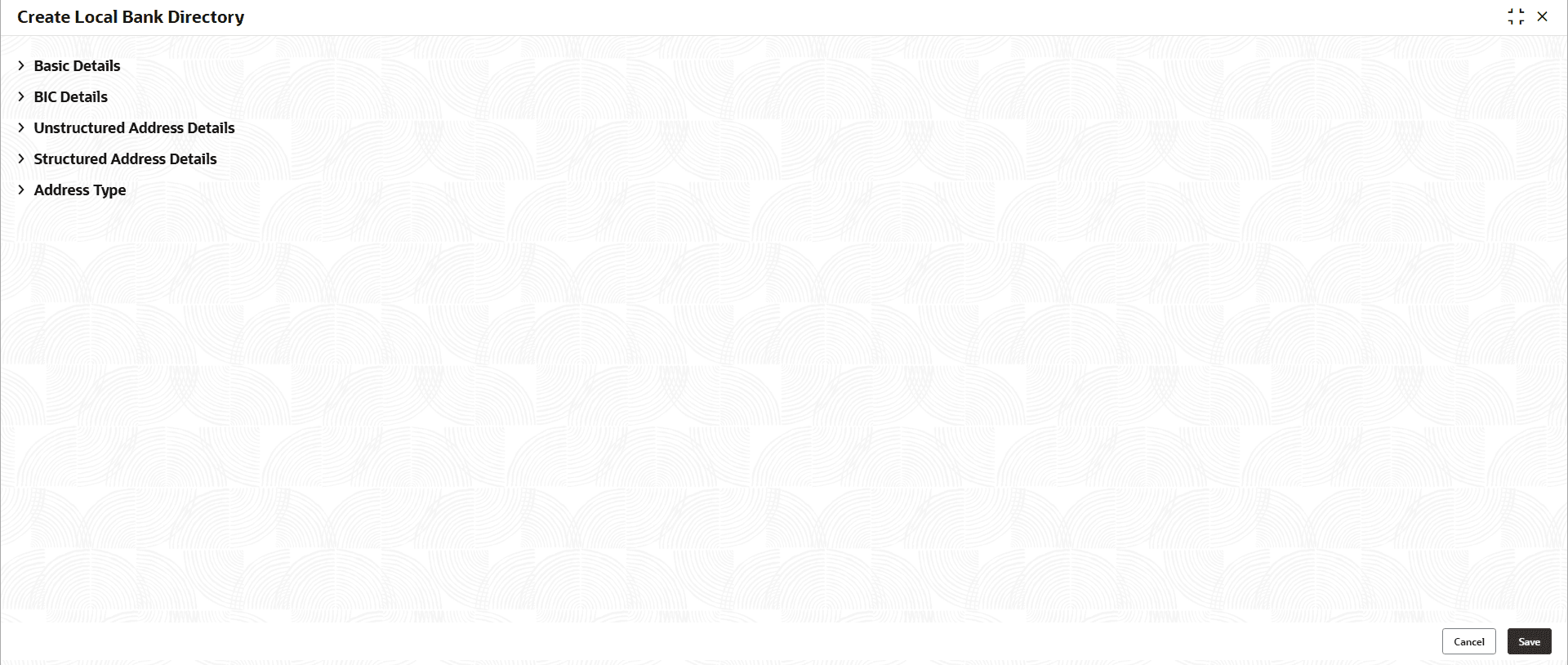
- Under Local Bank Directory, click Create
Local Bank Directory.The Create Local Bank Directory - Basic Details screen is displayed.
- Click
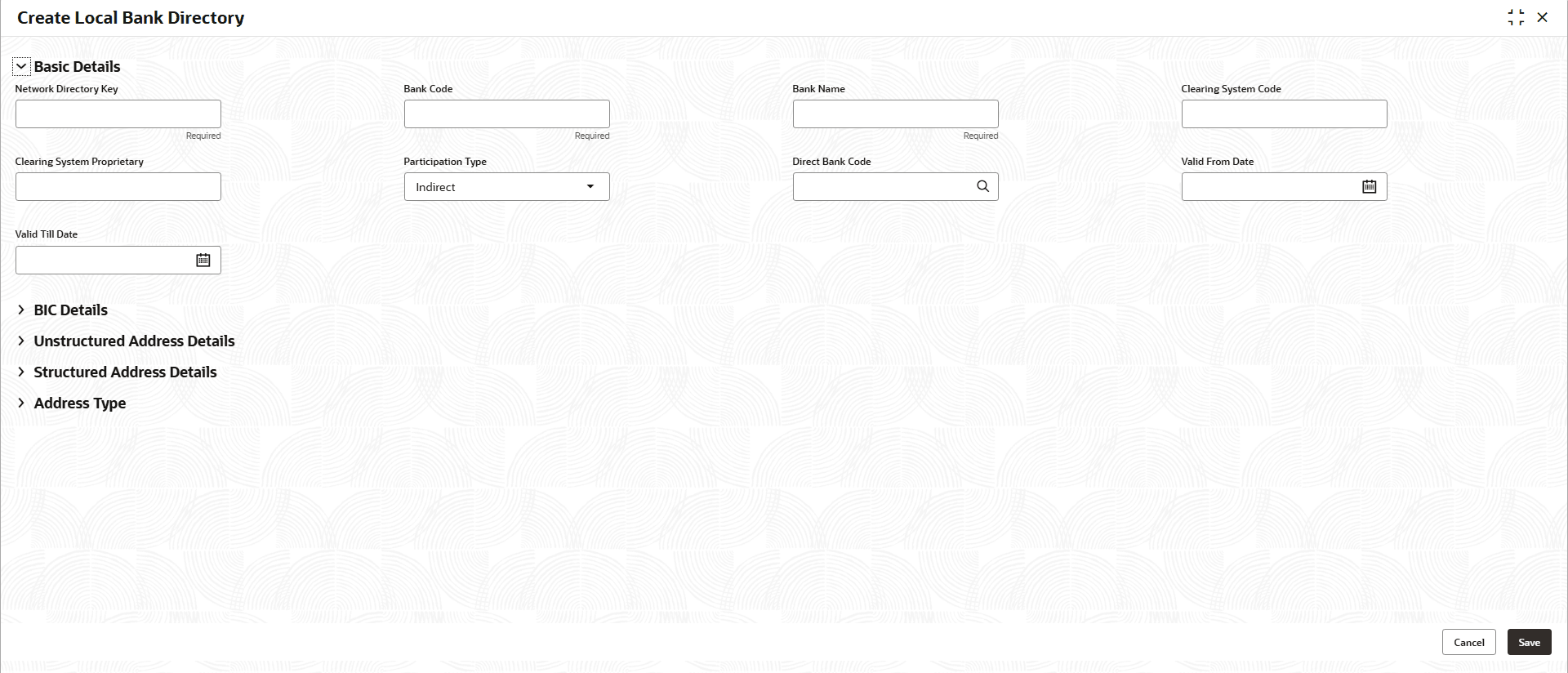
 to view and specify the fields on the Basic
Details screen.The Basic Details screen displays.For more information on fields, refer to the field description table.
to view and specify the fields on the Basic
Details screen.The Basic Details screen displays.For more information on fields, refer to the field description table.Note:
The fields marked as Required are mandatory.Table 1-74 Basic Details - Field Description
Field Description Network Directory Key Specify the unique identifier used to reference the network directory record. Bank Code Specify the code assigned to identify the bank within the banking network. Bank Name Specify the name of the bank as registered in the directory. Clearing System Code Specify the code representing the clearing system used by the bank. Clearing System Proprietary Specify the proprietary or custom code associated with the clearing system. Participation Type Select the bank’s participation level from the drop-down list. The available options are:- Direct
- Indirect
Direct Bank Code Click this  icon to view and select the required bank code from
the list.
icon to view and select the required bank code from
the list.
Valid From Date Select the date from which the bank directory record becomes effective. Valid Till Date Select the date until which the bank directory record remains valid. - Click to view and specify the fields on the BIC
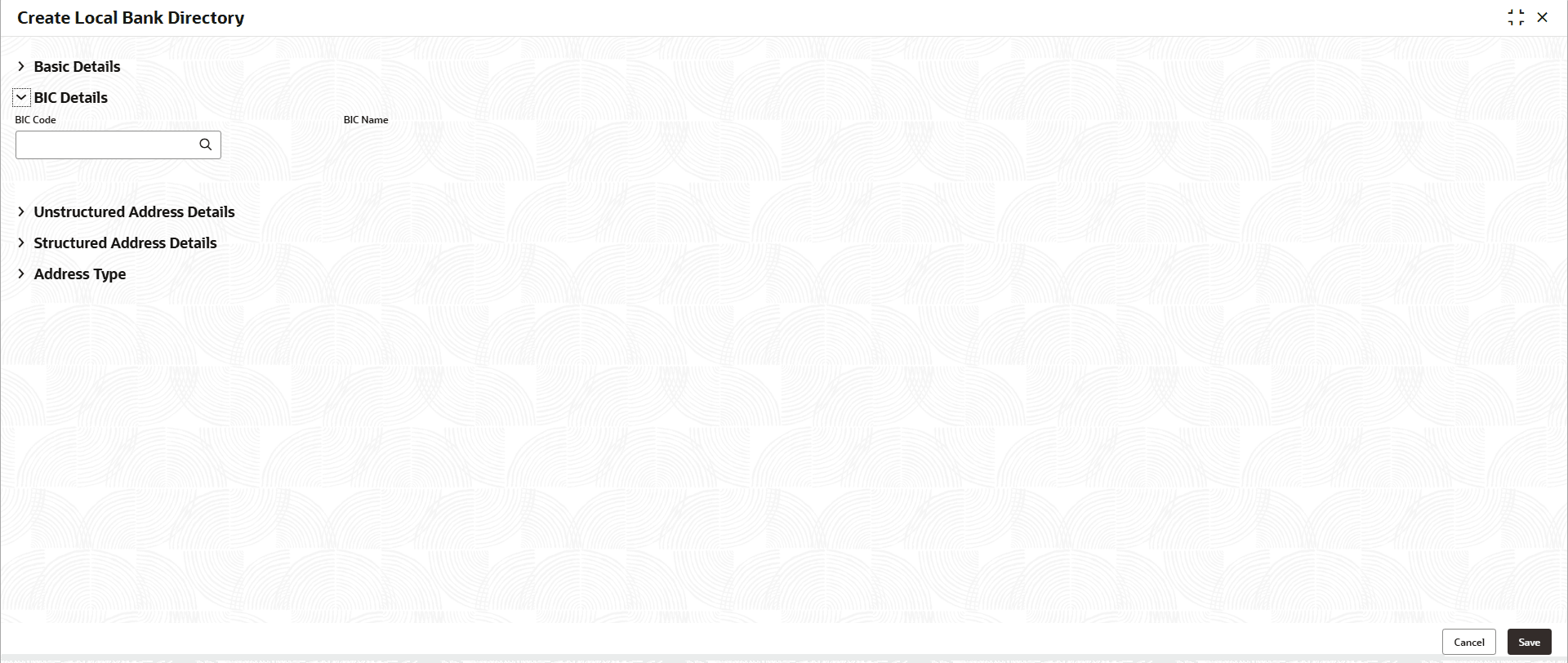
Details screen.The BIC Details screen displays. For more information on fields, refer to the field description table.
Table 1-75 BIC Details - Field Description
Field Description BIC Code Click this icon to view and select the required BIC code from
the list.
BIC Name Displays the name associated with the BIC code. - Click to view and specify the fields on the Unstructured Address
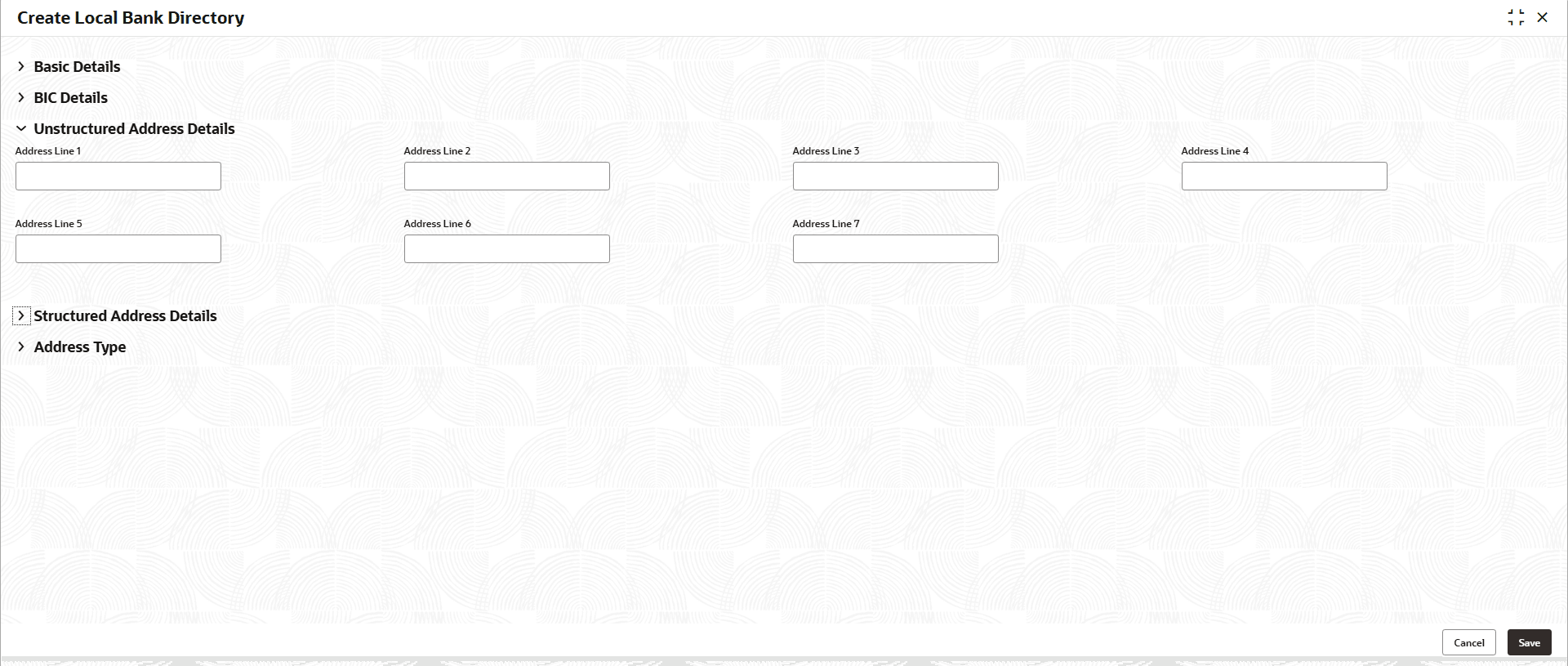
Details screen.The Unstructured Address Details screen displays. For more information on fields, refer to the field description table.
Table 1-76 Unstructured Address Details - Field Description
Field Description Address Line 1 - 7 Specify the bank’s address details across the available address lines. - Click to view and specify the fields on the Structured Address
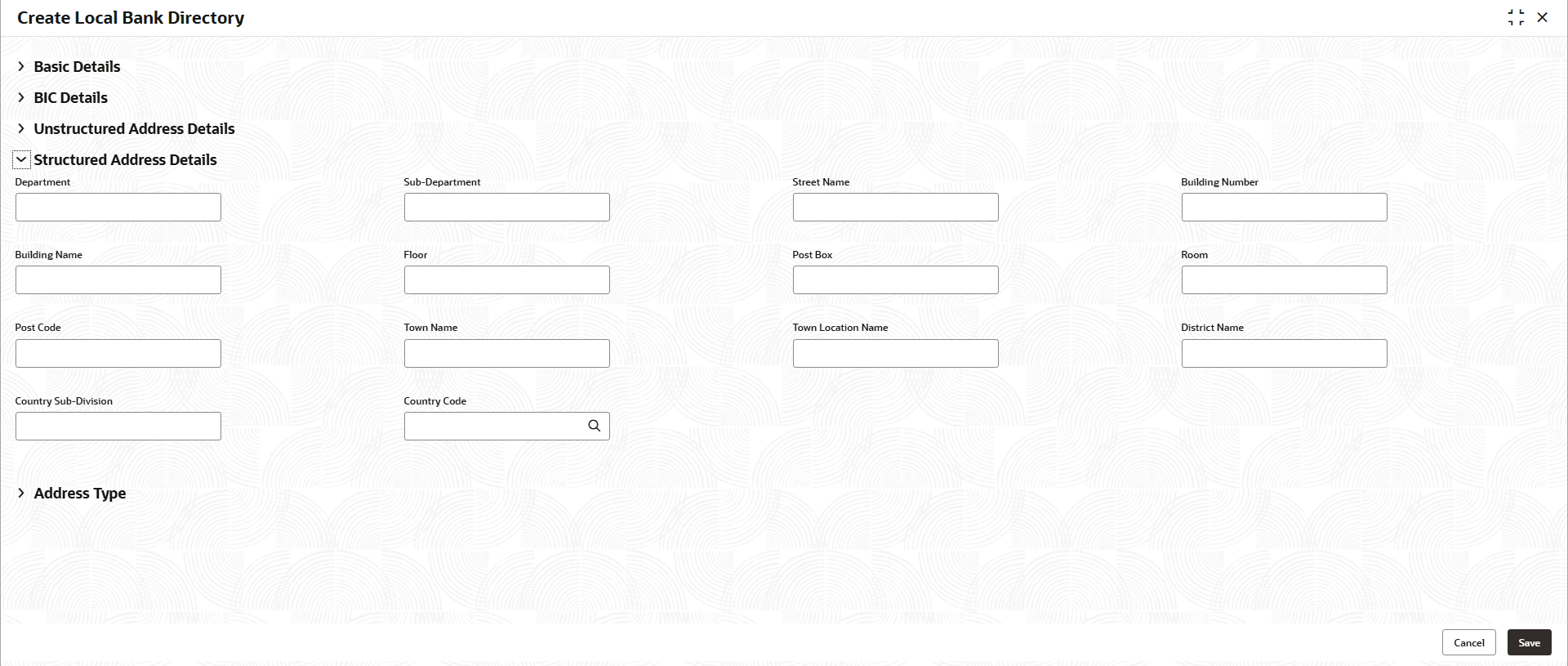
Details screen.The Structured Address Details screen displays. For more information on fields, refer to the field description table.
Table 1-77 Structured Address Details - Field Description
Field Description Department Specify the department associated with the bank’s address. Sub-Department Indicates a sub-division or sub-department within the main department. Street Name Specify the name of the street where the bank is located. Building Number Specify the numeric identifier of the building. Building Name Specify the name of the building, if applicable. Floor Specify the floor number or level within the building. Post Box Specify the post office box number for mail correspondence. Room Specify the room number location within the building. Post Code Specify the postal or ZIP code for the address. Town Name Specify the name of the town or city where the bank is situated. Town Location Name Specify the additional locality information within the town. District Name Specify the name of the district associated with the address. Country Sub-Division Specify the state, province, or region within the country. Country Code Click this icon to view and select the required country code
from the list.
- Click to view and specify the fields on the Address
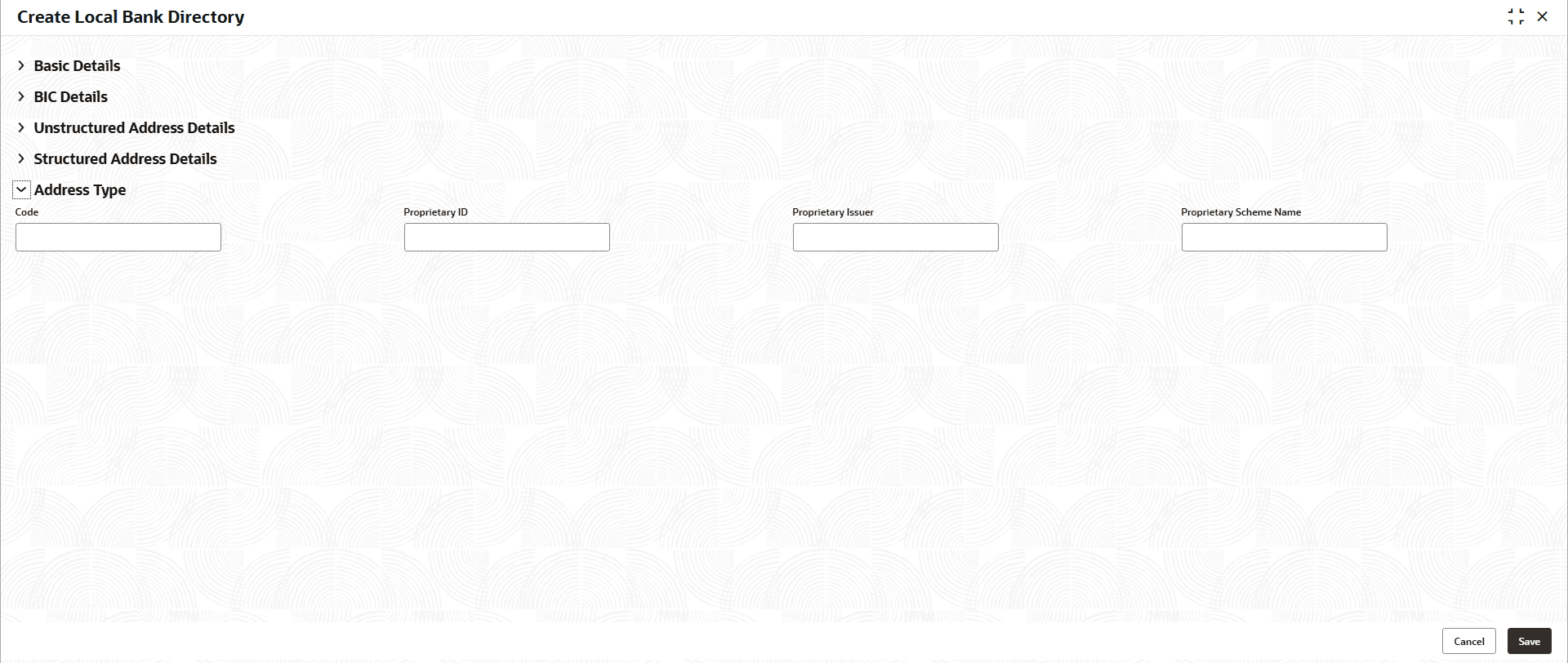
Type screen.The Address Type screen displays. For more information on fields, refer to the field description table.
Table 1-78 Address Type - Field Description
Field Description Code Specify the standard identifier used to classify or reference the bank or entity. Proprietary ID Specify the custom or system-specific identifier assigned by the issuing organization. Proprietary Issuer Specify the name of the entity or system that issues the proprietary ID. Proprietary Scheme Name Specify the name of the proprietary scheme or framework under which the ID is defined.
Parent topic: Local Bank Directory