Note:
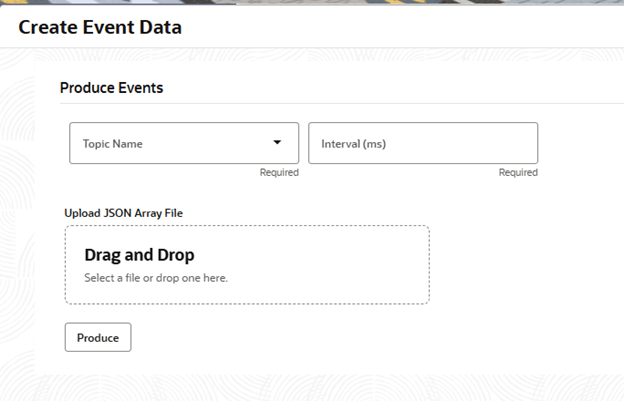
The fields marked as
Required are mandatory.
For more information on fields, refer to the field description table.
Example Avro Schema
{
  "type": "record",
  "name": "ObpyRetOnboardEvent",
  "fields": [
    {"name": "eventId", "type": "string"},
    {"name": "timestamp", "type": "long"},
    {"name": "customerId", "type": "string"},
    {"name": "amount", "type": "double"}
  ]
}
Note:
The above schema is provided only as an example Avro schema for a topic and does not represent the actual schema used by the topic.
Example JSON Array Payload
[
  {
    "eventId": "evt-01",
    "timestamp": 1717974543000,
    "customerId": "cust1234",
    "amount": 2500.0
  },
  {
    "eventId": "evt-02",
    "timestamp": 1717974544000,
    "customerId": "cust5678",
    "amount": 1500.0
  }
]
Optional Actions:
To re-select a file, click the Delete icon in the Action column and upload a new one. Use the file name and size details to verify that the correct file was uploaded.
Additional Notes:
- The uploaded JSON file must conform exactly to the Avro schema defined for the topic
- Use the Interval setting to manage the pace of the event flow.
- Only one file can be uploaded and processed at a time.
- Upon completion, the system displays the success or failure status of the operation.