8 Party to Account Relationship
This topic provides the instruction to create party to account relationship details.
Note: CIF_ID, ACCOUNT_NUMBER and PARTY_RELATIONSHIP should be Unique.
- From Home screen, under Party Services, click Party To Account.The Party To Account screen is displayed.
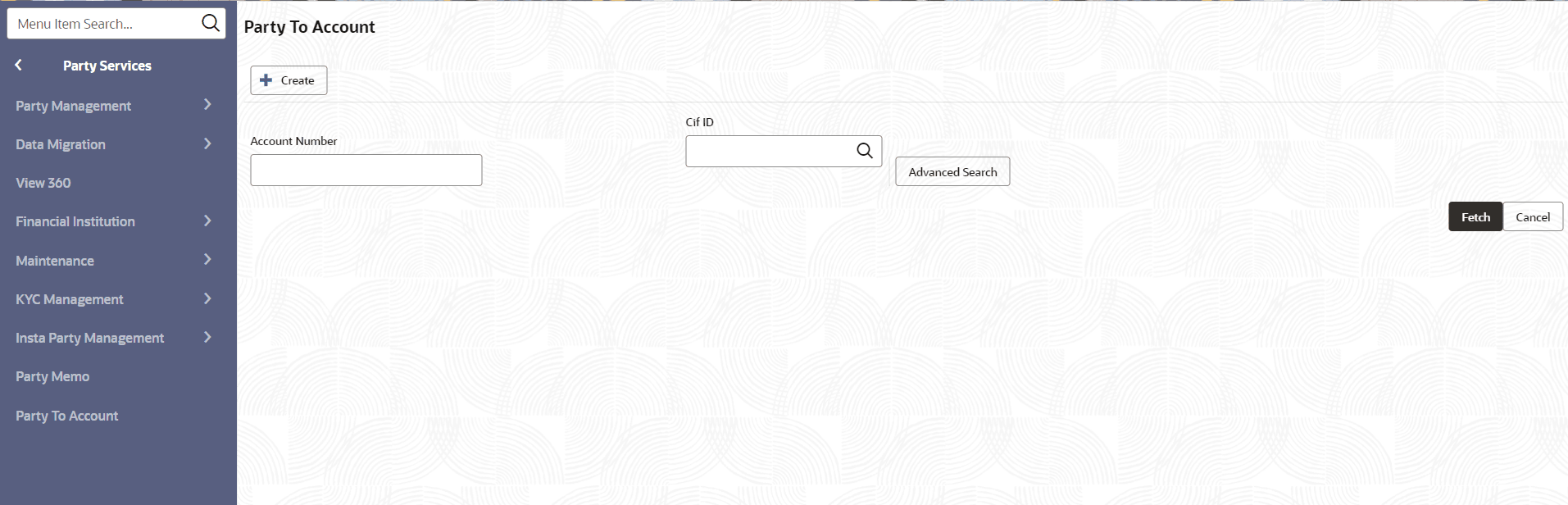
Create Party to Account Relationship
- Click Create button from the Party to
Account screen to create a new relationship.The Add Relationship screen is displayed to update the relationship details.
Figure 8-2 Party to Account - Add Relationship
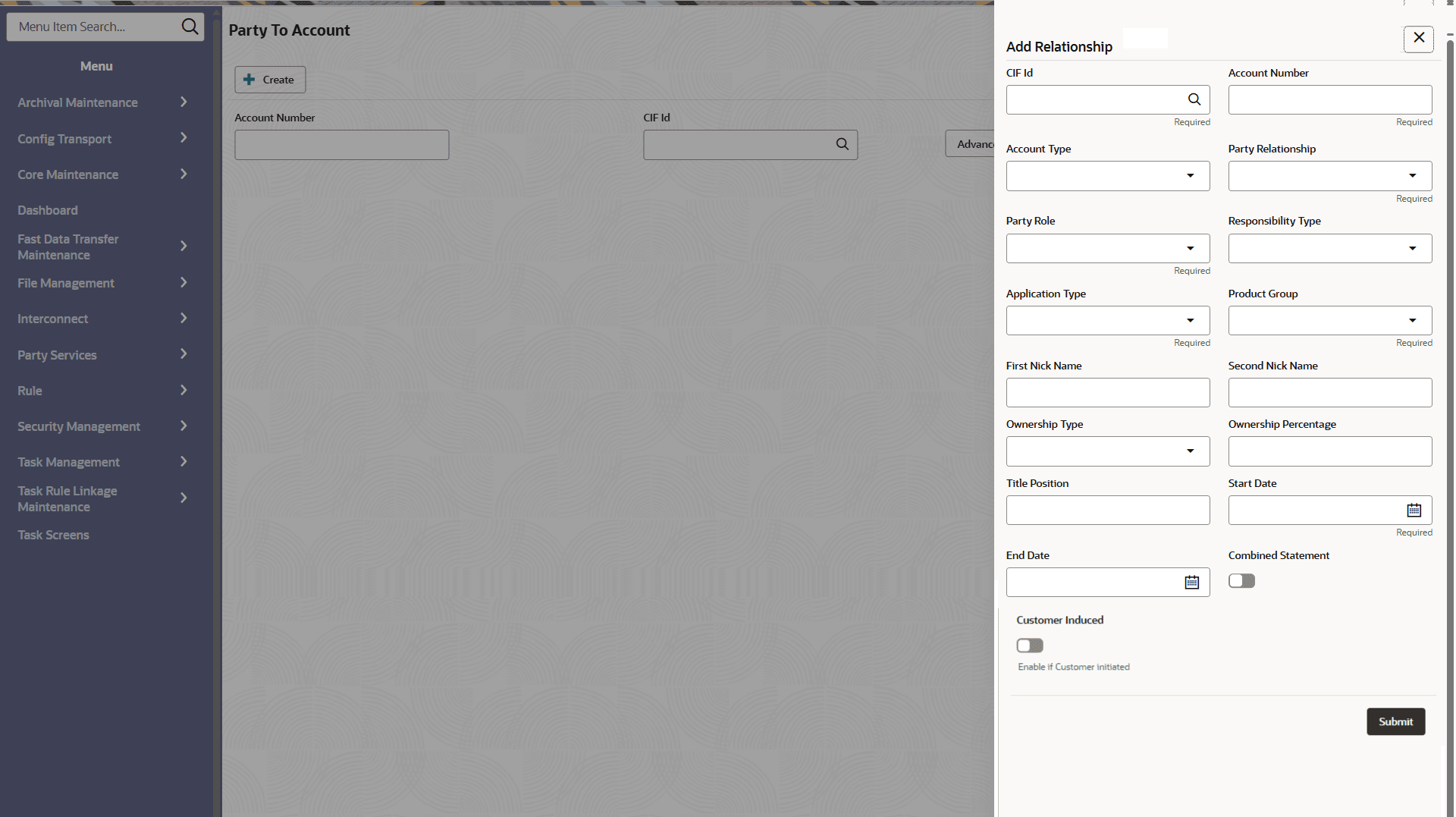
- Specify the fields on Add Relationship screen.For more information on fields, refer to the field description table below.
Table 8-1 Add Relationship - Field Description
Field Description CIF ID CIF ID if the party holding and account with financial institution. Account Number Account number related to CID ID. Account Type Type of account. Entity Code: ACT
Party Relationship Relationship of party with account. Entity Code: PRS
Responsibility Type Responsibility type of the party in account. Entity Code: RPT
Application Type Application of account origination. Entity Code: APT
Product Group Product group of account. Entity Code: PDG
First Nick Name Party to Account Relationship Nick Name. Second Nick Name Party to Account Relationship Nick Name. Ownership Type Ownership of party on account. Entity Code: OST
Ownership Percentage Ownership of party on account in percentage. Title Position Legal title position. Start Date Party to Account Relationship start date. End Date Party to Account Relationship end date. Combined Statement Flag to identify if combined statement is required for the party. Customer Induced Toggle button to select whether operation is initiated by customer or not. The available options are:
- Yes: Operation is initiated by Customer
- No: Operation not initiated by Customer
Note:
The list of drop-down values is configurable through Entity Maintenance. For details on Entity Code Maintenance and the available values corresponding to each Entity Code, refer to the Oracle Banking Party Configurations User Guide. - Click Submit.
Search Party to Account Relationship
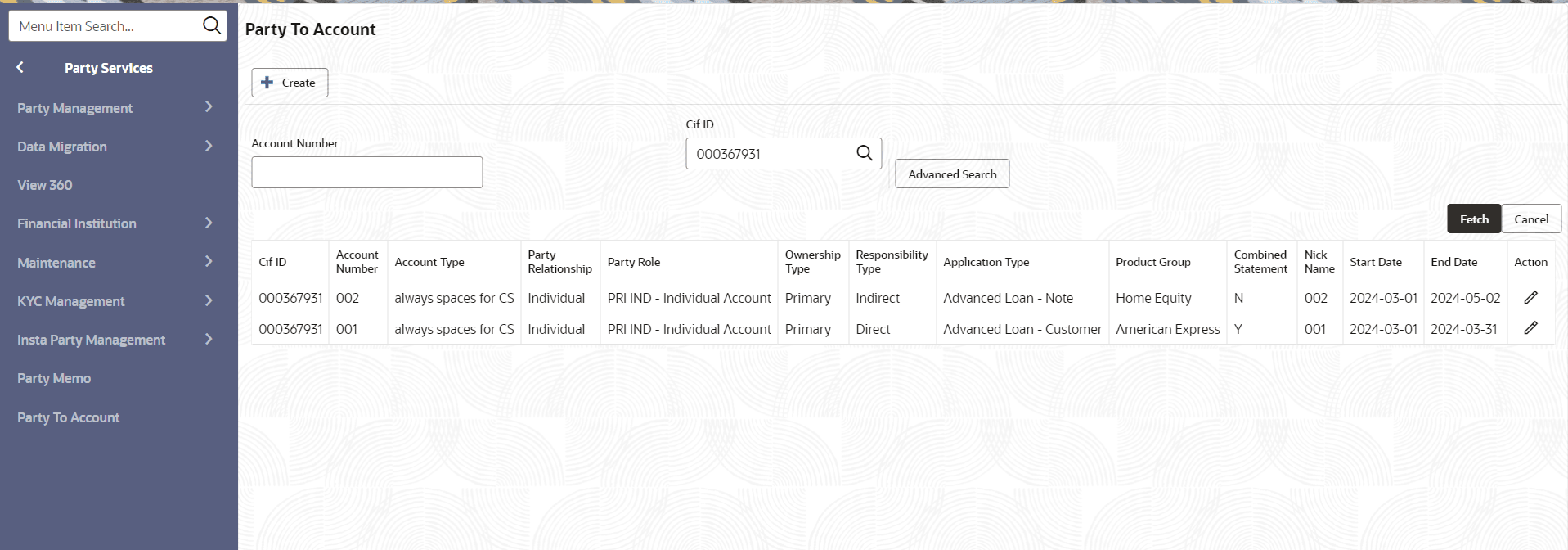
- Input Account Number or CIF ID to retrieve party to Account Relationships on the Party to Account screen.
- Click Fetch.The Party to Account Relationships will be displayed in the grid view.
Figure 8-3 Party to Account - Search Party
Note:
The account relationship with Account Number will provide a list of all parties associated with the account. A party performing a search with their CIF ID will reveal all accounts linked to them. - Click Edit icon in the action column to amend or delete and existing party to account relationship.
Note:
CIF ID and Account Number cannot be changed during amendment.The drawer will open to amend the relationship.


