Accessing the Usage Tracking Reports
Usage Tracking is a feature in OBIEE/OAS (Oracle Analytics Server) that enables users to monitor and analyze the system usage. It captures details of reports executed and queries issued to the database, providing visibility into how the analytics environment is being used. This feature is particularly useful for identifying and analyzing reports, dashboards, or queries that may require performance optimization. By reviewing usage data, administrators can detect inefficiencies, tune queries, and improve overall system performance.
To access the usage tracking Reports in AFCS, complete the following steps:
- On the Home page, from the LHS menu, click Catalog.
- Under the Shared Folders tab, select Data Visualization Reports, then select Usage Tracking to view the details of the system usage.
Figure 23-3 Usage Tracking in OBIEE
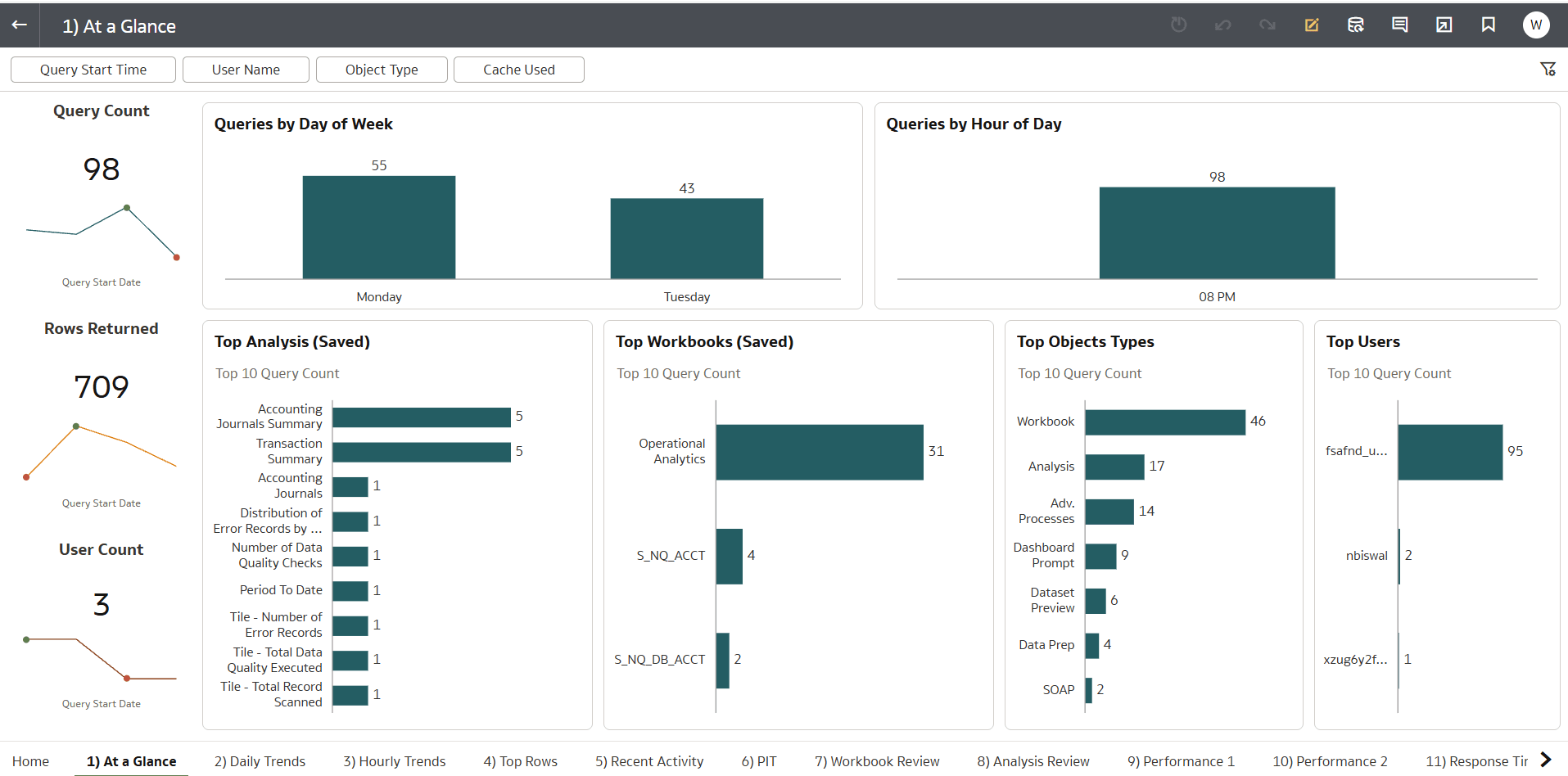
You can navigate among the following canvases in the Usage Tracking
report:
- At a Glance - Ability to view common metrics by several data filters
- Daily Trends - Allows a user to view standard usage metrics by day
- Hourly Trends - Allows a user to view standard usage metrics by hour
- Recent Activity - Allows a user to view standard usage metrics by hour
- Top Rows - Shows the objects returning the most rows
- PIT - Allows a user to quickly see what's happening for a specific Point in Time (Day /Hour)
- Workbook Review - Review basic usage stats for (DV) workbooks
- Analysis Review - Review basic usage stats for (Classic) dashboards and analysis
- Performance 1 - Designed to help undersand dashboard response time over selected periods to locate long running analysis'
- Performance 2 - Designed to help understand dashboard response time over selected periods (Box Plot)
- Response Times - A treemap displaying average response times across selected periods for dashboards
- Rows vs Response - Shows a scatterplot weighing returned rows and average response times for a dashboard
- Query Review - View the logical and physical SQL generated by the system
- User Review - Displays an overview of a user's activities
- User Review Adv. - Provide additional visuals and metrics for a user Errors - Centralized canvas to review and monitor errors generated by users