Creating Prepayment Model with Rate Calculation as Manual
To create a Prepayment Model Rule, follow these steps:
- Navigate to the Prepayment Model Summary Page.
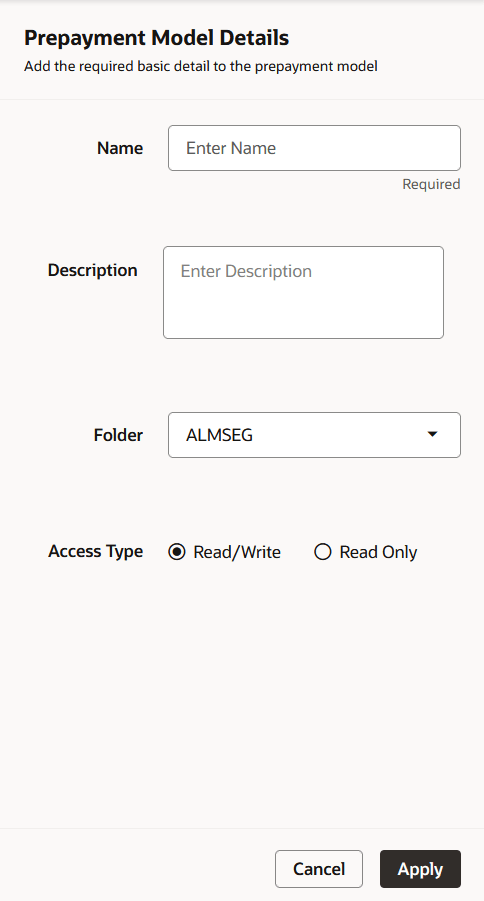
- Click Add. The Prepayment Model Details Page is
displayed.
Figure 6-100 Prepayment Model
- Enter the following details:
- Name: Enter the name and a brief description for the Prepayment Model. The name you assign to the Prepayment Model must be unique. The name can hold a maximum of 30 characters.
- Folder: Select the Folder
- Description: Enter the description of Prepayment Model Rule.
- Select Access Type.
- Click Apply.
- From Prepayment Model details page, select the Prepayment Model Rate Calculation Method as Manual. Using Manual Method, you can select maximum of three Prepayment Dimension and assign prepayment rates manually to selected dimension.
- Follow below steps:
Defining the Structure of the Prepayment Model Using Dimensions section
Modifying the Table Structure Using Bucket Definition section