5.2.3 Submit Custom PLSQL User Extension Archives
Custom PLSQL extensions post successful upload via the PLSQL Archive Summary page is available for consumption for due diligence processing and deployment in next stages.
First, submit the custom archive for a series of due diligence checks using the Submit for Due Diligence button.
Second, deploy the custom archive in the specified environment.
Using the View Archive Details window, you can access the Due Diligence and Archive Deployment for submission of Custom PLSQL user extensions.
Click View
 icon on the corresponding archive project from the PLSQL Archives Summary
page to access the View Archive Details window.
Figure 5-21 View
Figure 5-22 View Archive Details window
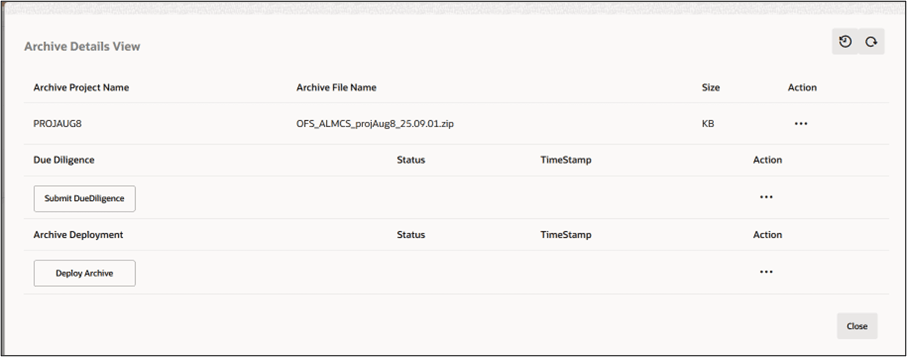
- Submit for Due Diligence
- Deploy Archive
- Analytics Access for Custom Views
After a Custom PLSQL archive is deployed successfully, all custom objects of type View that are included in the archive are identified and enabled for Analytics usage.
Parent topic: PLSQL Archive Summary