4.2.1.2 Business Model Upload
You can upload a new model or update or re-build an existing model to the database schema. The option to upload a Business Model is available based on the existing model in the selected Information Domain.
- To navigate to the Business Model Upload Page, from OFSAA
Home, select Financial Services Balance Computation
Engine, select Administration, select
Data Model Maintenance, select
Add.
Figure 4-2 Business Model Upload Page
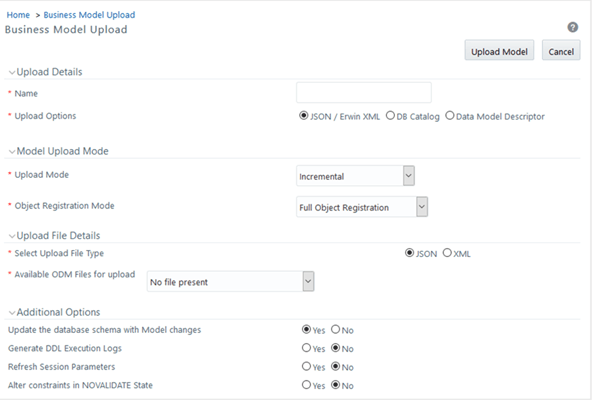
For detail procedure about uploading a Business Model and for the latest information, see the Upload Business Model section in the Oracle Financial Services Advanced Analytical Applications Infrastructure User Guide Release 8.1.1.0.0.
For information about uploading a Business Model using different options, see the following sub-sections in the Upload Business Model section:
- Model Upload Using JSON / ErwinXML section for the Business Model upload using the JSON (ODM) / ERwin XML option.
- Model Upload Using DB Catalog section for the Business Model upload using the Database Catalog option.
- Model Upload Using OFSAA Data Model Descriptor (JSON) File section for the Business Model upload using the Data Model Descriptor option.