4.4.9.6 Defining Messaging Details
While creating a Form, you can click Message Details in the DEFQ Field Properties Window to define the messaging details. You can specify an alert message which is sent to the Creator of the Form or an Authorizer.
Figure 4-41 Messaging Details window
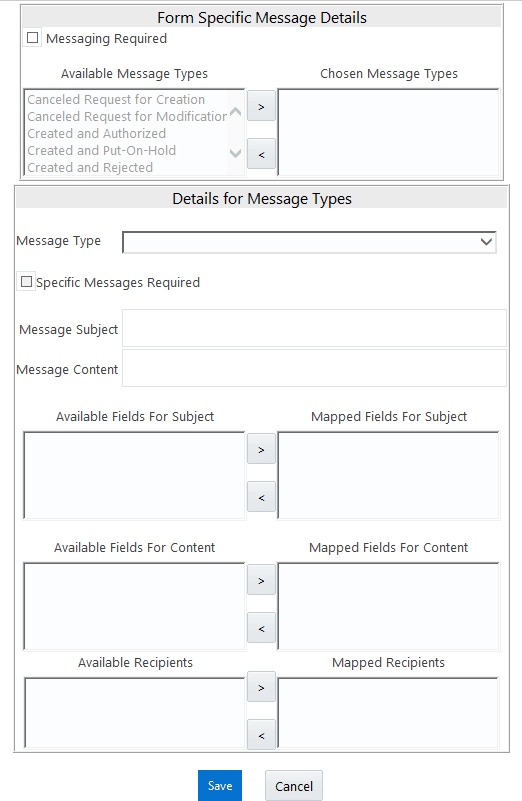
In the Messaging Details for a Form window:
- Select Messaging Required check box to activate the Messenger feature.
Note:
If the option is not selected, a single mail is sent for the entire batch. Message details such as recipients, subject, and contents are fetched from the metadata. - Select the required Available Message Types from the list and click
.
Figure 4-42 Icon

- Select the Message Type from the drop-down list based on a specific action.
- Select Specific Messages Required to add a specific message.
- Select Available Fields for Subject , Content , and Recipients from the list and click
.
Figure 4-43 Icon

- Click Save and save the messaging details. You also need to select Save with Authorization in the DEFQ Field Properties Window for the messages to be functional.