3 Common Keyboard Shortcuts with Control References
This chapter provides more information about the common keyboard controls.
Note:
- When you click a hyperlink and reach a page, if you want to get back to the page where the hyperlink was clicked, click Alt + Left Arrow.
- For OFSDF application screens, press the Tab key on your keyboard to tab through all the controls within the browser window. Press Shift + Tab to navigate in the reverse direction.
- Disabled option items receive no highlight and are not selectable.
Login Page
Table 3-1 Keystroke References for the Controls in Login Page
| UI Control | How Does the UI Control Look | List of UI Controls on the Screen | Keystrokes to Access This UI Control |
|---|---|---|---|
| html5-select-one |

|
Language Selection | HTML Select (html5-select-one) |
| html5-textbox |

|
User ID, Password | HTML Textbox (html5-textbox) |
| html5- button |

|
Login Button | HTML Button (html5-button) |
Landing Page
This section describes all the elements of the OFSAAI Login Page and the keystroke combinations to access them.
Header

Figure 3-1 OFSDF Header
Table 3-2 Keystroke References for the Controls in Landing Page - Header
| UI Control | How Does the UI Control Look | List of UI Controls on the Screen | Keystrokes to Access This UI Control |
|---|---|---|---|
| oj-button |

|
Application Navigation | OJET Button (oj-button) |
| oj-button |

|
Connected To | OJET Button (oj-button) |
| oj-button |

|
Last Login Details | OJET Button (oj-button) |
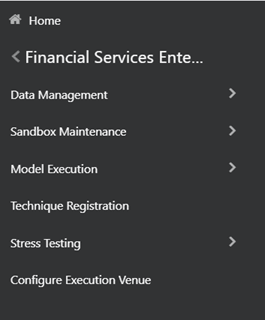
| oj-navigation-list |
|
Navigation drawer | OJET Navigation List (oj-navigation-list) |
| oj-navigation-list |

|
Main Navigation | OJET Navigation List (oj-navigation-list) |
| oj-select-single |

|
Language | OJET Select Single (oj-select-single) |
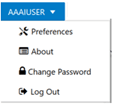
| oj-menu |
|
User Preferences | OJET Context Menus (oj-menu) |
Tiles
Figure 3-2 OFSDF Administration Page - Tiles
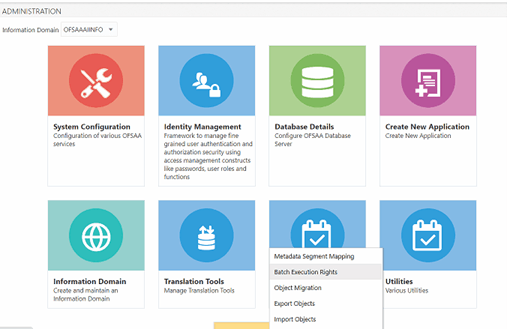
Table 3-3 Keystroke References for the Controls in Administration Page - Tiles
| UI Control | How Does the UI Control Look | List of UI Controls on the Screen | Keystrokes to Access This UI Control |
|---|---|---|---|
| oj-select-single |

|
Information Domain | OJET Select Single (oj-select-single) |
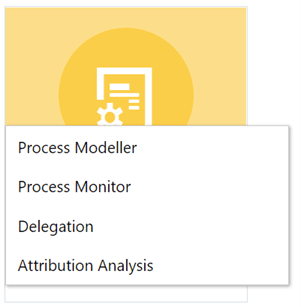
| oj-menu |
|
Tile | OJET Context Menus (oj-menu) |