4.4.2.4.1 Customer
This section displays the customer Details.
Select the required customer from the list to view the following details.
- Customer ID/Tax ID
- Customer Type
- Is Entity a DOEP Subject
If there are no DOEP subjects selected for any of the customers available in the customer list, then CTR shows that the mandatory details are not available.
If there are more customers involved in the Exemptions, then this field is kept blank and must be updated by editing before approving the Exemptions.
- First Name
- Last Name / Entity Name
- Suffix Name
- Alternate Name
- Exemption Class
- Business Domain
- Filing Institution
If there are more than one filing institution selected, you must update this field to approve the Exemptions.
- Date of Incorporation/Date of Birth
- Account Count
- NAICS Code
- Occupation
- Registration Type
- ID Issuing Country
- TIN concatenate format code + Customer Tax Identifier
- Status
- Affiliated Institution
Editing Customer Details
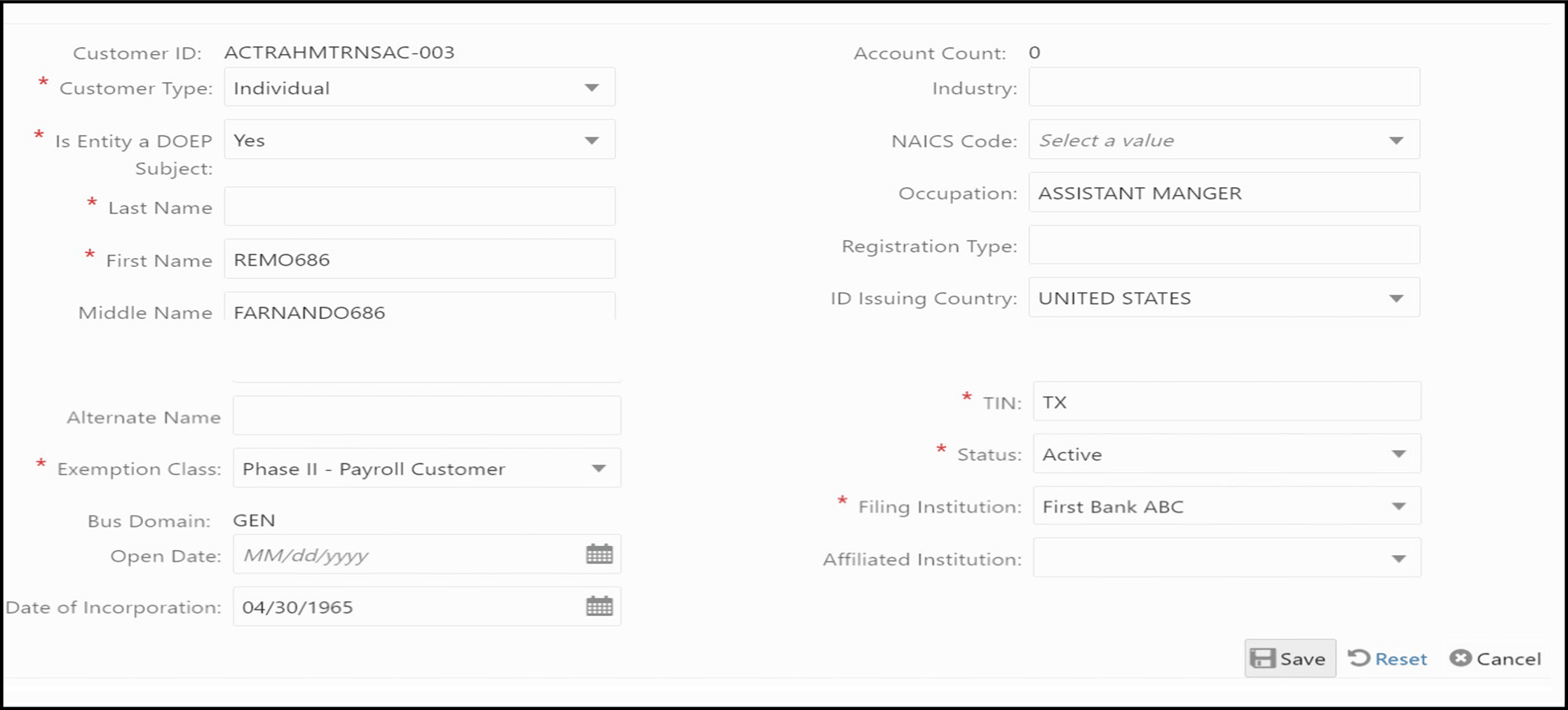
The Customer tab allows you to edit the Customer Details. To edit the customer details, follow these steps:
- Under the Customer tab, select the customer ID and click Edit.
- The Edit Customer Details window opens.
Figure 4-5 Edit Customer Details Window
- Edit the required information and click Save. The customer record is updated.