4.5 Performing Actions on Exemptions
You can perform an action on an Exemption based on user roles and the current status of an Exemption.
Note:
If no action is available for the selected Exemptions, the following message is displayed- There are no actions available for the selected Exemptions.
To perform an action on an Exemption, follow these steps:
- Select one or more Exemptions from the Search and List page and then click
Actionto take action on multiple Exemptions.
OR
Click the Exemption ID from the Search and List page to view its details, and click Actionfrom the Exemption Details page.
Figure 4-6 Actions Window
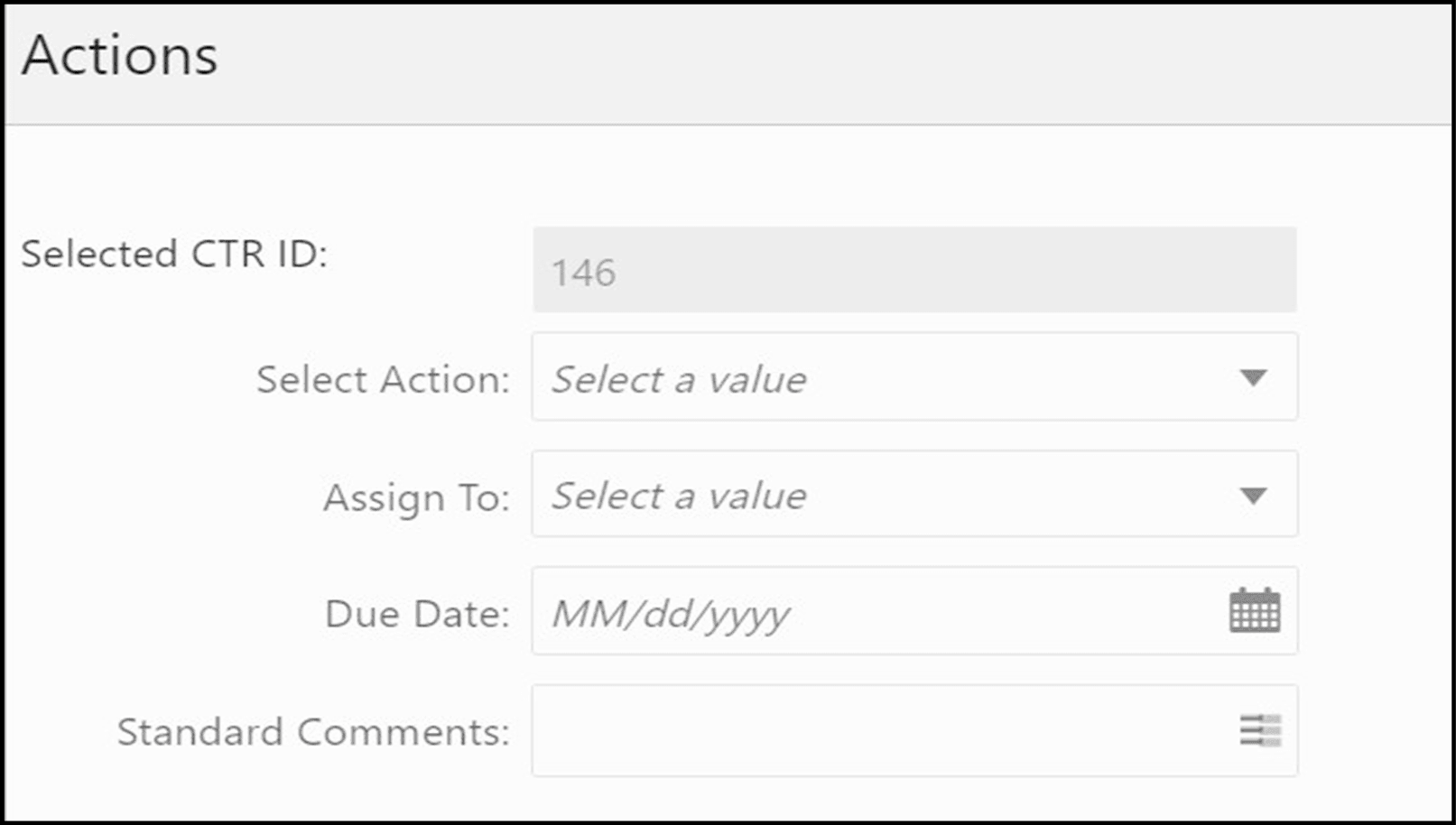
- Enter the required fields as explained in the following table
.
Table 4-5 Exemptions Action Window Field Description
Field Description Selected Exemption ID This field displays the IDs that were selected from Search and List results.
This field is not editable.
Select Action The action allows you to take the following actions on Exemptions depending upon the user role and the current status.
The following Actions are available for the Exemption Supervisor Role:
- Reassign
- Submit for Approval
- Close
- Recommend Recertify
- Recommend Do Not Recertify
- Approve Recertify
- Reject Recertify
- Approve Exemption
- Reject Exemption
- Revoke Exemption
- Approve Revoke
- Reject Revoke
- Generate DOEP
- Recertify
- Reopen
The following Actions are available for the Exemption Analyst Role:
- Reassign
- Submit for Approval
- Close
- Recommend Recertify
- Recommend Do Not Recertify
- Recertify
- Reopen
- Revoke Exemption
AssignTo This option is a single selectable drop-down field displaying the users to whom the Exemption can be assigned to. This field is enabled only when a user selects any of the following actions in the Select action field:
- Reassign
- Submit for approval
- Recommend Recertify
- Recommend Do Not Recertify
- Revoke Exemption
- Reopen
- Recertify
StandardComments Select the standard comments from the list. Comments Enter comments in the field. - ClickSave.The requested action is performed on the selected Exemptions.
Note:
A user can perform re-open action from the Exemptions which are in closed status (Closed/Rejected/Revoked) if there exist an Exemption on the same entity or on Customer ID in the Active or In process of being created.