Average Time taken for Cases - Open/Close
Use this dashboard to view the average time taken from when a case is open to when a case is closed.
- You can filter the data in the reports using the following filter fields:
Figure 4-40 Filter for Average Time Taken for Cases - Open/Close Report
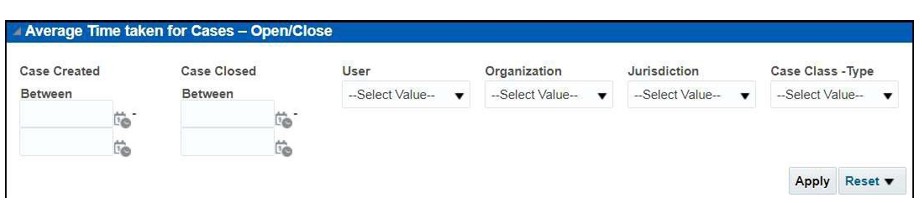
- Enter the following filter details:
Table 4-12 Average Time Taken for Cases - Open/Close Report Filter Descriptions
Field Description Cases Created Between
Select the time period to view the cases that are created between the selected time period.
Cases Closed Between
Select the time period to view the cases that are closed between the selected time period
User
Select the user of the case.
Organization
Select the organization to which the case belongs to.
Jurisdiction
Select the jurisdiction to which the cases belong to. This filters the cases by the business jurisdiction (geographic location) associated with a case. The drop-down list contains only the jurisdictions with which you are authorized
to view.
Case Class Type
Select the Case Class Type to which the case belongs to.
- Click Apply.
The result displays two category of reports as follows:
- Average Time taken for Case Closure: Use this report to view the average time taken by a user to close the cases belonging to a particular organization.
- Active Cases Per User-Organization: Use this report to view the number of active cases for a particular user in an organization.