4.7.1.2 Create Archive Policy
This section provides the details on archiving the data from selected tables based on user defined criteria.
To create Archive Policy, follow these steps:
- Navigate to New Policy page.
- Follow the steps mentioned in below sections:
- Step 1: Policy Definition
- Step 2: Condition
- Step 3: Preview and Submit
Step 1: Policy Definition section
- From Policy Details tab, click Start.
The Policy Definition page is displayed.
Figure 4-38 Policy Definition section
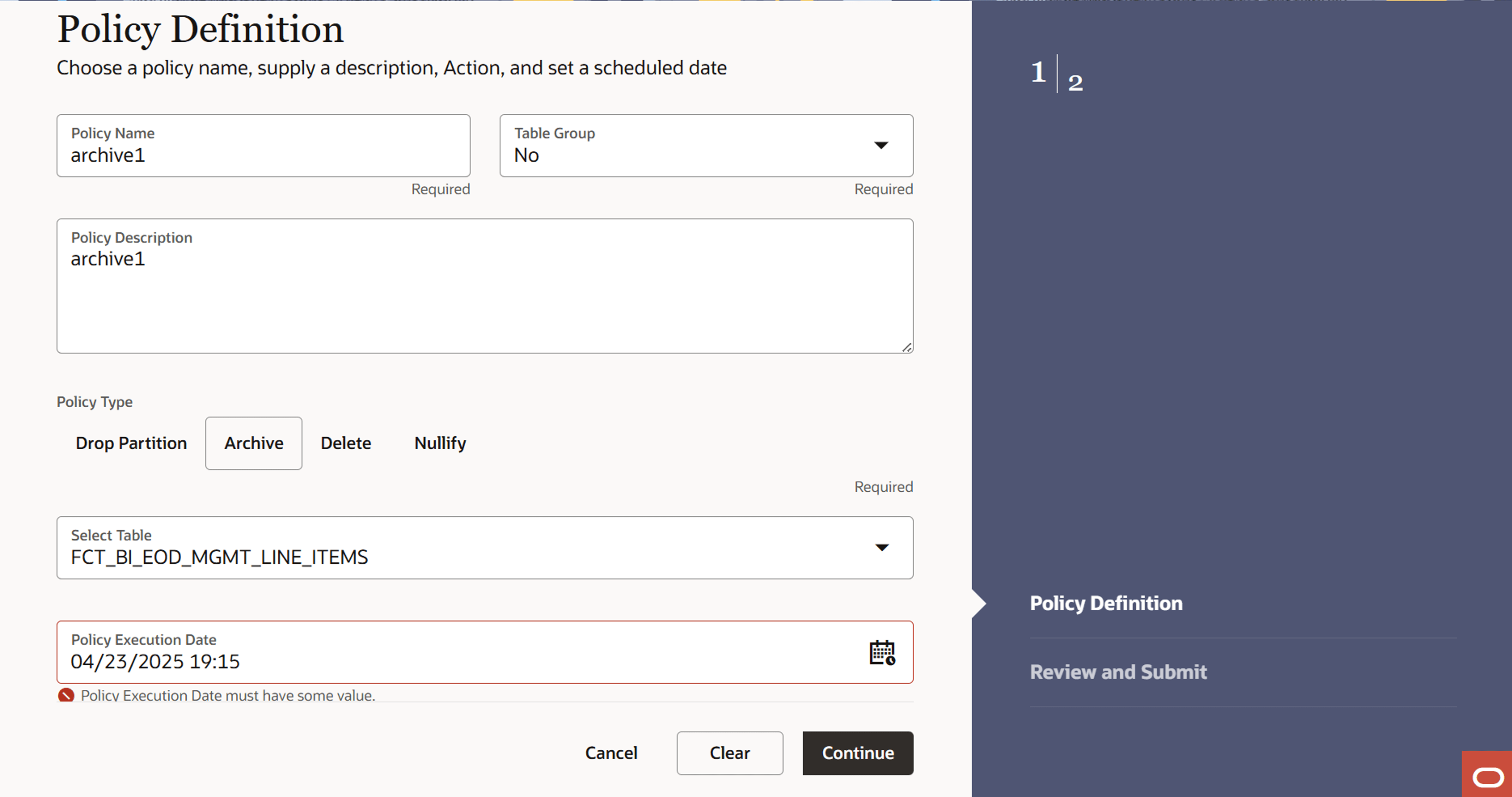
- Enter the following details:
- Name: Name of Policy
- Description: Description of Policy
- Table Group: If this option is selected as No, then you can select Policy Type as Drop Partition.
- Type: Type of Policy as Archive
- Policy Execution Date: Select the execution date and time of policy using calendar
Step 3: Conditions
This section allows you to define the conditions(s) to archive the table.
- Navigate to the Conditions section.
Figure 4-39 Conditions section
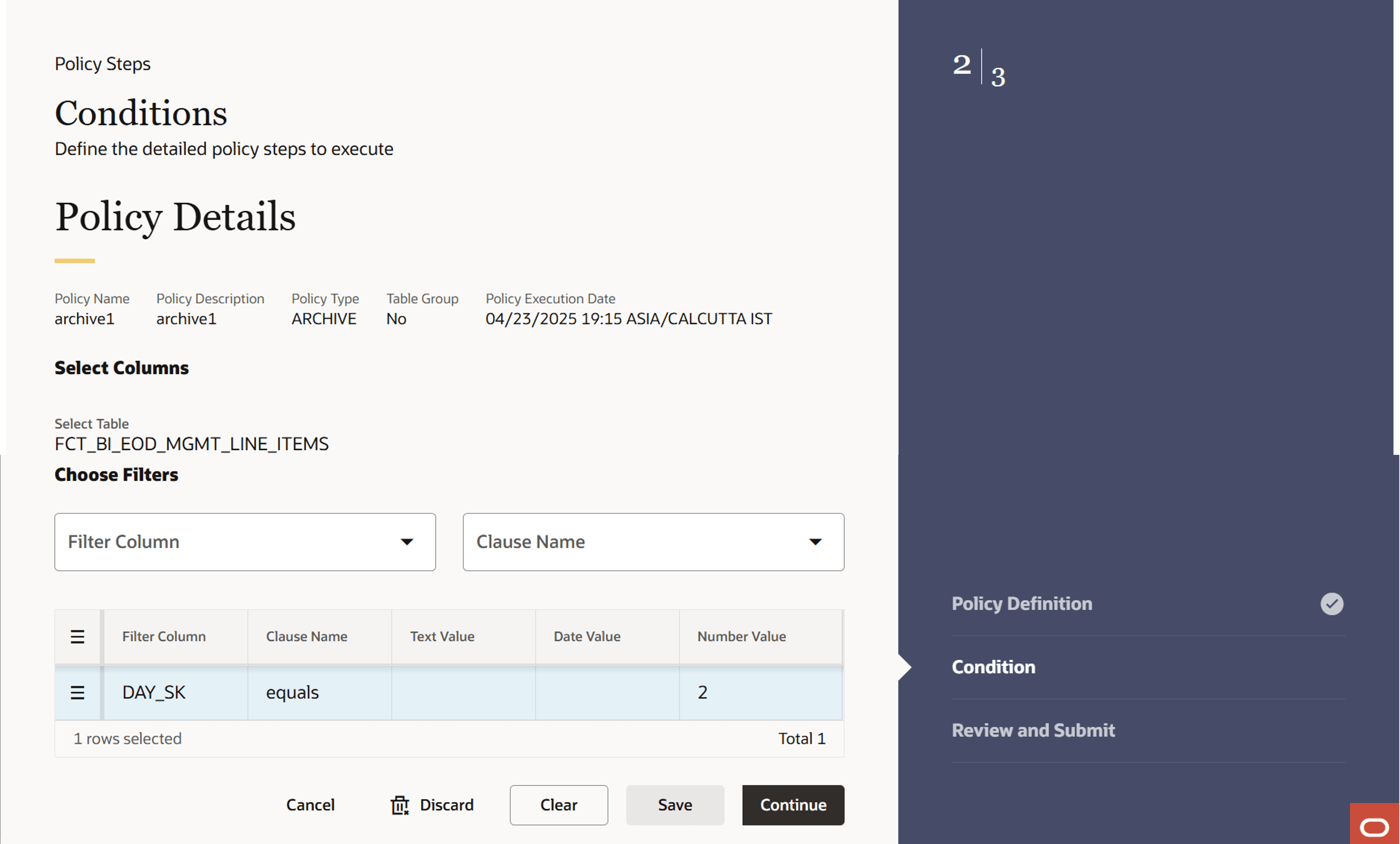
- Select the column(s) using Filter Column.
- Select operator from Clause Name drop-down. The list of operators
displays based on the selected Column Name.
Note:
You must select at least one condition to avoid the full table archive. Use AND if you want to use multiple columns. You can select columns from pre-defined list. Don’t use wild card characters. Supported operators are: >, <, <=, and =>.
- Enter condition value for selected column.
For example, If you have selected Column as Account Number, then select Equals operator from Clause Name drop-down, and enter alphanumeric value in Value field.
Click Row Actions icon to view single row, add a new row, create duplicate row, delete row, refresh row, or revert changes.
To add more conditions, define the condition and click Save.
- Click Continue.
Step 3: Preview and Submit section
- Navigate to Preview and Submit section.
Review the policy details.
Figure 4-40 Preview and Submit section
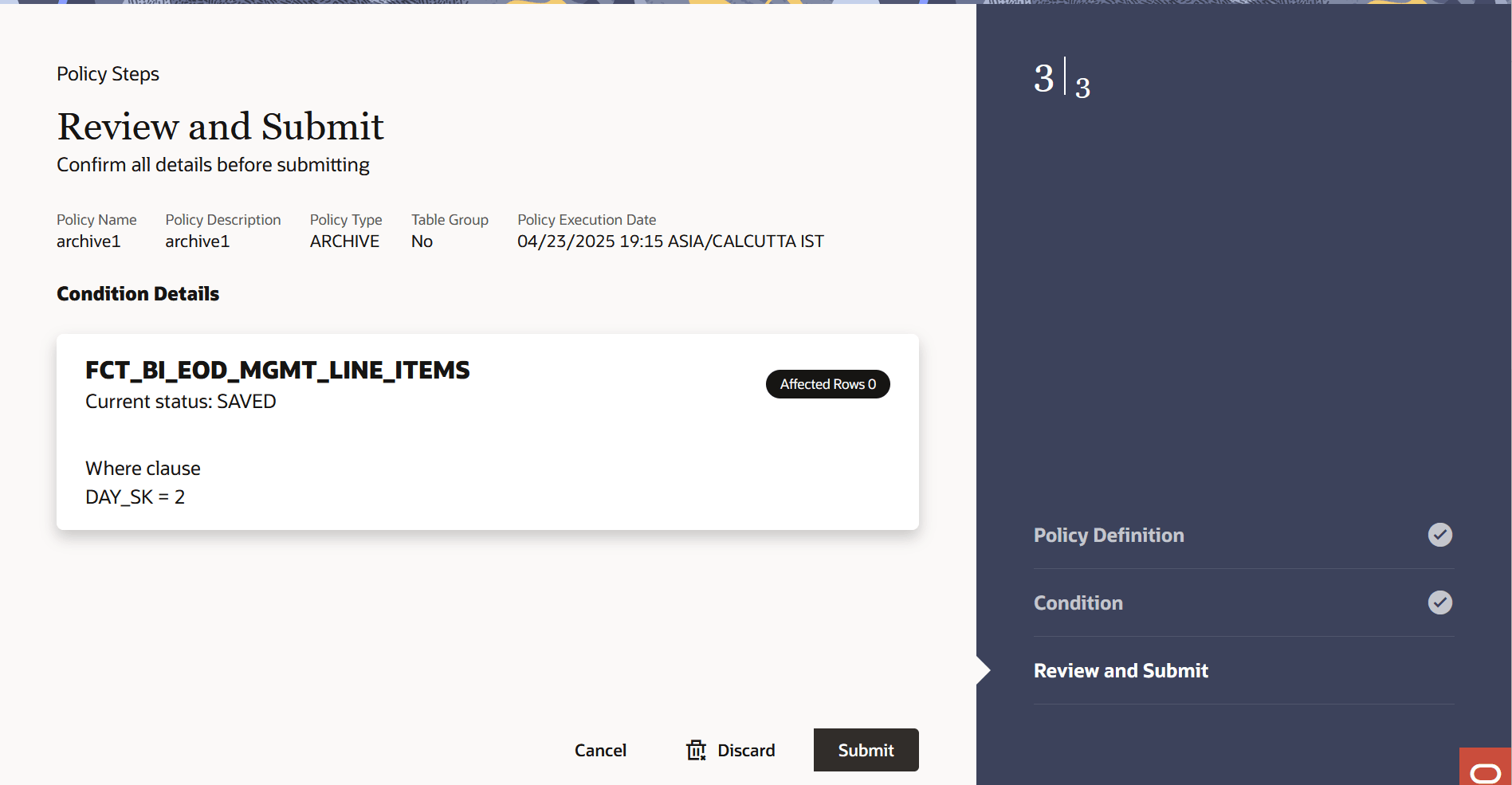
- Click Submit to create the policy. The
created policy will be displayed on Data Housekeeping
Summary page.
Note:
Data that is archived remains in the same table but is invisible to user. Thus, they cannot be inserted back as it will violate unique constraint of concerned table.
Parent topic: Create Data Housekeeping Policy