4.6 Lookup Tables
Lookup Tables are user-defined database tables created to hold user data for matching instrument-level measures or attributes and returning a corresponding value. The user data is matched conditionally with columns from a Profitability Management Cloud Service instrument table, and a user-specified return value is stored in the return columns of the Lookup table.
Summary and Detail Screens
To open the Summary page, select Data Management Tools, and then select Lookup Tables.
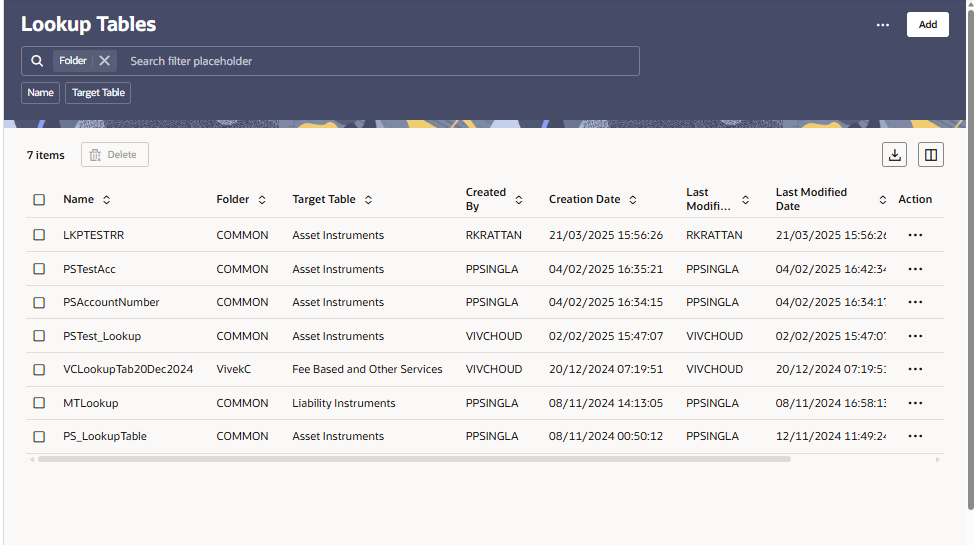
A summary screen is displayed showing a set of Lookup Table rules. Using search criteria, you can control the set of rules displayed. When you Add, Edit, or View a rule, a detail screen is displayed.
Figure 4-28 Lookup Tables — Summary page
- Navigation in Summary Screen
When you navigate to the Lookup Tables summary screen, the rules stored within your current Default Folder are presented in a summary table. The Lookup Tables summary screen has two panes: Search and Lookup Tables summary table. - Navigation in the Detail Screen
- Adding a Lookup Table
To add a Lookup Table: - Executing a Lookup Table using Scheduler Service
- Exporting and Importing an Excel Sheet
While editing the Lookup Table definition, the process allows to export and import the Lookup Table data using excel sheets. - Importing Data using Scheduler Service
To import the Lookup Table Data using Scheduler Service: - Deleting Lookup Table Data using Scheduler Service
To import the Lookup Table Data using Scheduler Service:
Parent topic: Data Administration