4.16.2.3 Viewing Execution Details of Cash Flow Edits Process
To view the log for the latest execution of a Cash Flow Edits Process, follow these steps:
- Navigate to the Cash Flow Edits Processes Summary page.
- Search for the Cash Flow Edits Process.
- Click the process status to open the log for the latest execution.
To select an earlier execution or download the cash flow edits details, follow these steps:
- Navigate to the Cash Flow Edits Processes Summary Page.
- Search for the Cash Flow Edits Process.
- Click the Action icon for the process and select Execution Details. The Execution Details window opens.
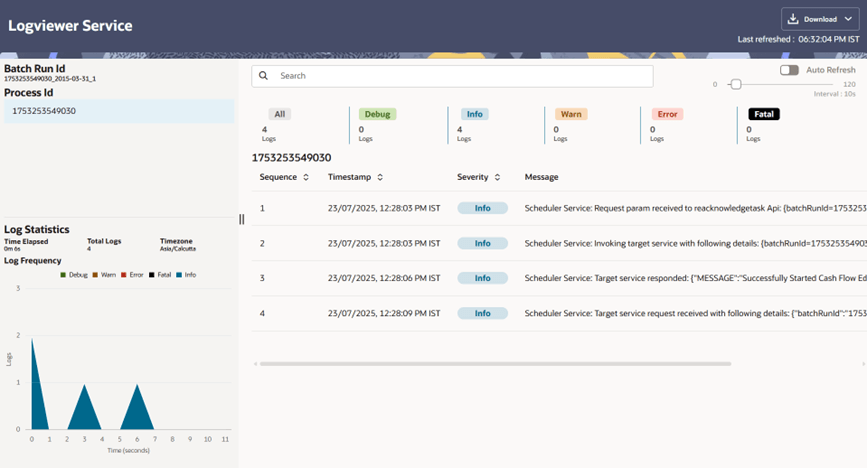
- Click the required Execution ID to open its log. In the Logviewer window, review the process details and Batch Run ID information.
- Click Download to export the cash flow edits details in CSV format.
Review the exported details to identify errors in the instrument data.
Use Auto Refresh to refresh the log status in the Logviewer window.
Figure 4-119 Logviewer window
- For a process that runs in Non-preview mode, check the
CF_EDITS_BATCH_RUN_IDandUPDATED_BY_CF_EDITScolumns in the instrument processing table to identify records that the Cash Flow Edits Process modifies.
Parent topic: Cash Flow Edits Process