Kafka Related Pipelines
Kakfa widgets are available under the Stream Analytics. You can create kafka pipelines by using different kafka widgets like Kafka Source, Kafka Sink, Kafka Consumer, Kafka Producer, Kafka Monitor and a newly added widget called Kafka Windowing.
Figure 6-88 Kafka related pipelines
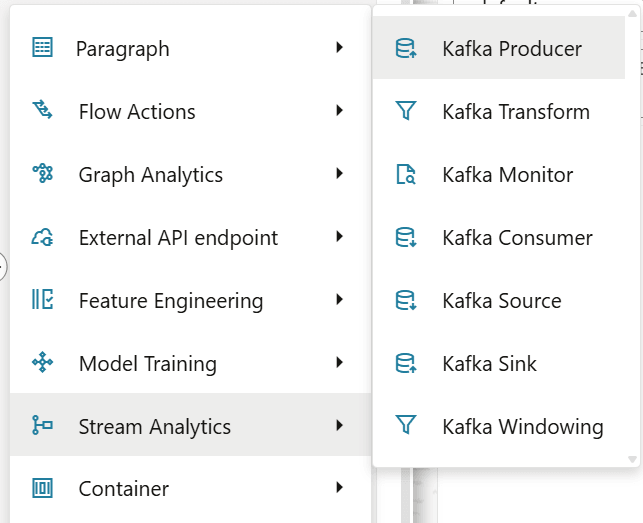
- Kafka Consumer
- Kafka Transform
- Kafka Producer
- Kafka Monitor
Create a Pipeline by Using the Kafka Widgets
Note:
The Kafka Input and Kafka Output topics that are created under the Kafka Topics screen must be mapped to the workspace for user to select it when creating pipelines.Kafka Source
Figure 6-89 Kafka Source
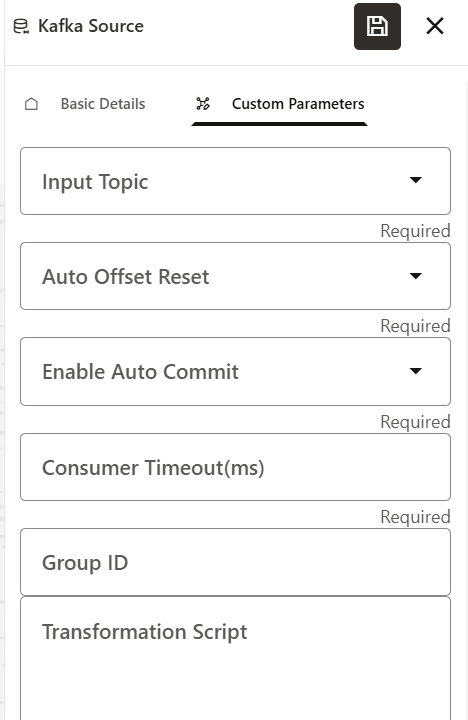
Table 6-19 Mandatory Parameters
| Parameter | Description |
|---|---|
| Input Topic | Select the input topic. |
| Auto Offset Reset | Select either of the two options:
|
| Enable auto commit | Select either True or False. |
| Consumer Timeout(ms) | Provide timeout time in milli seconds. |
| Group ID | Provide any group ID (any data). |
| Transformation script | Provide a script. For example, the following is the
script of how data will be printed to the file:
|
In order to utilize the Kafka Source in a pipeline, an additional python paragraph must be added after the Kafka Source widget. The following is an example of the python script:
%python
import
                                        pandas as pd
# Sample data with Name and Gender columns
data = {
'start': [1,1],
'end':[11,10],
'avg_amount':[100,124],
'count':[12,11]
}
# Create the DataFrame
df = pd.DataFrame(data)
print (df)
Kafka Sink
Figure 6-90 Kafka Sink
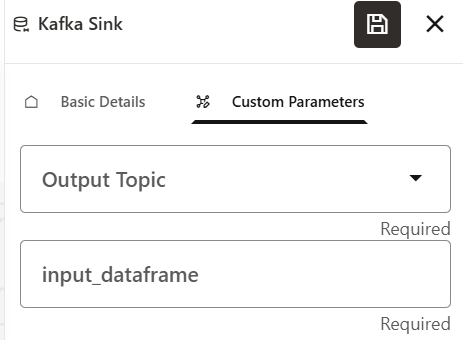
Table 6-20 Mandatory Parameters
| Parameter | Description |
|---|---|
| Output Topic | Select the output topic. |
| Input Dataframe | Provide a value in this parameter. |
In order to utilize the Kafka Sink in a pipeline, an additional python paragraph must be added first and thenthe Kafka Sink widget must be added.
Kafka Consumer
Figure 6-91 Kafka Consumer
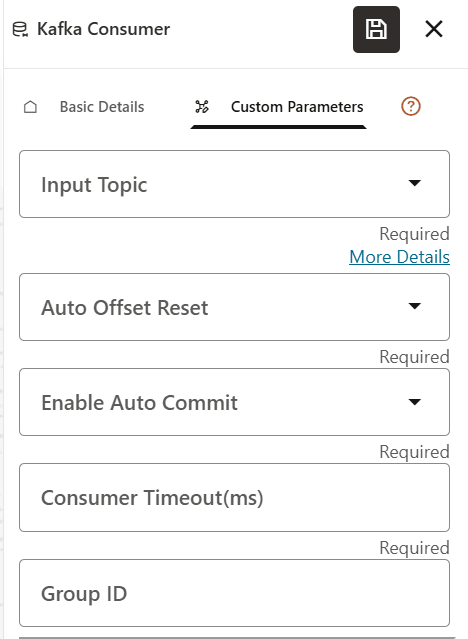
Table 6-21 Mandatory Parameters
| Parameter | Description |
|---|---|
| Input Topic | Select the input topic. |
| Auto Offset Reset | Select either of the two options:
|
| Enable auto commit | Select either True or False. |
| Consumer Timeout(ms) | Provide timeout time in milli seconds. |
| Group ID | Provide any group ID (any data). |
| Transformation script | Provide a script. For example, the following is the
script of how data will be printed to the file:
|
Kafka Producer
Figure 6-92 Kafka Producer
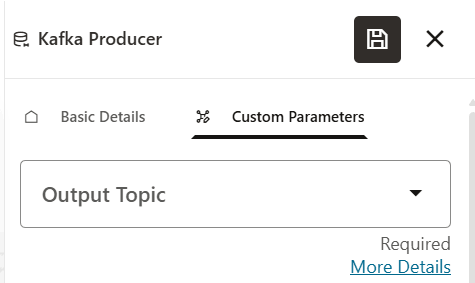
- Output Topic: Provide the output topic.
Kafka Transform
Figure 6-93 Kafka Transform
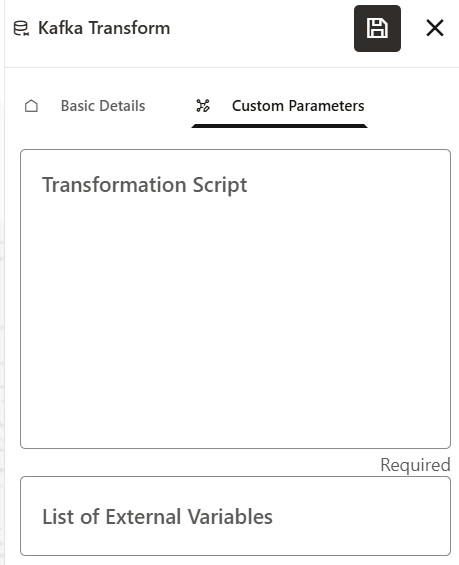
- Transformation script: Provide a script. For example, the following is
the script on how data will be printed to the file:
import
                                        pandas as pd
data_out= { "Msg": data_prev}pd.DataFrame(data_out).to_csv("/scratch/ofsaaapp/kafka/output/data_out.csv", sep='\t')
Kafka Monitor
Figure 6-94 Kafka Monitor
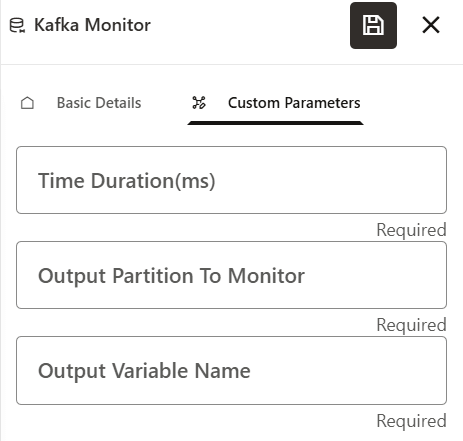
Table 6-22 Mandatory Parameters
| Parameter | Description |
|---|---|
| Time duration | Provide the time in milliseconds. |
| Output partition to monior | Enter any numeric value. |
| Output variable name | Provide any name that will be the output |
Kafka Windowing
The windowing widget integrates with the existing kafka producer and consumer widgets in a PyFlink pipeline. This widget enables you to perform windowed computations, tumbling or sliding, with various configurations on event streams flowing from Kafka.
It ensures that the windowing widget accepts inputs as specified, properly integrates within the producer-consumer pipelines, correctly applies windowing logic, and robustly handles legal/illegal configurations and edge cases.
Figure 6-95 Kafka Windowing
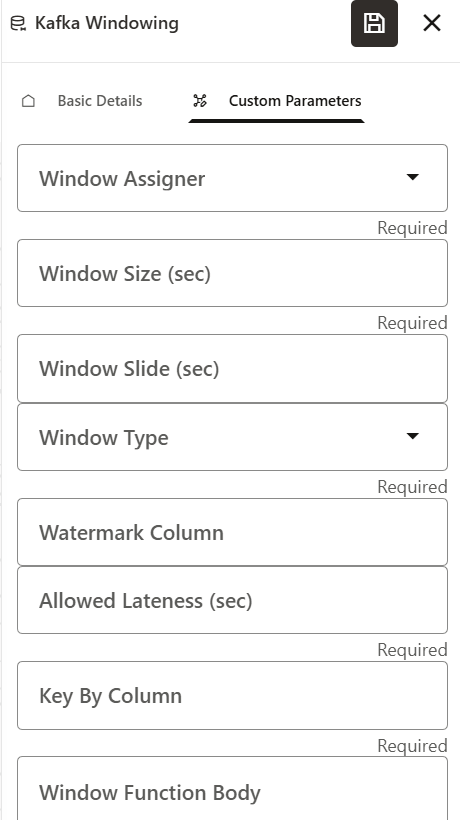
Table 6-23 Kafka Windowing Fields
| Field | Type | Values / Rules |
|---|---|---|
| Window Assigner | SELECT | Tumbling and sliding |
| Window Size (sec) | TEXT | Positive integer |
| Window Slide (sec) | TEXT | Positive integer (sliding only, optional) |
| Window Type | SELECT | event_time, processing_time |
| Watermark Column | TEXT | Optional; for event_time windowing |
| Allowed Lateness (sec) | TEXT | Integer; max allowed lateness for event_time |
| Key By Column | TEXT | Column name for grouping |
| Window Function Body | LONGTEXT | PyFlink aggregate function body (Python code) |
Note:
|
||
The following is an example configuration for the kafka windowing feature:
from pyflink.common import Row
def sum_amount_reduce(a, b):
"""
Reduce function to sum the Amount field between two Row objects,
 keeping other fields from the first Row and using the latest
            TimeStamp.
Assumes Row schema:
(Account_Id, Txn_Origin, Amount, Trxn_Id, Txn_Channel, TimeStamp)
"""
return Row(
a[0], # Account_Id
a[1], # Txn_Origin
a[2] + b[2], # Amount
a[3], # Trxn_Id
a[4], # Txn_Channel
max(a[5], b[5]) # TimeStamp
)
Note:
The following features will be implemented in a future release:-
- Tooltips: Informative tooltips for each input field will be provided for user guidance.
- Conditional Field Visibility:Display the Window Slide
(sec) field only when the window assigner is set to
sliding.
-
- Watermark Column will be displayed only when the window type is event_time.
-