6.2 Configure the OFS_CRA_PACK.xml File
The OFS_CRA_PACK.xml file contains details on the various products that are packaged in the OFS CRA Application Pack. This section details the various tags and parameters available in the file and the values that must be updated. Before installing the CRA Application Pack, it is mandatory to update this file.
To configure the OFS_CRA_PACK.xml file, follow these steps:
- Navigate to the OFS_CRA_PACK/conf directory.
- Open the OFS_CRA_PACK.xml file in a text editor.
Figure 6-1 Sample OFS_CRA_PACK.xml File
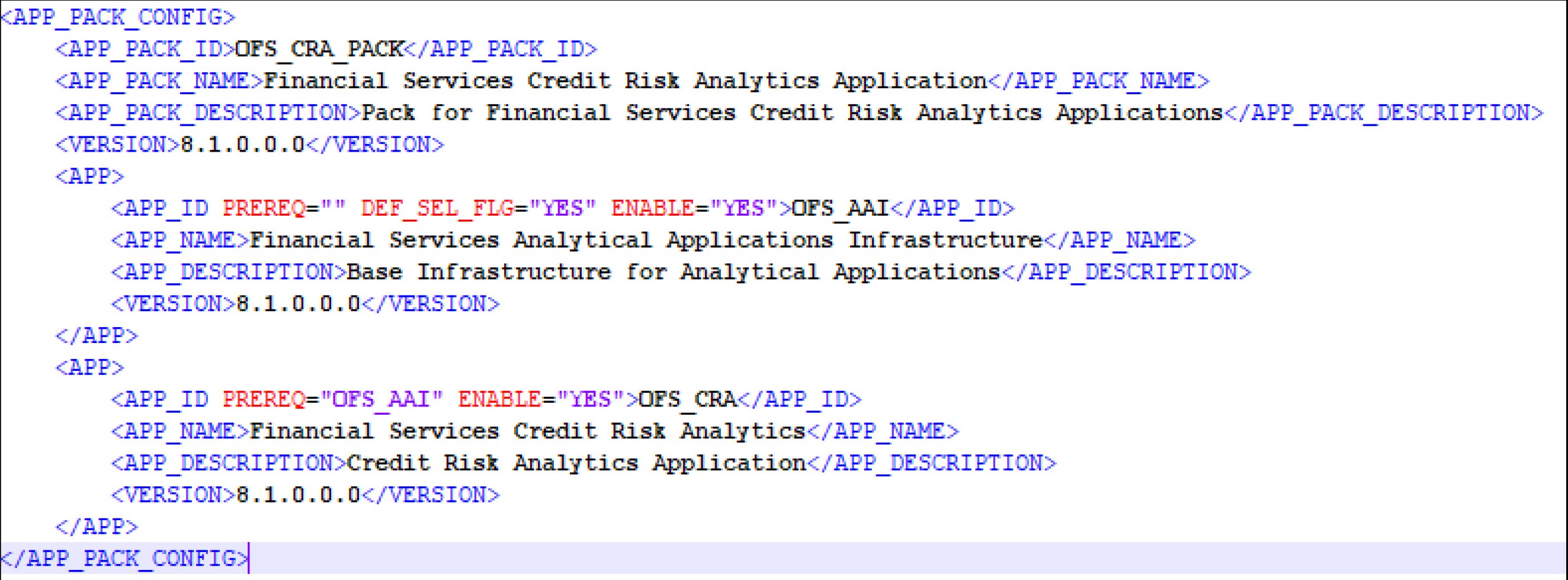
- Configure the OFS_CRA_PACK.xml file as mentioned in the following table.
Table 6-2 OFS_CRA_PACK.xml File Parameters
Tag Name or Attribute Name Description Mandatory (Y or N) Comments APP_PACK_ID Unique Application Pack Identifier Y Unique Seeded Value. Do not modify this value. IS_OPT_INSTALL VALUE="TRUE" Unique Application Entry Y Unique Seeded Value. Do not modify this value. APP_PACK_NAME Unique Application Pack Name Y Unique Seeded Value. Do not modify this value. APP_PACK_DESCRIPTION Unique Application Pack Description Y Unique Seeded Value. Do not modify this value. VERSION Unique release version Y Unique Seeded Value. Do not modify this value. APP Unique Application Entries Y Unique Seeded Value. Do not modify this value. APP_ID Unique Application Identifier Y Unique Seeded Value. Do not modify this value. APP_ID/ PREREQ Prerequisite Application or Product Y Unique Seeded Value. For most applications, the prerequisite that is set is OFSAAAI. For all other applications, the default Application ID is set to none.
You can set it for the applications you want to install.
Do not modify this value.
APP_ID/ DEF_SEL_FLAG Default Selected Flag Y In all Application Packs, Infrastructure requires this value to be set to YES.
Do not modify this value.
APP_ID/ ENABLE Enable Application or Product Y - Default YES for Infrastructure
- NO for Others
Set this attribute-value to YES against every APP_ID which is licensed and must be enabled for use.
Note:
The Application or Product cannot be disabled once enabled. However, an Application or Product which is not enabled during installation can be enabled later through the Administration UI.APP_NAME Unique Application or Product Name Y Unique Seeded Value. Do not modify this value. APP_DESCRIPTION Unique Application or Product Name Y Unique Seeded Value. Do not modify this value. VERSION Unique release version Y Unique Seeded Value. Do not modify this value.