8.2.5.14.1.5 Drill through for KPIs
Drill-down functionality enables user to view KPI data at the lowest granularity.
User starts pre-built report visualization from results (fact entities based) -> drill down to more granular results (multiple levels of drill down in fact entities) -> View data at lowest granularity.
Example:
Time Series report -> Education Loans KPI -> Country name drill down -> Party type (or
party name) drill down -> Account skey in fact common account summary -> Stage Loan
Contracts
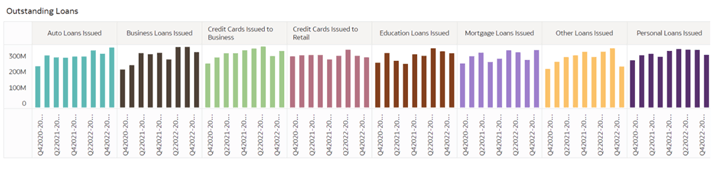
Figure 8-120 Drill through for KPIs
Hover over education loans as shown below to look at overall numbers:
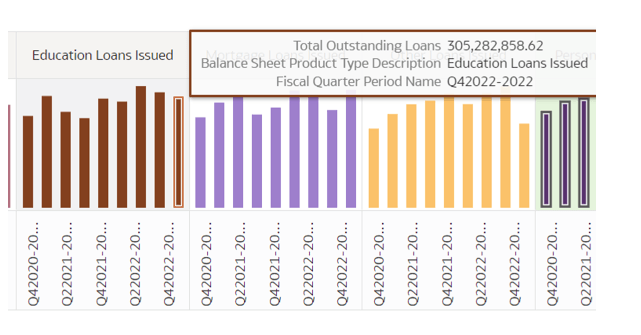
Figure 8-121 Balance Sheet KPIs
Right click and select Country name from drill down option as below:
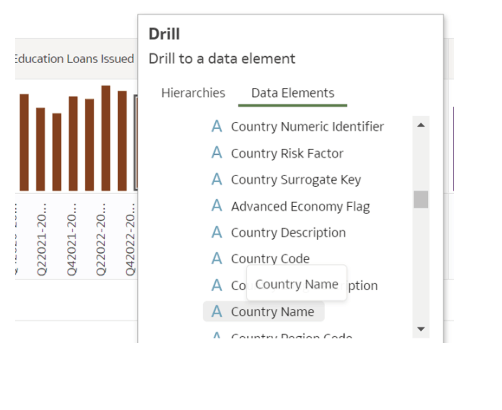
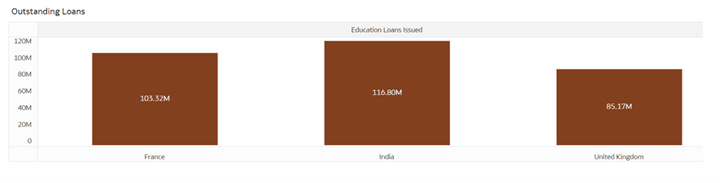
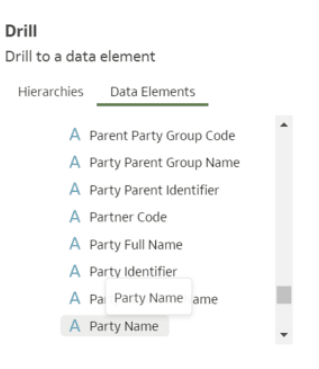
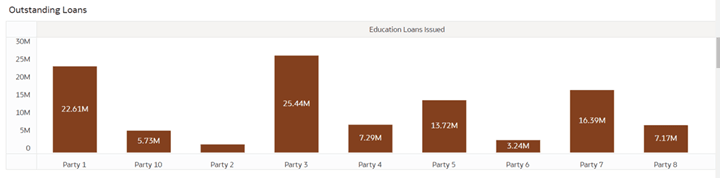
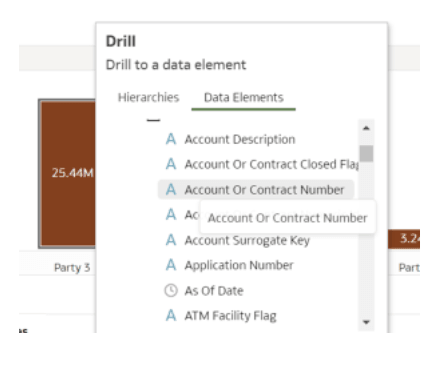
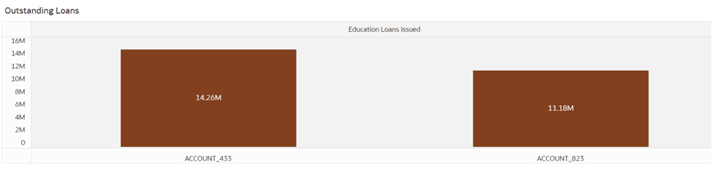
Figure 8-122 Drill
Figure 8-123 Drilldown at Country
Figure 8-124 Drill down to Party Name
Figure 8-125 Party Name Drill down
Figure 8-126 Drill down for account level
Figure 8-127 Account drilldown