8.2.5.9 Integrated Results Visualization
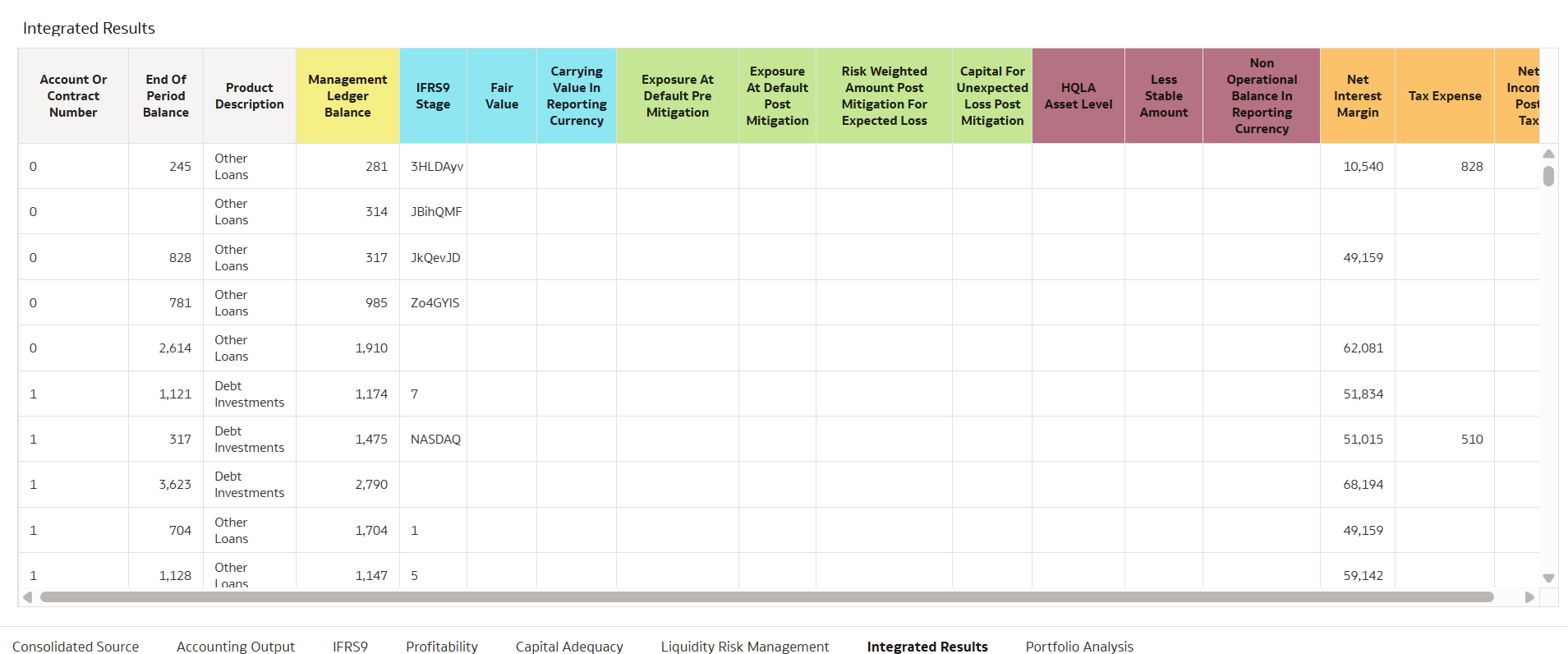
The Integrated Results – Reports Dashboard provides a consolidated view of financial exposure and risk-related data across multiple reporting domains. It enables users to analyze balances, limits, collateral (mitigants), and product-level details from a single interface.
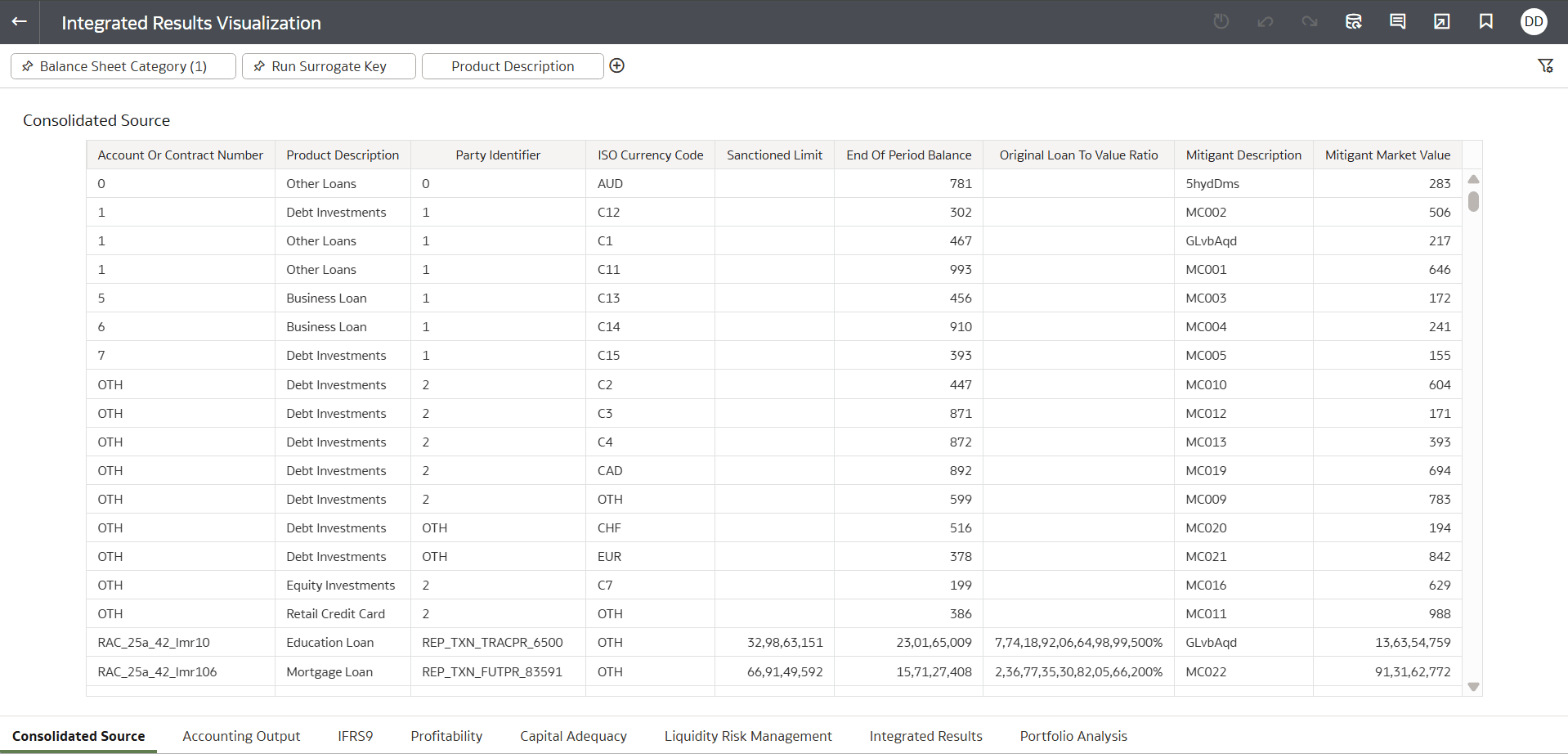
Consolidated Source
This report displays detailed, record-level information after applying filters.
| Column Name | Description |
|---|---|
| Account or Contract Number | Unique identifier for the account or contract |
| Product Description | Type of financial product (Loan, Investment, Credit Card, etc.) |
| Party Identifier | Identifier of the customer or counterparty |
| ISO Currency Code | Currency associated with the exposure |
| Sanctioned Limit | Approved credit or exposure limit |
| End of Period Balance | Outstanding balance at the reporting date |
| Original Loan to Value Ratio | Initial LTV ratio at loan origination |
| Mitigant Description | Collateral or credit risk mitigant reference |
| Mitigant Market Value | Current market value of the mitigant |
Figure 8-83 Consolidated Source
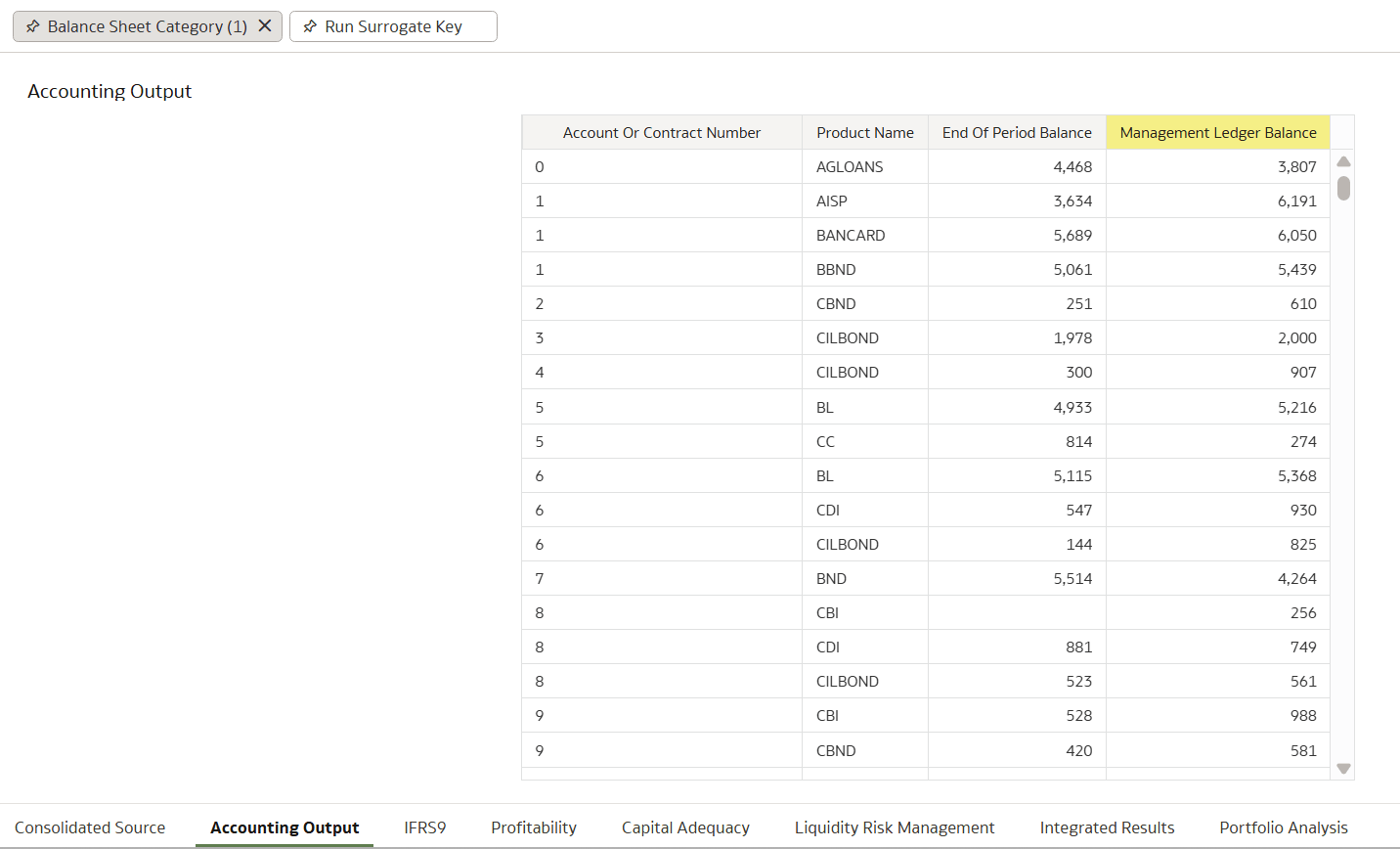
Accounting Output
Figure 8-84 Accounting Output
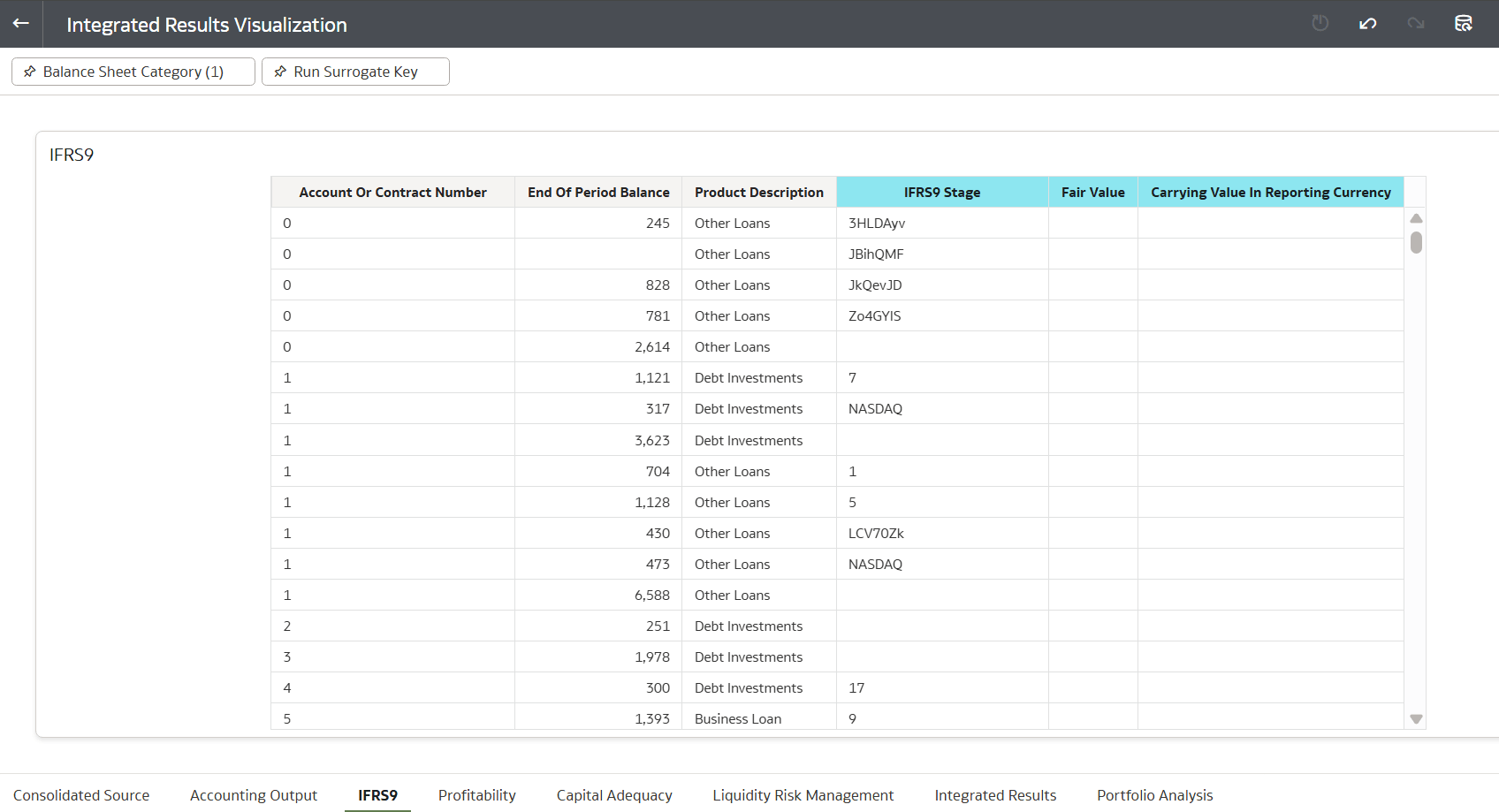
IFRS9
Figure 8-85 IFRS9
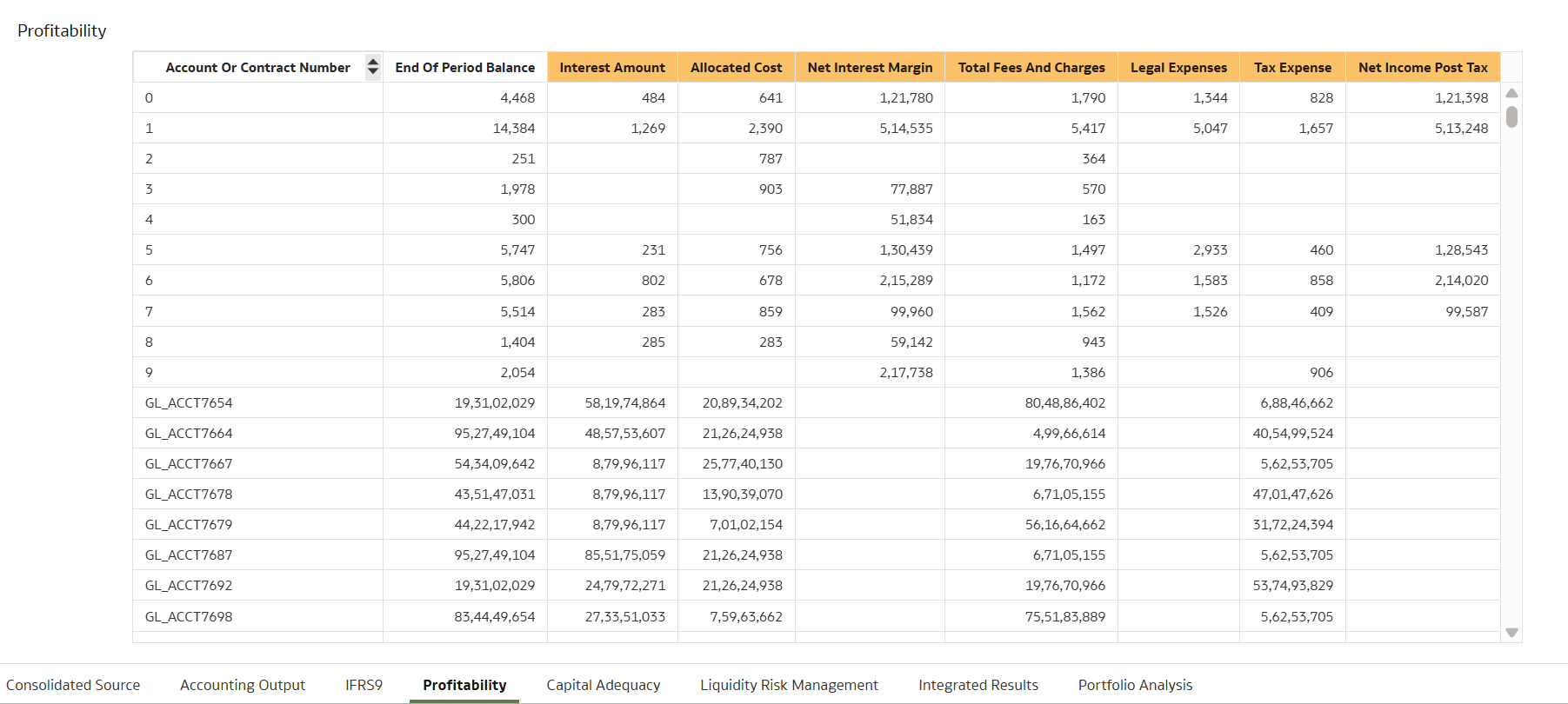
Profitability
Figure 8-86 Profitability
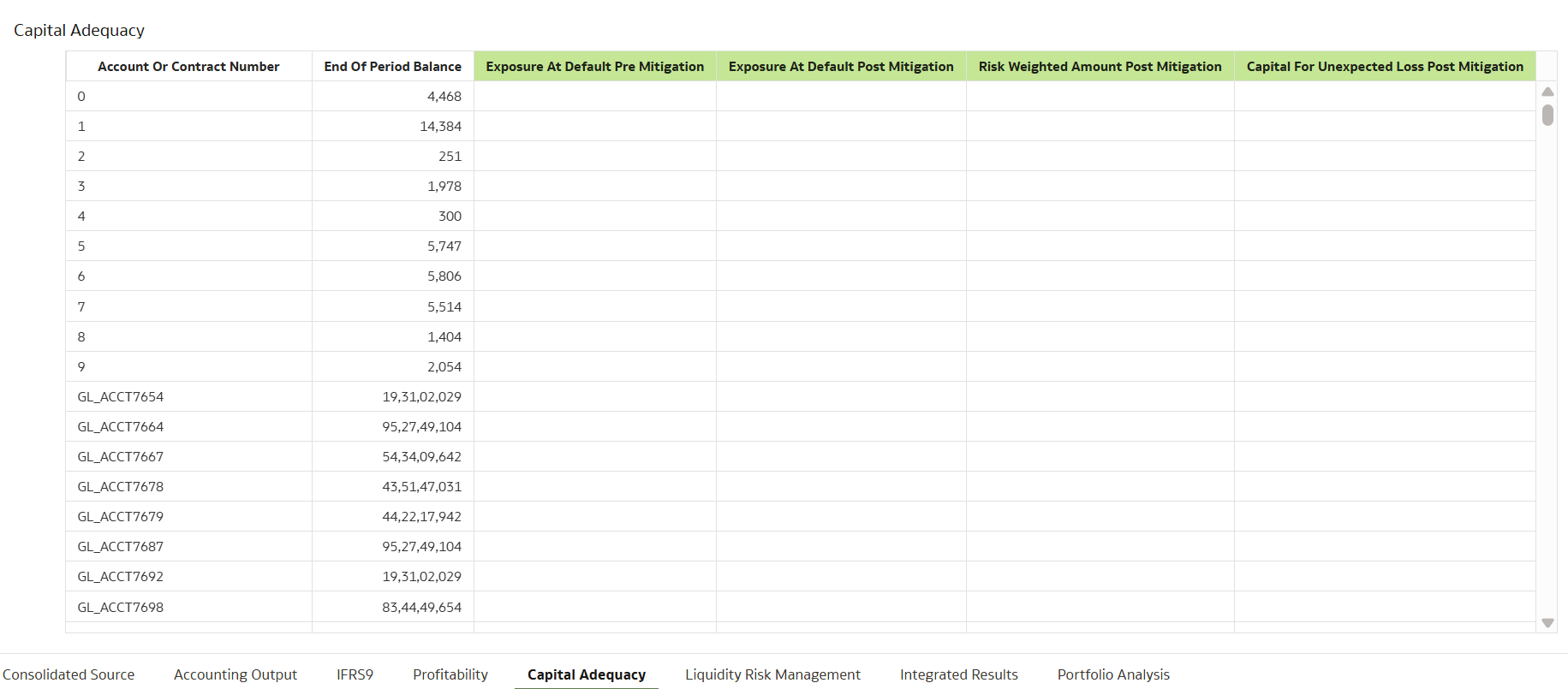
Capital Adequacy
Figure 8-87 Capital Adequacy
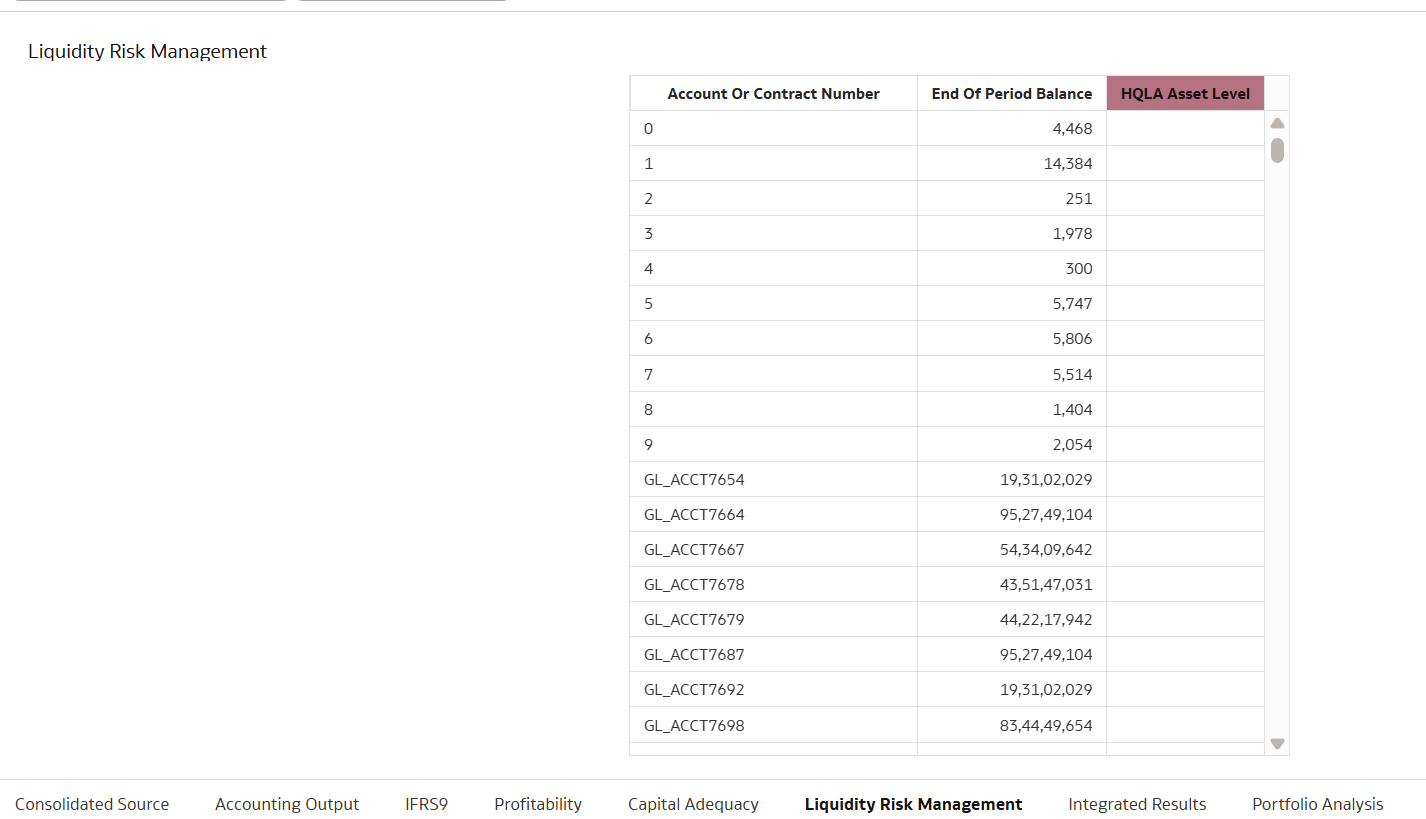
Liquidity Risk Management
Figure 8-88 Liquidity Risk Management
Integrated Results
Figure 8-89 Integrated Results
Portfolio Analysis
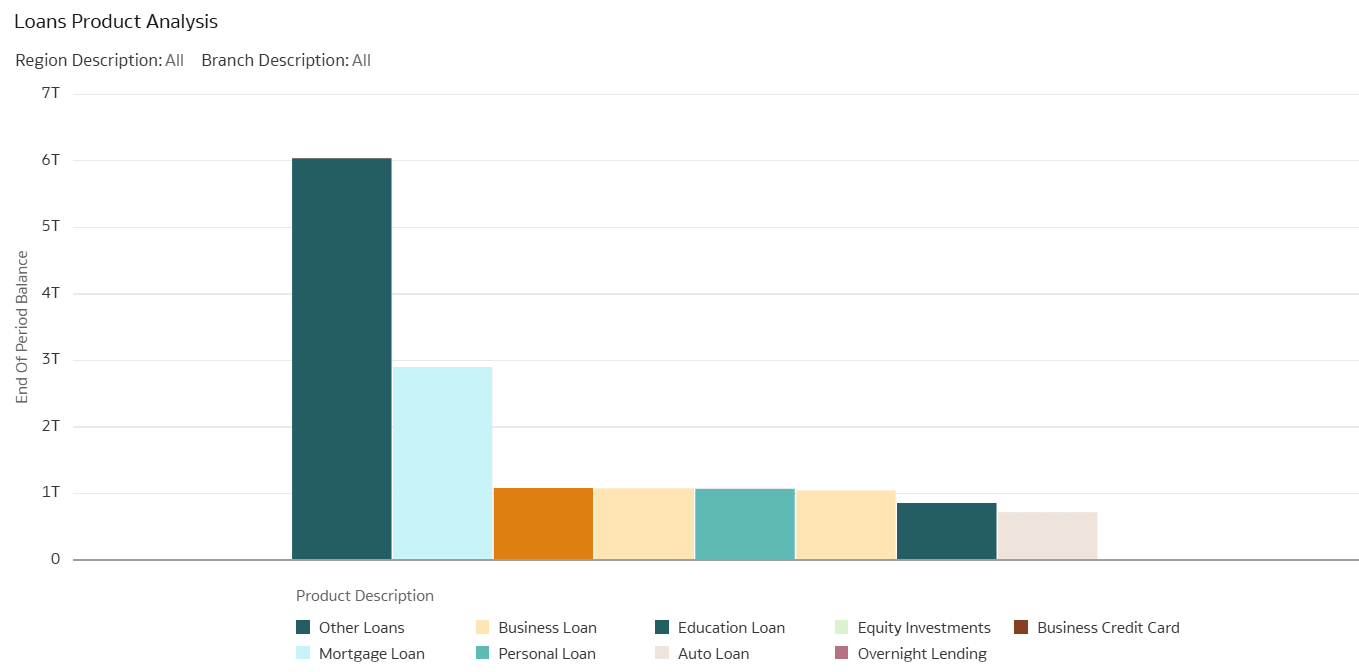
- Loan Product Analysis: This report visualizes the distribution of various
loan products, showing the end-of-period balance for each type. It helps
identify which loan categories dominate the portfolio, such as "Other Loans"
with the highest balance.
Figure 8-90 Loan Product Analysis
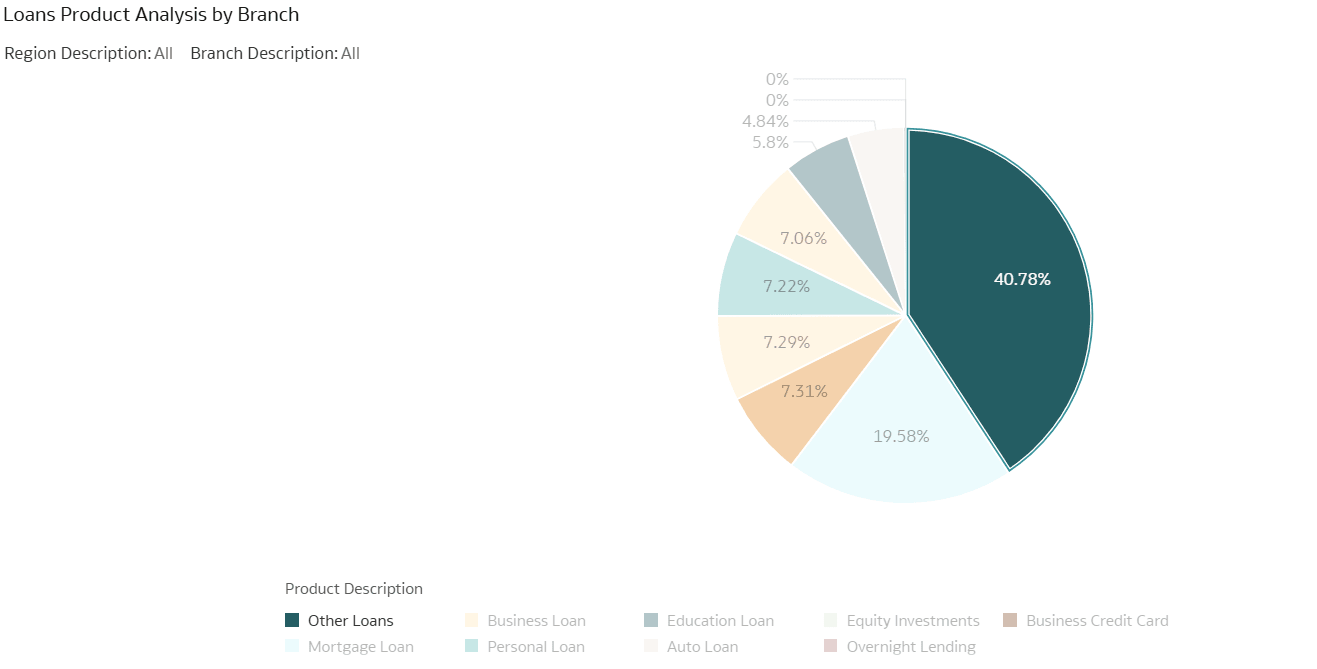
- Loan Product Analysis by Branch: This report visualizes the distribution
of loan products across branches, highlighting the dominance of "Other Loans" in
terms of product type. It provides both pie chart and bar graph views, showing
the share and end-of-period balance for each loan category.
Figure 8-91 Loan Product Analysis by Branch