14.44 Configuring Sanctions Server Details for L2 Feedback
This section describes how to configure the Sanctions Server Details for L2 Feedback.
If your environment is integrated with either Oracle Financial Services Transaction Filtering or Customer Screening application, you can configure the Sanctions Server information.
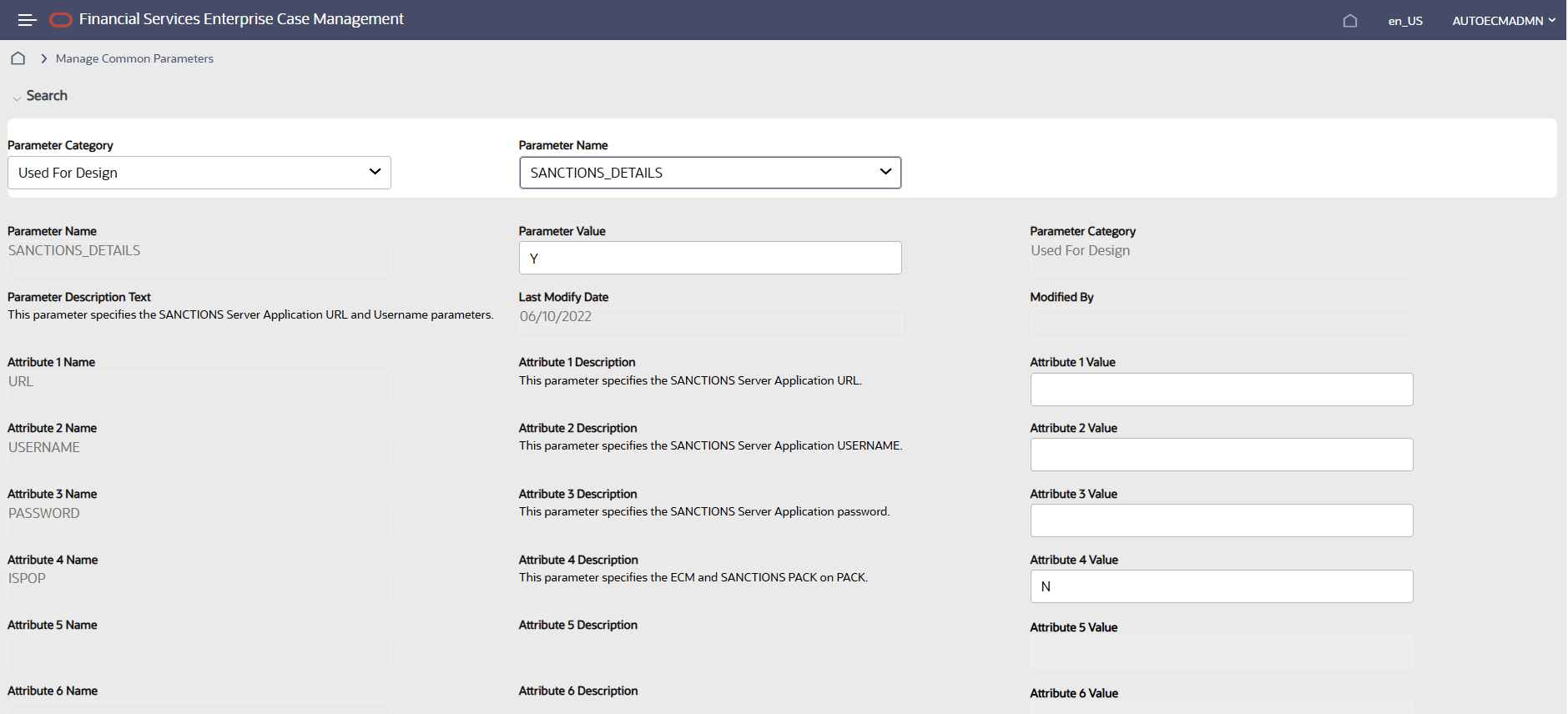
Figure 14-13 Sanctions Server Details page
To configure the Sanctions server details, follow these steps:
- Enter the Sanctions URL for Attribute 1 Value.
- Enter the Sanctions User ID for Attribute 2 Value.
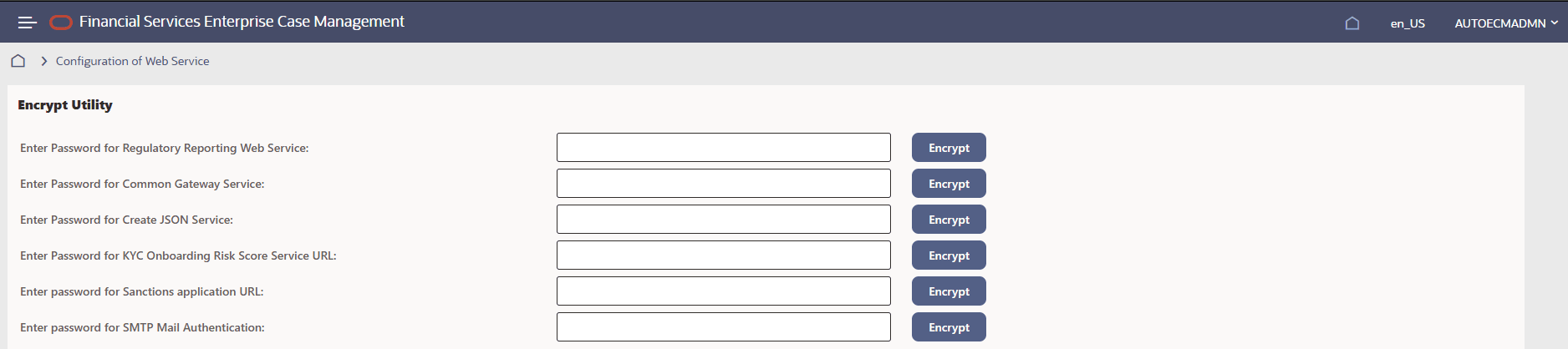
- For Attribute 3 Values, navigate to Configuration of Web Service, then enter the password for 'Enter password for Sanctions application URL' and click Encrypt.
Figure 14-14 Configuration of Web Service screen