7.1.2 Accessing the Trend Analysis Dashboard
From the Left Hand Side (LHS) navigation menu, click Dashboard, and then click Trend Analysis.
Figure 7-1 Trend Analysis Dashboard
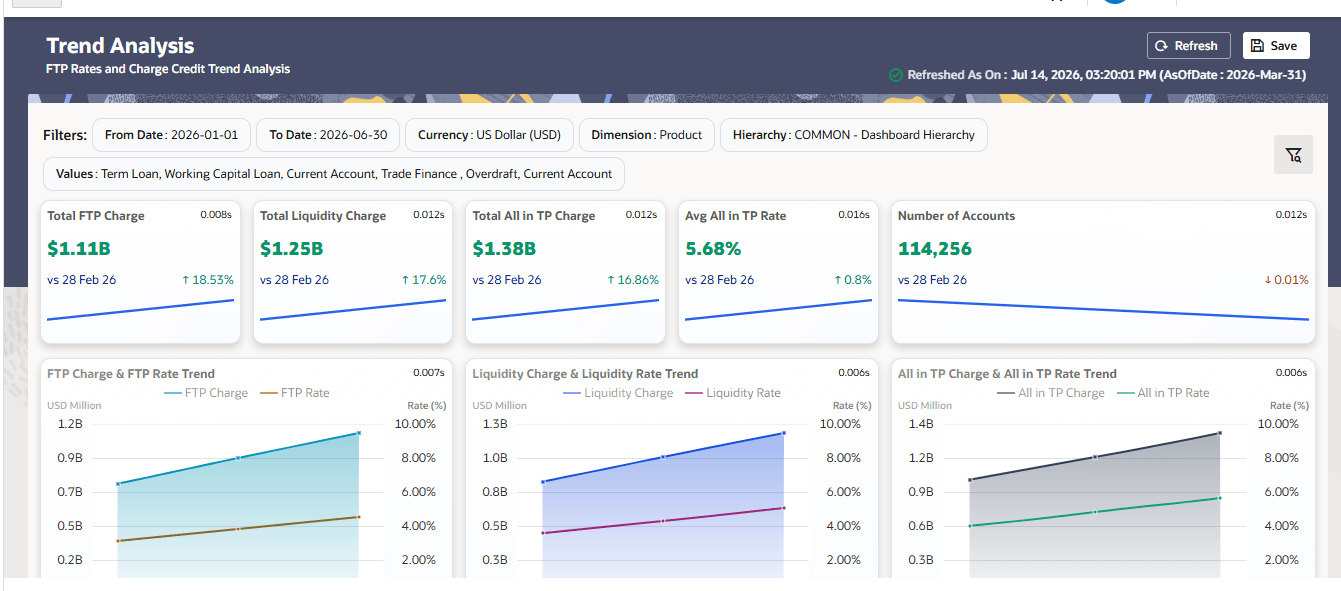
The dashboard opens with the filter bar, the Summary Metrics widgets, and the Rate and Charge Trend charts displayed by default.