16 Cash Flow Edits
Cash Flow Edit processes allow you to verify the accuracy and check the completeness of your Instrument table data. The procedure for working with and managing a Cash Flow Edit process is similar to that of other Oracle Funds Transfer Pricing and Oracle Asset Liability Management Processes.
It includes the following steps:
- Searching for Cash Flow Edit Processes
- Viewing and Updating Cash Flow Edit Processes
- Copying Cash Flow Edit Processes
- Deleting Cash Flow Edit Processes
- Check Dependencies in the Cash Flow Edit Processes
- Refresh the Cash Flow Edit Summary Page
Figure 16-1 Cash Flow Edits Summary page
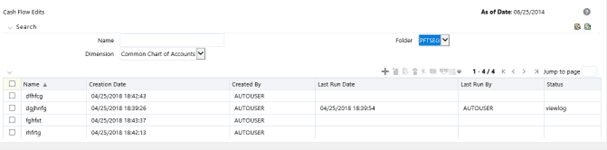
You should create and run Cash Flow Edit Processes on your Instrument table data before you submit Cash Flow Engine based rules for processing. For more information, see the OFS Cash Flow Engine Reference Guide.
- Creating Cash Flow Edit Processes
Creating a Cash Flow Edit Process is a one-step process. You define both the attributes that uniquely describe a particular Cash Flow Edit Process and the data to be validated or cleansed by that process on the Create Cash Flow Edit Process page. - Executing Cash Flow Edit Processes
You execute a Cash Flow Edit Process to check the accuracy and the completeness of your Instrument table data. When you run in Preview mode, you can view the results of running a Cash Flow Edits Process by querying the FSI_PROCESS_ERRORS table for generated errors before the system updates the underlying records in the Instrument tables.