4 Dimension Members
Dimension Members refer to the individual items that constitute a dimension when data is categorized into a single object. Example, Product, Organization, Time, and so on. Members are available within Dimension Management section of the Infrastructure system.
For more information on how to set up alphanumeric and numeric codes, see Configurations to use Alphanumeric and Numeric Codes for Dimension Members section in OFSAAI Administration Guide.
Figure 4-1 Members window
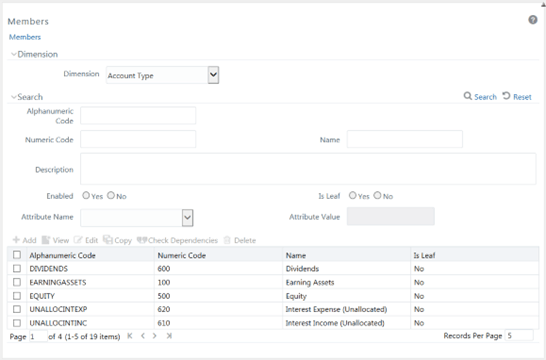
The Members window displays the list of pre-defined Dimension Members with the other details such as the Alphanumeric Code, Numeric Code, Name, and Is Leaf. You can also search for a specific Member based on Alphanumeric / Numeric Code (irrespective of whether dimension is configured to be numeric or alphanumeric), Name, Description, Enabled status, Is Leaf status, Attribute Name, or Attribute Value and view the list of existing definitions within the system.
- Adding Member Definition
This option allows you to add member definition. The Write role should be mapped to your user group. - Viewing Member Definition
You can view individual Member Definition details at any given point. - Modifying Member Definition
To modify an existing Member Definition in the Members window: - Copying Member Definition
The Copy Member Definition facilitates you to quickly create a new Member Definition based on the existing attributes or by updating the values of the required members. - Member Definition Dependencies
You can view the dependencies of Members. - Deleting Member Definition
You cannot delete predefined members or the members which are the Nodes for a hierarchy.