4.2.1.1.4 Application Preference
The Application Preferences UI allows administrators and end users to establish default values, manage other core application parameters that affect the way business rules are created and the way processes are run.
To update the application preferences, perform the following steps:
- Navigate to Maintenance and select Preferences.
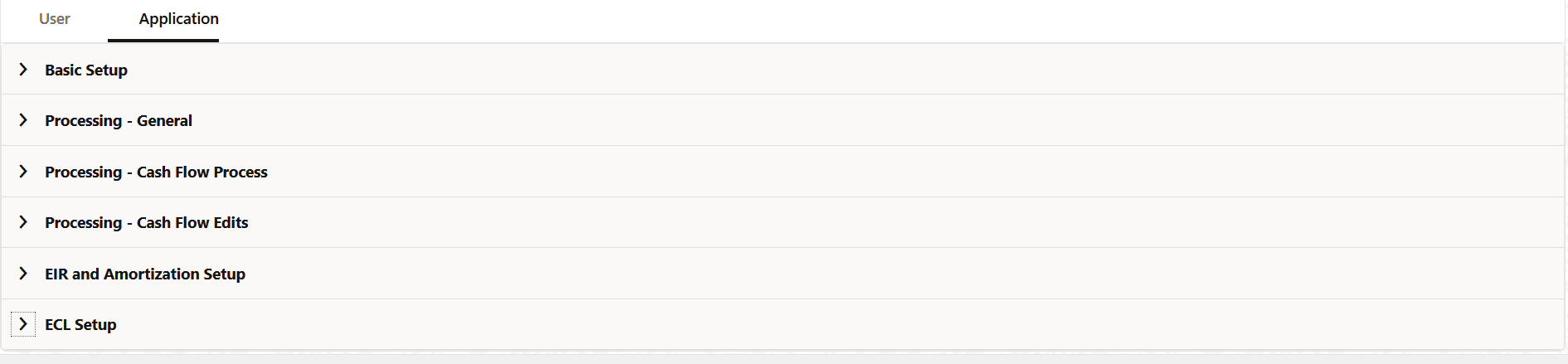
- Click the Application tab.
Figure 4-23 Application Preferences
- Populate the Basic Setup form as tabulated:
Figure 4-24 Basic Setup
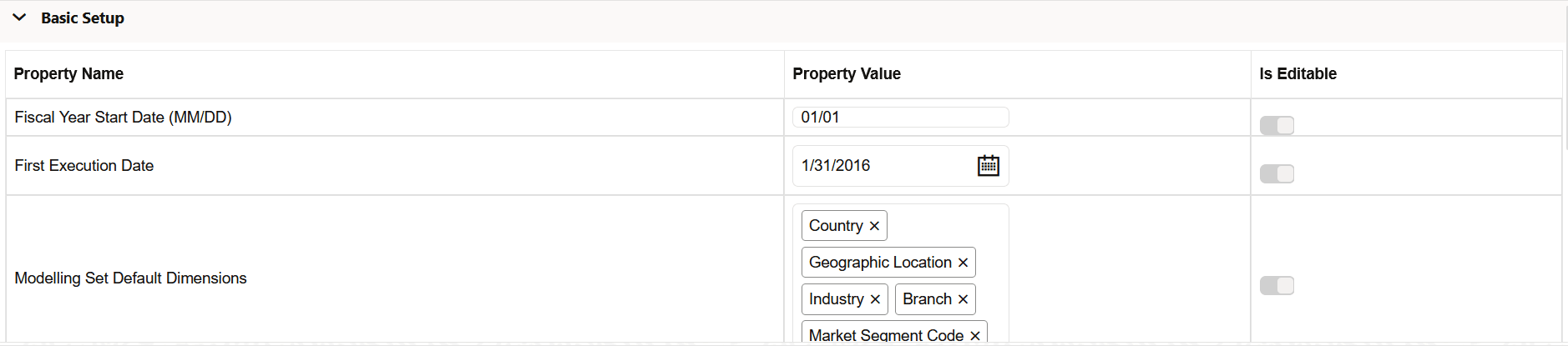
Table 4-17 Basic Setup
Fields Description Fiscal Year Start Date (MM/DD) The start date of the Fiscal Year.
First Execution Date The first date of the execution.
Modelling Set Default Dimensions The default dimensions present in the application. The default dimensions are: - Country
- Geographic Location
- Industry
- Branch
- Market Segment Code
FICO Score Source The FICO Score Source. Select either ALL or NA from the drop-down list. - Populate the Processing - General form as tabulated:
Figure 4-25 Processing - General

Table 4-18 Processing - General
Fields Description Debugging Level The debugging output level determines the amount of SQL that will be written to the processing log. There are eight available levels:
- Trace: Designates finer-grained informational events than the DEBUG.
- All: All levels including custom levels.
- Error: Designates error events that might still allow the application to continue running.
- Information: Designates informational messages that highlight the progress of the application at coarse-grained level.
- Debug: Designates fine-grained informational events that are most useful to debug an application.
- Fatal: Designates very severe error events that will presumably lead the application to abort.
- Warning: Designates informational messages that highlight the progress of the application at coarse-grained level.
- Off: The highest possible rank and is intended to turn off logging.
Note: A log request of level p in a logger with level q is enabled if p >= q. This rule is at the heart of log4j. It assumes that levels are ordered. For the standard levels, we have
ALL < DEBUG < INFO < WARN < ERROR < FATAL < OFF.View Logs Level This displays the severity of the information by informing you about how important a given log message is. This shows the view level of the log. There are three available levels:
- Information: Designates informational messages that highlight the progress of the application at a coarse-grained level.
- Debug: Designates fine-grained informational events that are useful to debug an application.
- Off: The highest possible rank and is intended to turn off logging.
- Populate the Processing - Cash Flow Process form as tabulated.
Figure 4-26 Processing - Cash Flow Process

Table 4-19 Processing - Cash Flow Process
Fields Description Cash Flow Process Batch Size The number of account or instruments that must be processed in a single batch. This is used by the cash flow engine for performance tuning.
A default value of 1000 is seeded by the service and you can modify it as needed
- Populate the Processing - Cash Flow Edits form as tabulated.
Figure 4-27 Processing - Cash Flow Edits

Table 4-20 Processing - Cash Flow Edits
Fields Description Cash Flow Edits Batch Size Number of Account or Instruments that must be processed in a single batch. This is used by Cash Flow Edits Engine for performance tuning. Default Value of 1000 is seeded by the service, and you can modify it as needed
Cash Flow Edits Flush Batch Size Number of records that gets saved or updated in a batch during Cash Flow Process execution. This is used by Cash Flow Engine for performance tuning. Default Value of 500 is seeded by the service, and you can modify it as needed
- Populate the EIR and Amortization Setup form as tabulated.
Figure 4-28 EIR and Amortization Setup

Table 4-21 EIR and Amortization Setup
Fields Description EIR Calculation and Amortization for FVOCI Accounts If this feature is selected, then the FVOCI accounts are included in the scope of the EIR calculation and amortization. Select either Yes or No.
EIR Calculation Preference For the EIR calculation, the number of days is determined based on the difference between the contractual cash flow date and the date selected in this preference. Select either As of Date or Last Payment Date.
EIR for Amortization For amortization purposes, the user can select the EIR that needs to be used. Prepayment is considered Modification Event If this feature is set to Yes, then the prepayment is treated as a Modification/Derecognition event. Select either Yes or No.
NPV Test Select either Not Applicable or Applicable. NPV Test Threshold A quantitative (Net Present Value) test that is used to determine whether changes in account contracts result in a derecognition or modification event. Enter a value in this field to determine the threshold for the NPV test.
Separate amortization of Modification Gain/Loss If this feature is enabled, then the Modification Gain/Loss can be amortized separately. Select either Yes or No.
- Populate the ECL Setup form as tabulated.
Figure 4-29 ECL Setup

Table 4-22 ECL Setup
Fields Description Bucket Frequency Bucket frequency is service-level input, hence it is the same across portfolios.
Select a value from the drop-down list:- Half Yearly
- Annually
- Monthly
- Quarterly
Bucket frequency is a key element while doing the calculation of 12-month PD and Lifetime PD. For the same FIC_MIS_DATE, these numbers come differently if the bucket frequency is different.
Bucket frequency is constant for both interpolation and extrapolation.Maximum Extrapolation Period in Years Enter a value in this field. Maximum period is inclusive of interpolation and extrapolation. Prepayment is considered Modification Event Select either Yes or No. Functional Currency This field only applies to the roll rate method. For the roll rate rule, if the computation basis is selected as Value Movement and the base matrix is generated with the Historical Average Transition Matrix then the user needs to select the Functional Currency. - Turn-on the Is Editable status.
- Click Save to confirm the changes.