11.5.3 Update the OFS_LRS_PACK.xml File
Update the OFS_LRS_PACK.xml file. Enable only the existing installed applications.
The OFS_LRS_PACK.xml file contains details on the various products that are packaged in the OFS LRS application pack. This section provides information about the various tags and parameters available in the file and the values that you must update. Before installing OFS LRS, it is mandatory to update this file.
To configure the OFS_LRS_PACK.xml file, follow these steps:
- Navigate to the OFS_LRS_PACK/confdirectory.
- Open the OFS_LRS_PACK.xml file in a text editor.
Figure 11-1 Sample OFS_LRS_PACK.xml File
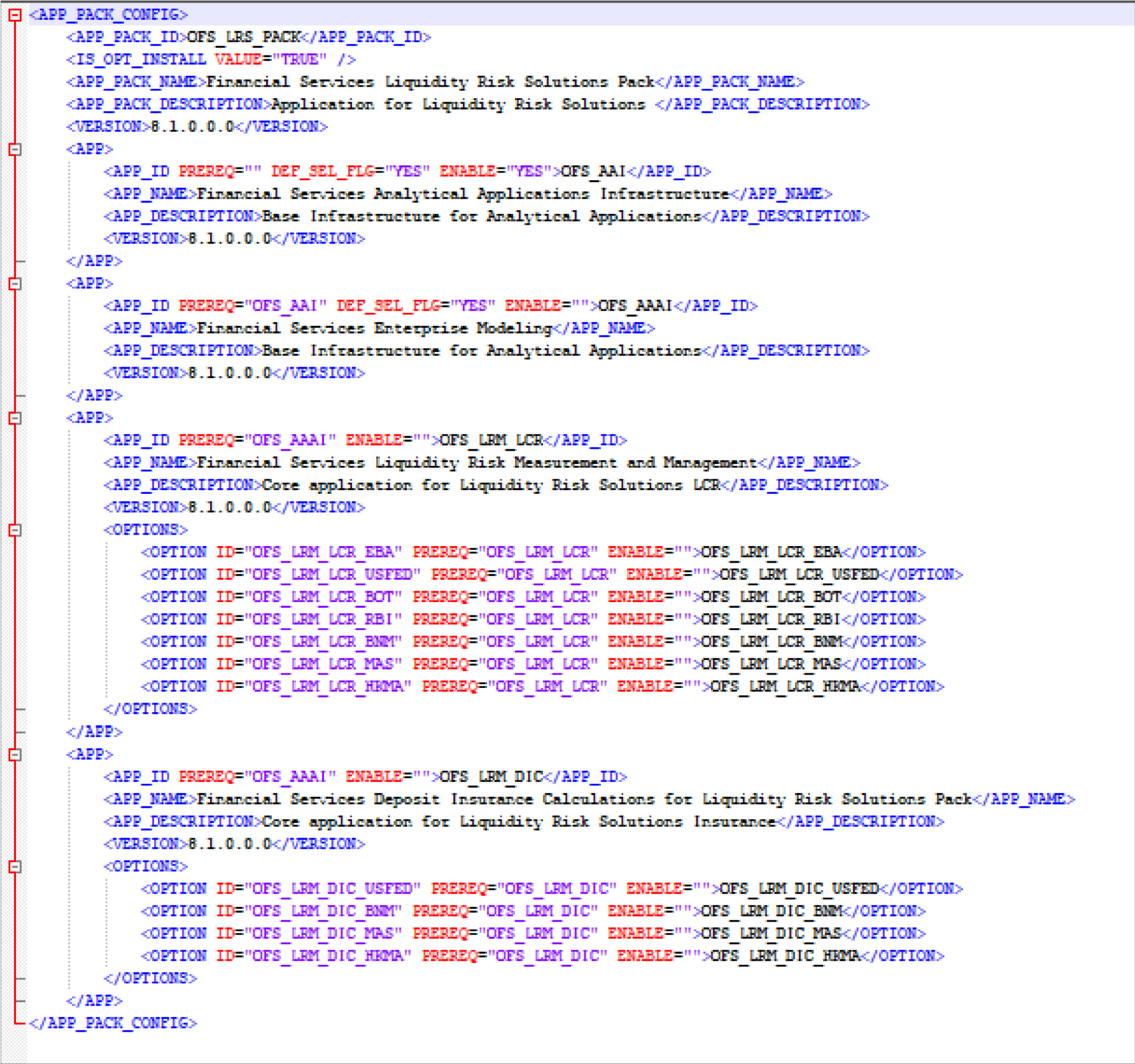
- Configure the OFS_LRS_PACK.xml file as mentioned in the following table.
Table 11-2 OFS_LRS_PACK.xml File Parameters
| Tag Name | AttributeName | Value you must enter | Comments |
|---|---|---|---|
| APP_ID | ENABLE |
YES for existing applications that you want to upgrade. For example: ENABLE as YES for the required APP_IDs - OFS_AAI, OFS_AAAI, OFS_LRM_LCR, and OFS_LRM_DIC, based on the licensing. |
Set this attribute-value to YES for every APP_ID which you want to install or upgrade. |