4.4 Aggregation Dimension Selection
The aggregation dimension selection is done to aggregate the cash flows for business assumption application. All cash flows are aggregated based on Aggregation Dimension Selection. For example, if you require cash flows to be aggregated at a very high level, you can select a lesser number of dimensions. If you require cash flows to be aggregated at a very granular level, then all dimensions are selected. Further, the business assumption works on the dimensions selected and is restricted to the dimensions selected in this particular selection.
The application preferences made in this field are displayed in the BAU window under the Dimension browser. You are allowed to select the required dimension. For a detailed list of dimensions refer to LRS Data Flow and Dimensions .
Figure 4-5 Aggregation Dimension Selection
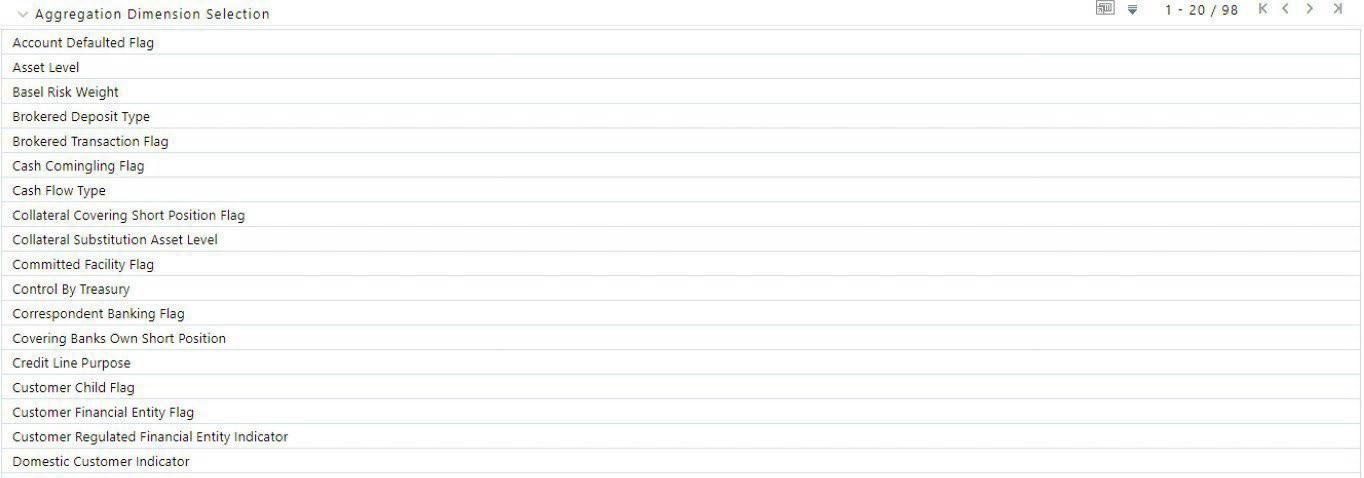
To select the required dimensions, follow these steps:
- In the Application Preferences window, under Aggregation Dimension Selection , click the Select Dimension icon to select the members. The browser is displayed.
Figure 4-6 Application Preferences – Hierarchy Browser
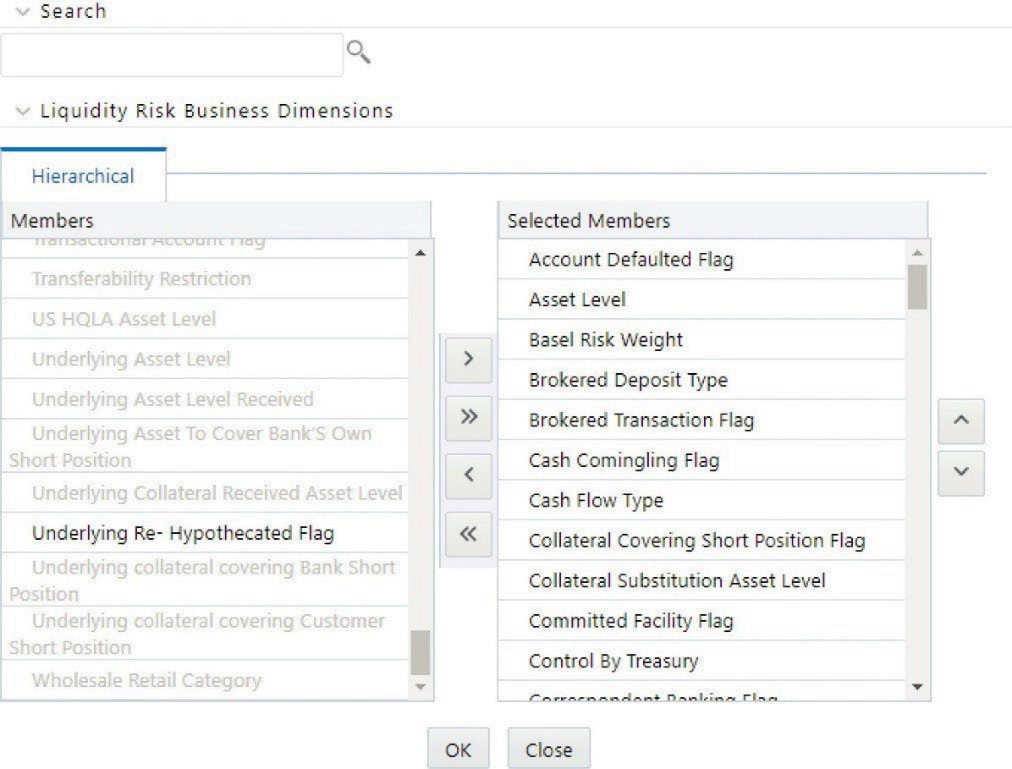
- To save the selection, click Save and use it for liquidity risk calculations.
Only the selected dimensions appear under the Dimension browser in the BAU window.
Note:
To achieve better performance results, it is recommended to use only as many aggregation dimensions as needed by the user.For example, in the following window, only three members are selected in the application preferences dimension browser.
Figure 4-7 Application Preferences Dimension Browser
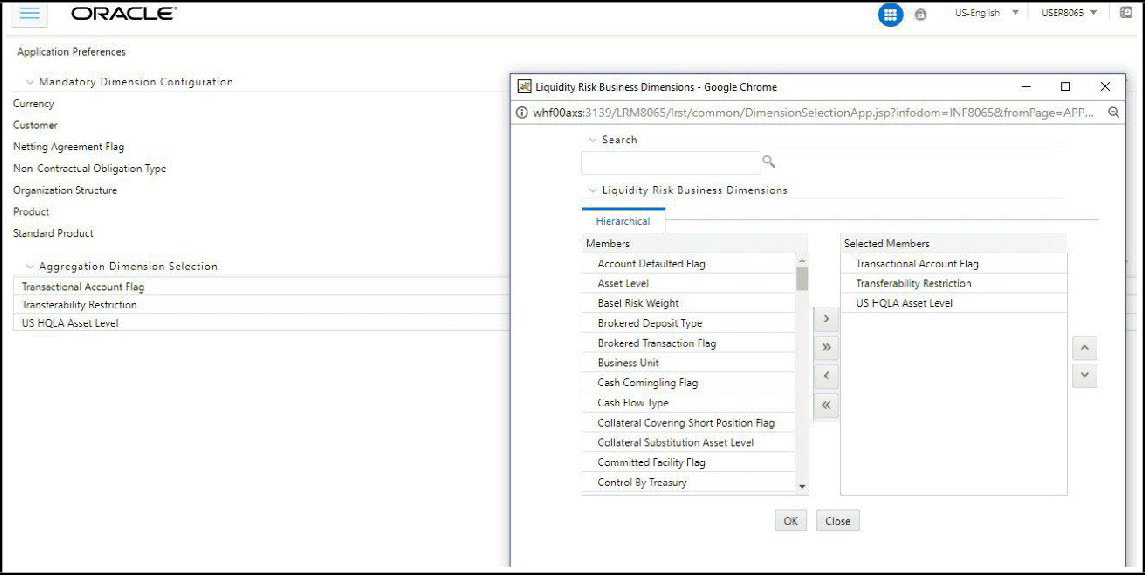
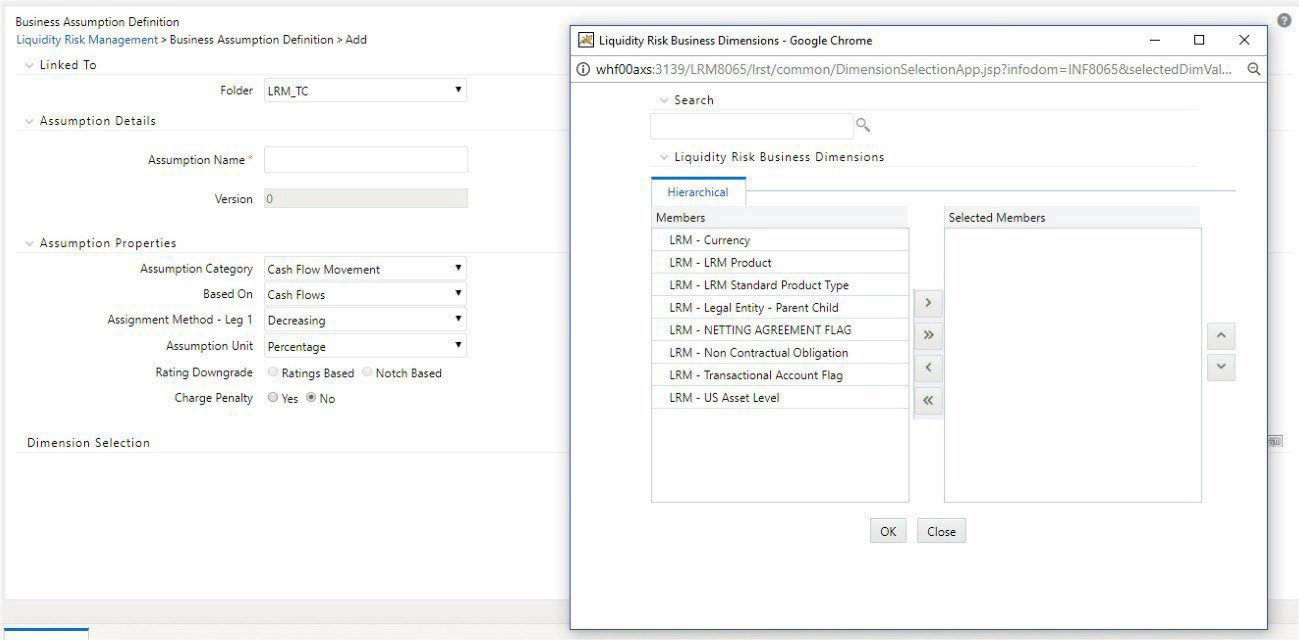
Only the selected aggregation dimensions and the mandatory dimensions appear under the Dimension Selection section in the Business Assumption window as shown in the following figure:
Figure 4-8 Selected Aggregation Dimensions and Mandatory Dimensions Appear Under The Dimension Selection
Note:
To add a new mandatory or aggregation dimension, it is recommended to add the following seeded data in FSI_LRM_BUSINESS_DIMENSION and fsi_lrm_lookup_tl with Category ID 25:- f_is_intraday_specific = ‘Y’
This dimension is used only for the intraday Run and it is not displayed in the Application Preference window. The f_selection_flag must be ‘N’ in this case as the US LCR Run must not be impacted.
- f_lcr_intraday_flag = ‘Y’
This dimension is used for both intraday and US LCR Run. This is displayed in the Application Preference window.
- f_account_dimension = ‘Y’
This dimension is an account level attribute and is used only for intraday assumptions. This is displayed in the Application Preference window.
- f_transaction_dimension = ‘Y’
This dimension is a transaction level attribute and is used only for intraday assumptions. This is displayed in the Application Preference window.
While adding new business dimensions, it is recommended to add those which have a small range of values. Adding dimensions with a large list of values such as account, party, date will defeat the purpose of aggregation of cash flows and will affect performance.
- f_is_intraday_specific = ‘Y’
- Asset Level - This dimension is used for specifying business assumptions and classifying assets as HQLA as per guidelines other than US Federal Reserve.
- US Asset Level - This dimension is used for specifying business assumptions and classifying assets as HQLA as per US Federal Reserve guidelines.
Both the dimensions are available for selection as part of the Aggregate Dimension Selection section of the Application Preferences window. However, select only one at a time.
For instance, to define an assumption or execute a Run with the Basel III Liquidity Ratios Calculation or RBI Basel III Liquidity Ratio Calculation Run Purpose, select the Asset Level dimension. To execute a Run with the U.S. Fed Liquidity Ratio Calculation Run Purpose, to select the US Asset Level dimension.
Once a particular Run is executed after selecting the appropriate asset level dimensions, you must not change the asset level dimension until that Run is executed; or it will result in an error.