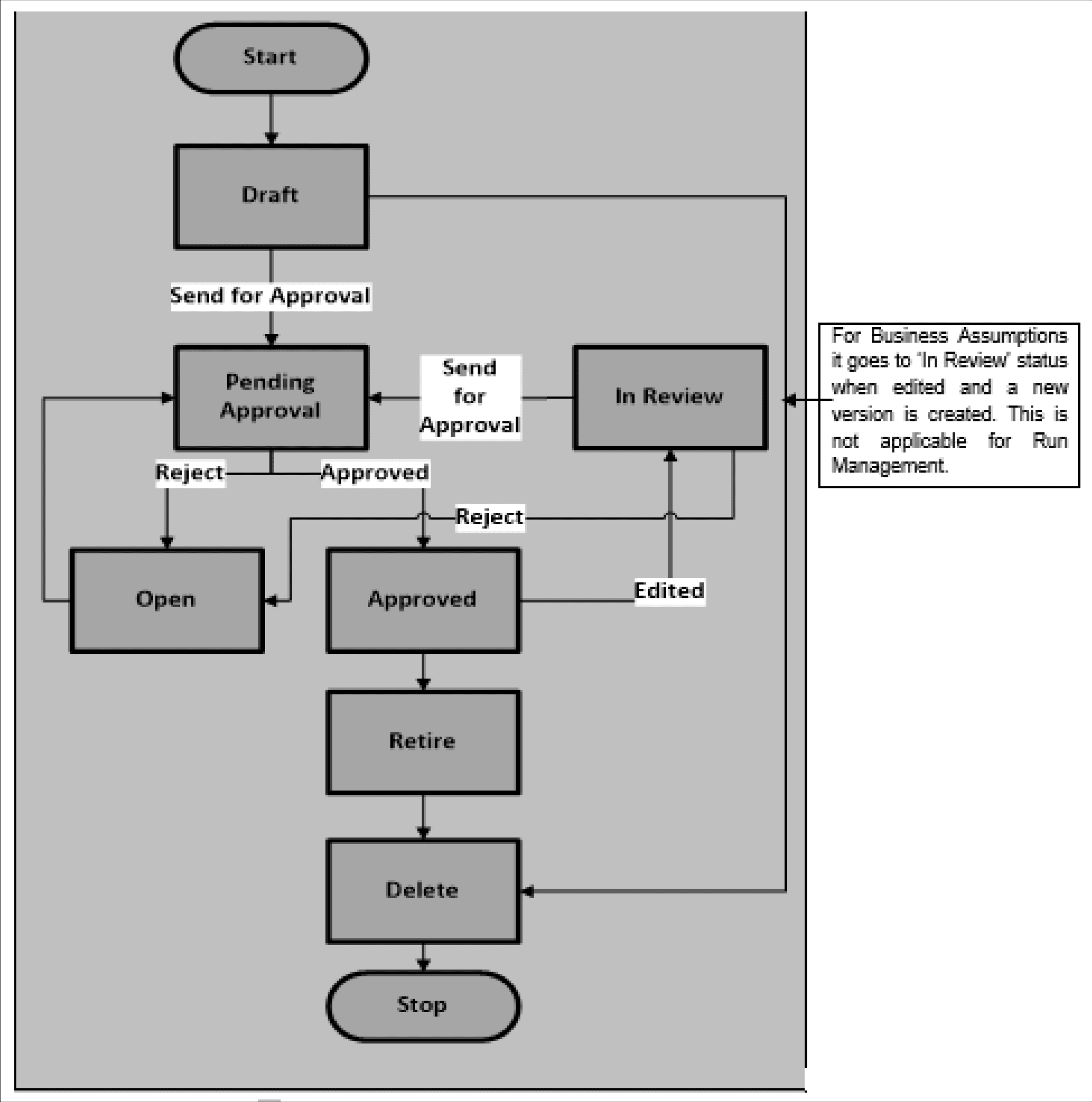
18.1 Understanding Approval Work Flow
Each definition goes through multiple stages and has a status associated with it in each stage and the following table explains the status at each stage.
Table 18-1 Approval Status and Description
| Status | Description |
|---|---|
| Draft | When a new definition is created and saved for the first time it is in Draft status. While in draft status, the user is allowed to make any necessary edits without a change in the version number. |
| Pending Approval | When a definition is sent for approval but is not yet approved by the approver the status changes to Pending Approval. This does not result in a change in the version number. |
| Open | When a definition is rejected by the approver, it changes to Open status and is required to be updated or rectified. This does not result in a change in the version number. After the necessary updates are made, it goes through the approval process again. You are allowed to delete a version in Open status. |
| Approved | When a definition has been approved by the LRM approver its status changes to Approved. An approved version of the definition whose Active status is Y, is picked up for execution. This does not result in a change in the version number. |
| In Review | When a definition is edited post-approval, but is not yet sent for the next round of approval, the status displayed is In Review. This edit will result in the creation of a new version of that definition with a new version number. This version of the definition is not picked up for execution until it is approved. |
| Retired |
When a definition is retired, meaning no longer required for further computations, its status changes to Retired. This action does not result in a change in the version number of the definition. A retired definition no longer appears for selection in the Run Management window while defining new Runs. However, it can still be executed as part of an existing Run definition. A retired definition is not deleted as it was used previously and will be retained for audit purposes. |
The following steps explain the approval workflow process and the tasks that a user can perform during each stage:
The following actions are permissible when a definition is in Retired status:
- You can view the definition by clicking View in the summary window. You cannot edit the values in View mode.
- You are allowed to delete the retired definition by clicking Delete . A retired business assumption is allowed to be deleted only if it is not used in any Run.
- You can view the approval workflow for the definition in the Approval Summary window, by clicking Approval Summary . This window provides details of each change in the approval status.
The following table provides a snapshot of the UI functions that are enabled for each status:
Figure 18-1 UI functions enabled for each Status
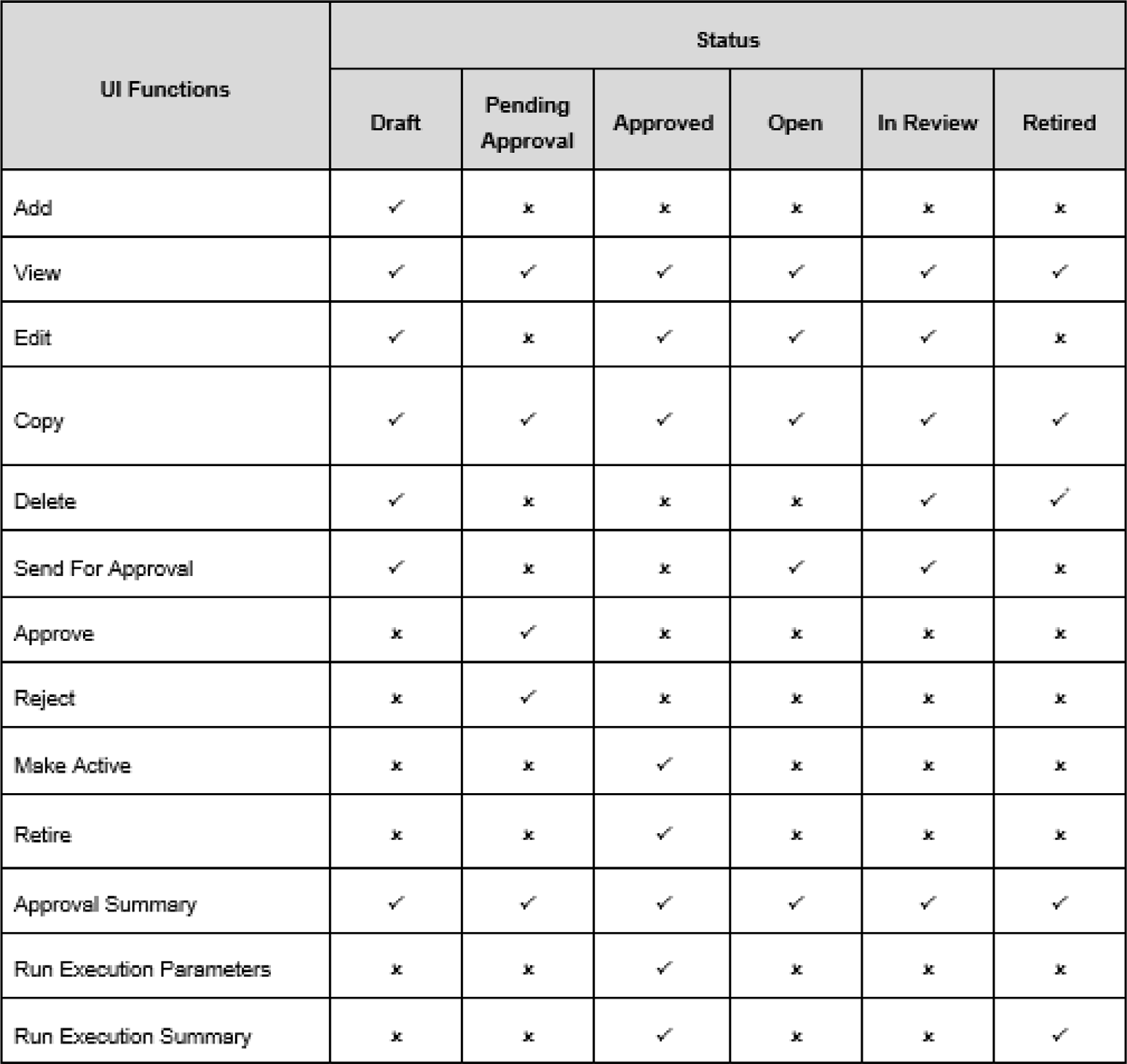
Deletion is allowed only if the business assumption definition is not used in any Run
The approval workflow and the logical change in each status is depicted as part of the following process flow:
Figure 18-2 Approval Workflow