Compare
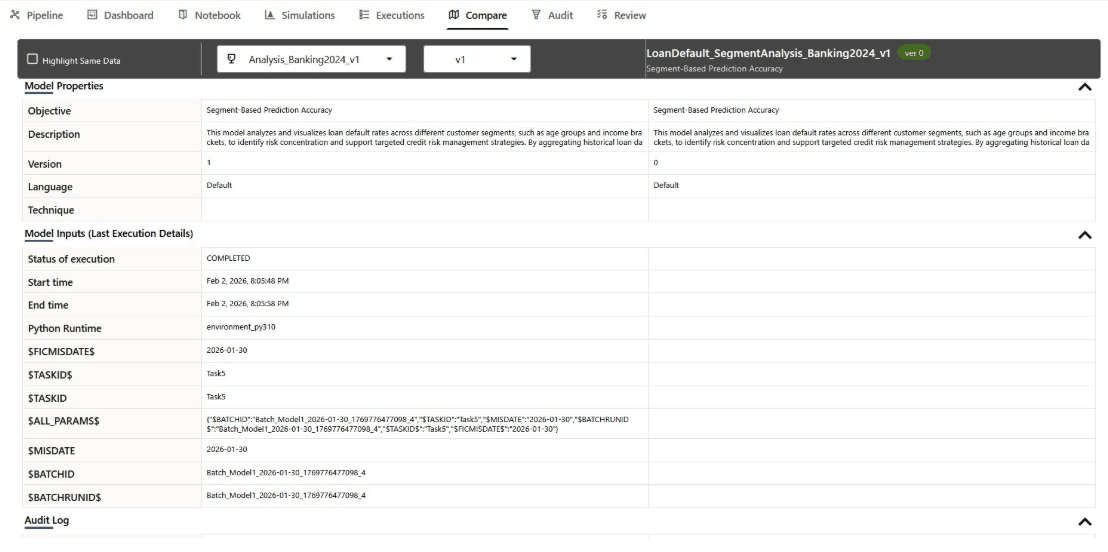
The Compare tab in the Model Pipeline Designer enables you to evaluate and contrast different model pipelines and their versions within a given objective. This feature is now more flexible as you are no longer limited to comparing only the champion, the best-performing pipeline, but can select any pipeline and version available from the current or descendant objectives.
Figure 11-114 The Compare Tab
- Pipeline: Select the desired available pipelines in the current objective and its descendants. The pipeline selector includes all pipelines from the current objective and its descendants
- Version: Select the desired version for the selected pipeline. Additional versions of the same pipeline can be selected but the champion version will not be duplicated in the selection list.
- Model Properties
- Model Inputs (Last Execution Details)
- Audit Log
- Model Script
- Model Output (Last execution outputs)
Note:
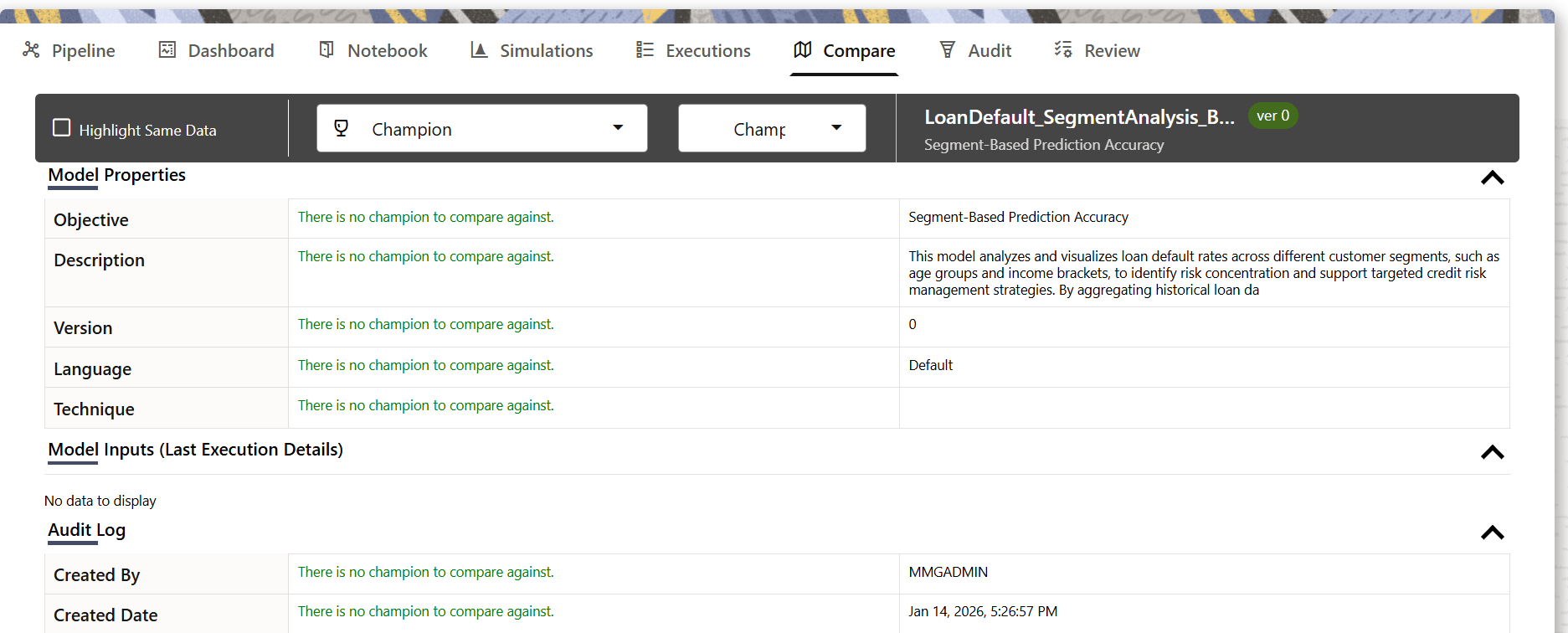
If a model pipeline is newly created and only its initial version, ver 0 or Draft 0, exists, with no champion or other versions, the Compare tab remains in an inactive, informational state. The model/version dropdowns may appear empty or disabled and Draft 0 may not be selectable for comparison because there is no alternative version. In the comparison grid, all property rows display the message: There is no champion to compare against. To perform a comparison, create another version and/or designate a champion.
Figure 11-115 Comparing a Selected Pipeline against a Champion Version