View the Details of an AutoML Model
To view details of an AutoML model, perform the following steps:
- On the View Model Catalog page, click Action
next to corresponding AutoML model and select View
Details.The AutoML model details are displayed.
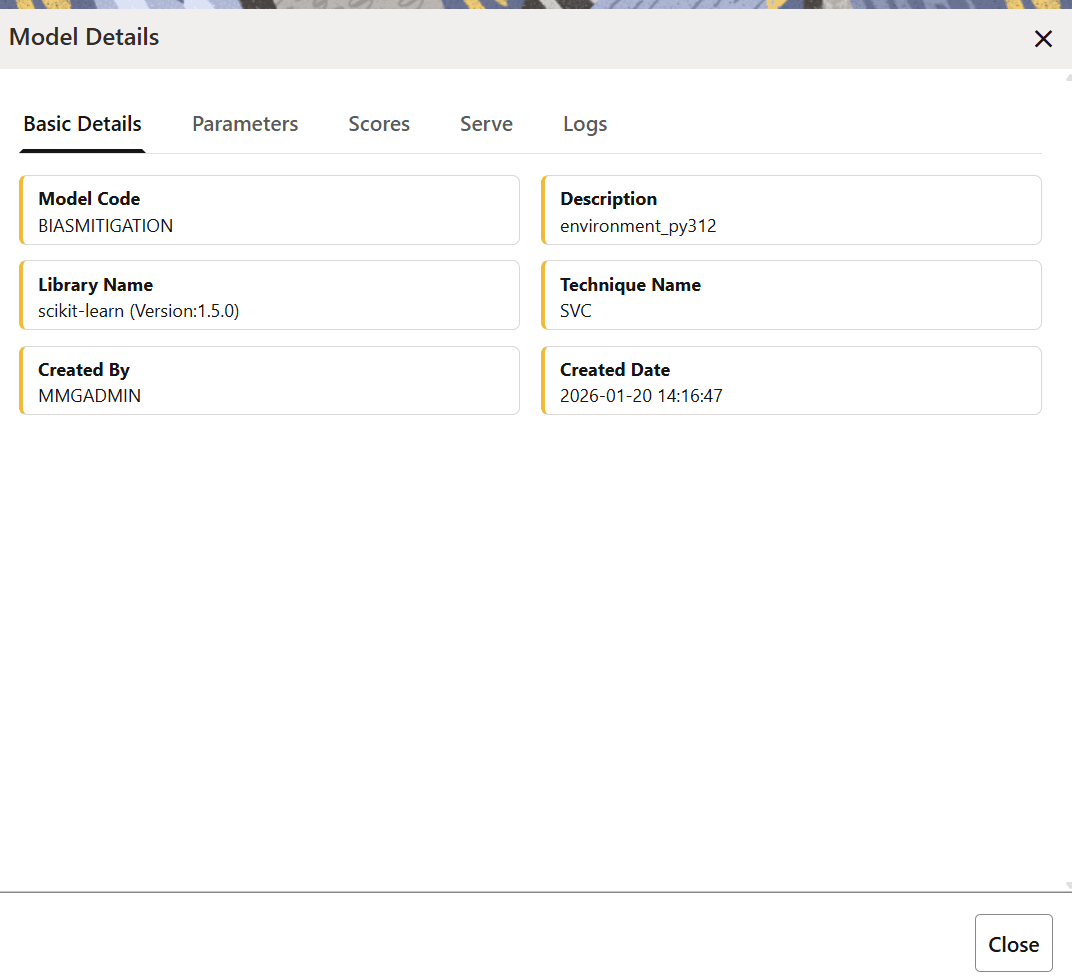
Figure 11-60 AutoML Model Details Drawer
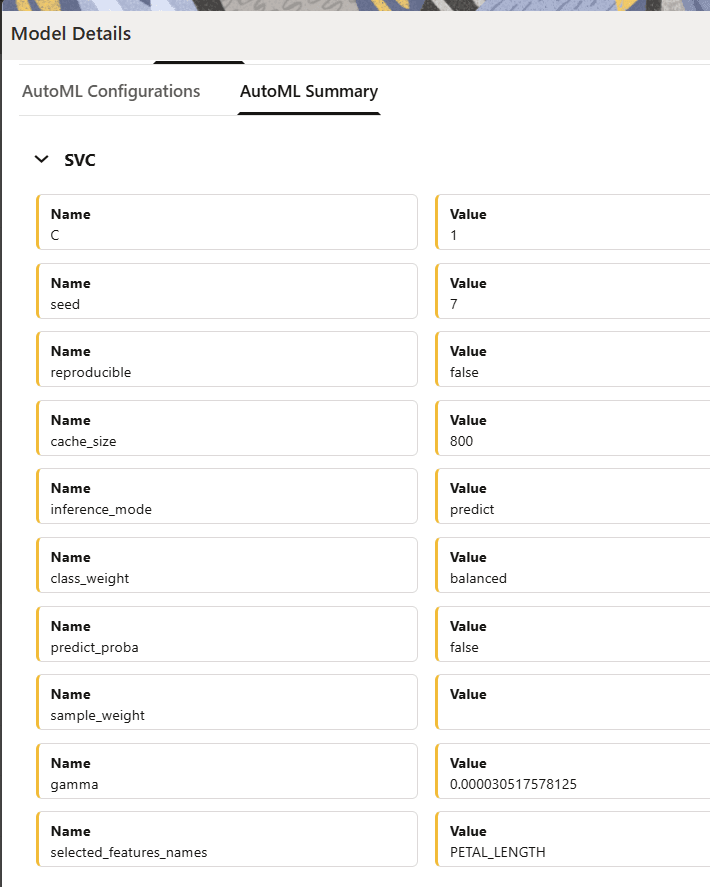
The following image illustrates the AutoML Summary tabFigure 11-61 AutoML Summary Tab
- Click the tabs to view the following details:
- Basic Details: This tab displays the basic details of the AutoML model catalog such as the model code, description, library name, technique name, created by, and the created date.
- Parameters:This tab will display the task and type details in the AutoML Configurations tab if the Configure AutoML Pipeline was not enabled in the AutoML Modeling window. If the Configure AutoML Pipeline option was enabled in the AutoML Modeling window then it will display additional configuration details. The AutoML Summary tab displays the model techniques that are used when building the AutoML model along with other configuration details.
- Scores:This tab displays information about the latest evaluation score, evaluation history, fairness score.
- Serve:This tab displays the endpoint details of a deployed AutoML model.
- Logs:This tab displays the log information of the selected model. In case a model has failed, you can view the reason for the failure.
- Click the Score Details tab to view the Latest score, and Scoring details of the AutoML model.