Register a Kafka Topic
To register a Kafka topic perform the following steps:
- Click Kafka Topics to navigate to Kafka Topics page from any other window in the application.
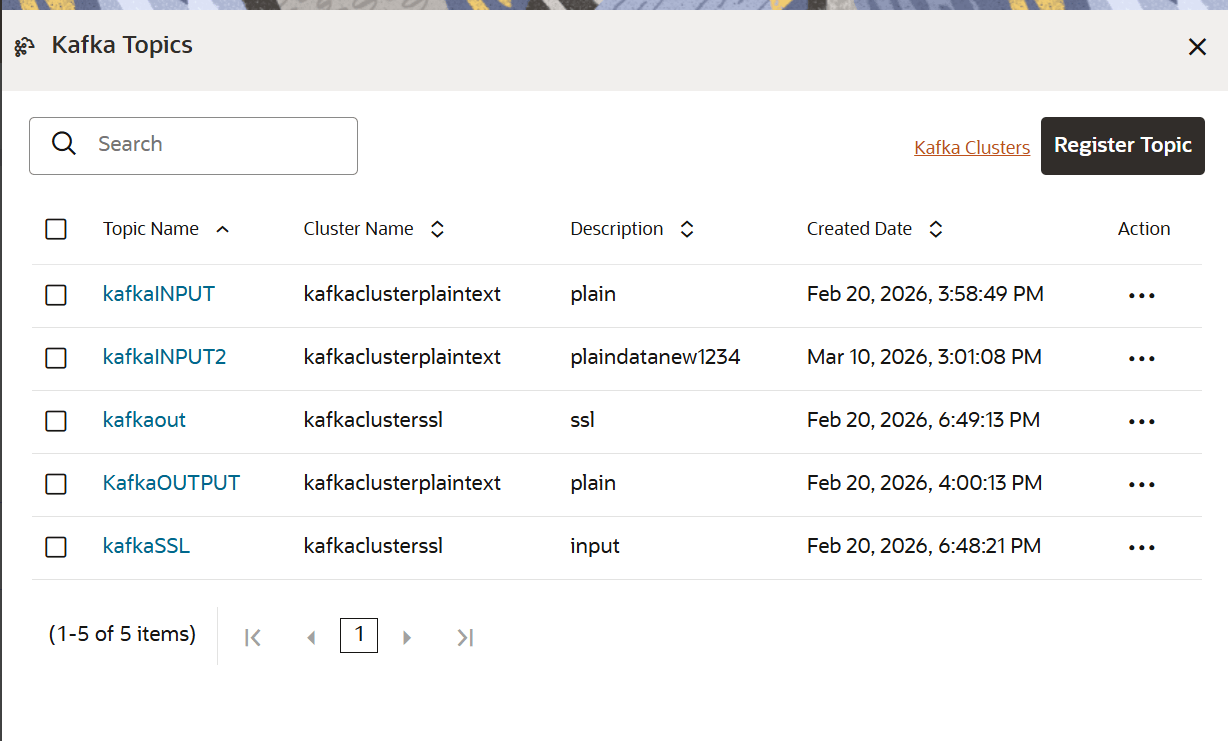
- Click Register Topic .The Register Topic window appears.
Figure 8-29 Register Topic Window
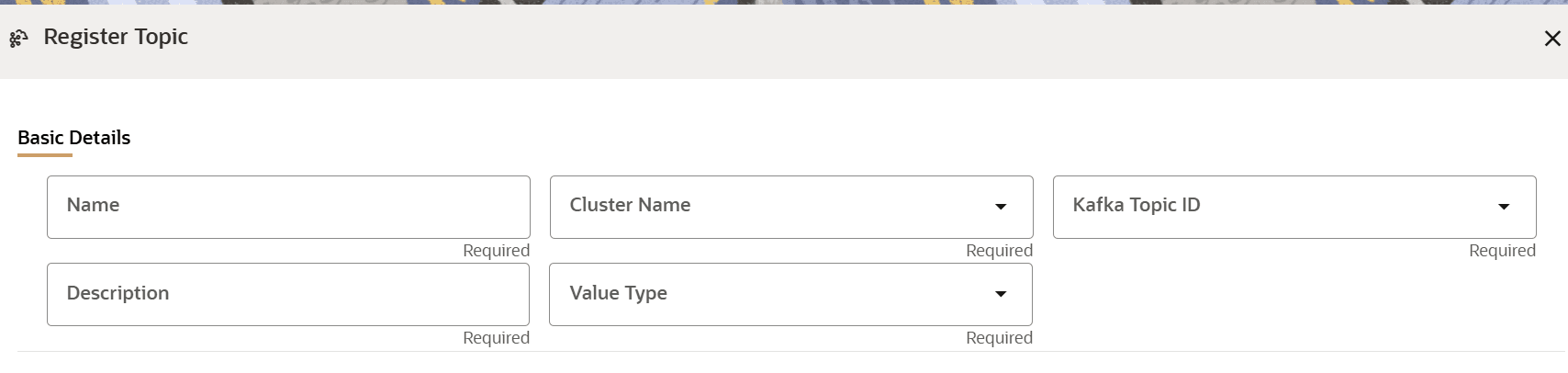
- Populate the form:
- Name: Enter a name in this field for the Kafka topic. This is a mandatory field.
- Cluster Name: Select the name of the cluster from the drop-down list. When the name of the cluster is selected, the Kafka Topic IDs related to the selected cluster are populated in the Kafka Topic ID field. This is a mandatory field.
- Kafka Topic ID: Select a topic ID from the drop-down list. This is a mandatory field.
- Description: Enter a description for the Kafka topic.
- Value Type: Select a value from the drop-down list.
- Python Runtime:This option enables you to select a Conda environment for a Kafka topicthat can then be used in the Pipelines feature.
- Record Schema: enter the order, name, and the data type for the Kafka topic.
Note:
Currently, PyFlink, Python, and Java Schema types are supported. For more details, click the icon next to Record Schema field.
- Click Register.The Kafka topic is added and displayed in the Kafka Topics page. These topics can be selected while creating a Workspace.