PreviousNext
JavaScript must be enabled to correctly display this content
11.6.1.1 Adding a Graph Pipeline
To add a graph pipeline:
Navigate to Graph Summary page.
This page displays the graph summary records in a table.
Click Add.
The Add Graphpop-up window is displayed.
Figure: Add Graph window.
Figure 11-143 Add Graph window
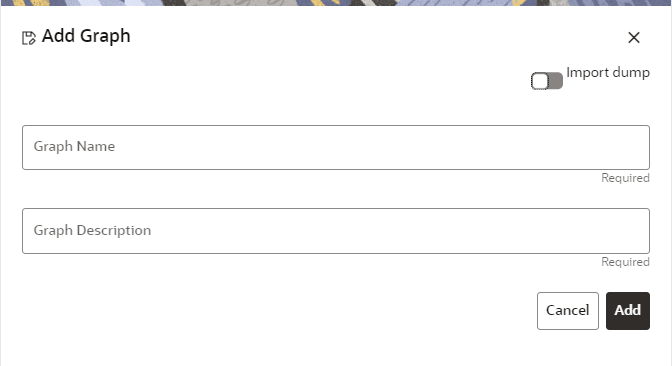
In the Graph Name field, enter a name for the graph. The
name must be unique to a particular workspace.
In the Graph Descriptionfield, enter the description for
the graph and click Add.
OR
You can import an existing Graph. Use the toggle button to select
Import Dump.
The following page is displayed.
Browse the file and click Import. Once the
Import is successful, the Graph Model page is displayed.
The Maximum Age of Old session for a graph is 7 days by default.
The Maximum age of old session of 7 days specifies that graph would be retained
for a period of 7 days. You can modify the description and Max Age of Old
session by clicking on the Setting icon. If you want the
batch to be created in read-only mode for scheduler screen, enable the
option.
Click Save.
The user session of the Graph Pipeline will get refreshed after
the set timeline.