Create a Kafka Cluster
To create a Kafka Cluster:
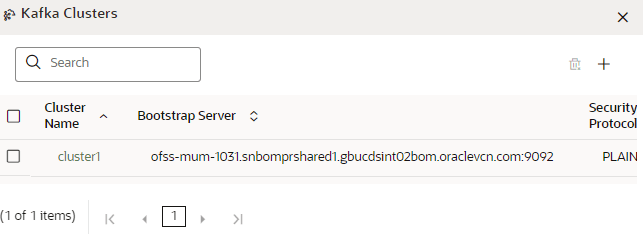
- Click Kafka Clustersoption.The Kafka Clusterspage is displayed.
Figure 8-24 Kafka Clusters page
- Select the Security Protocol as:
- Plain Text
OR
- SSL
Figure 8-25 SSL Type Cluster
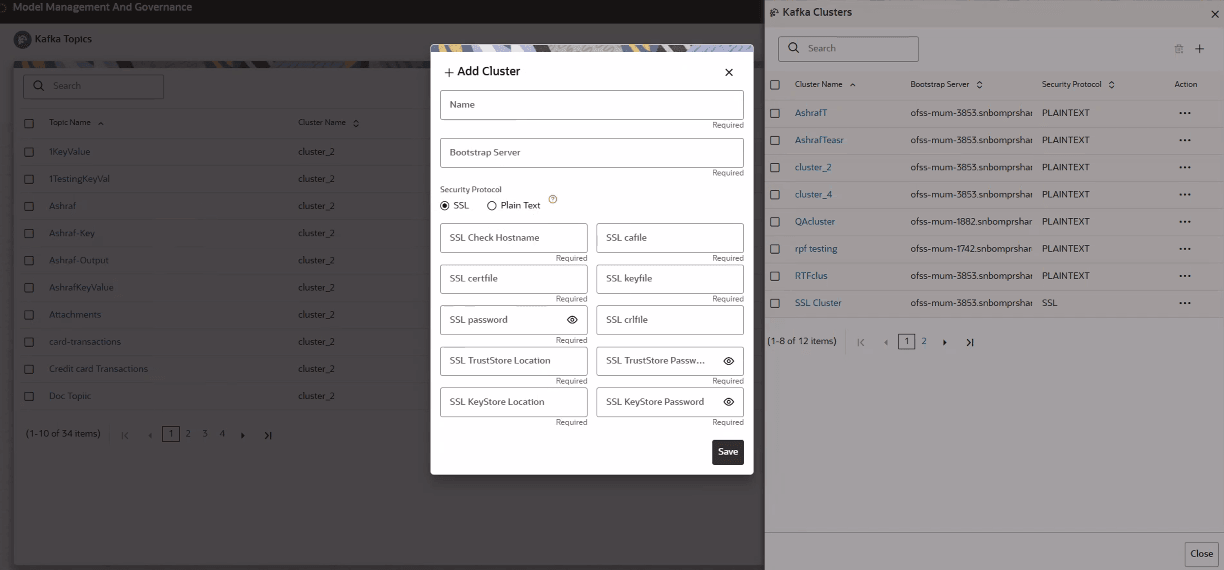
Populate the mandatory fields. For detailed reference click the Help icon.
Note:
In the current release:- The Kafka feature is not supported in Solaris OS.
- Kafka is not supported with Python version 3.12 onwards. This is because pyflink cannot be downloaded from this version.
- Plain Text