Validate Workspace

The Validate pane displays a preview of the configuration values entered in the previous panes.

Figure 6-9 Validate Workspace
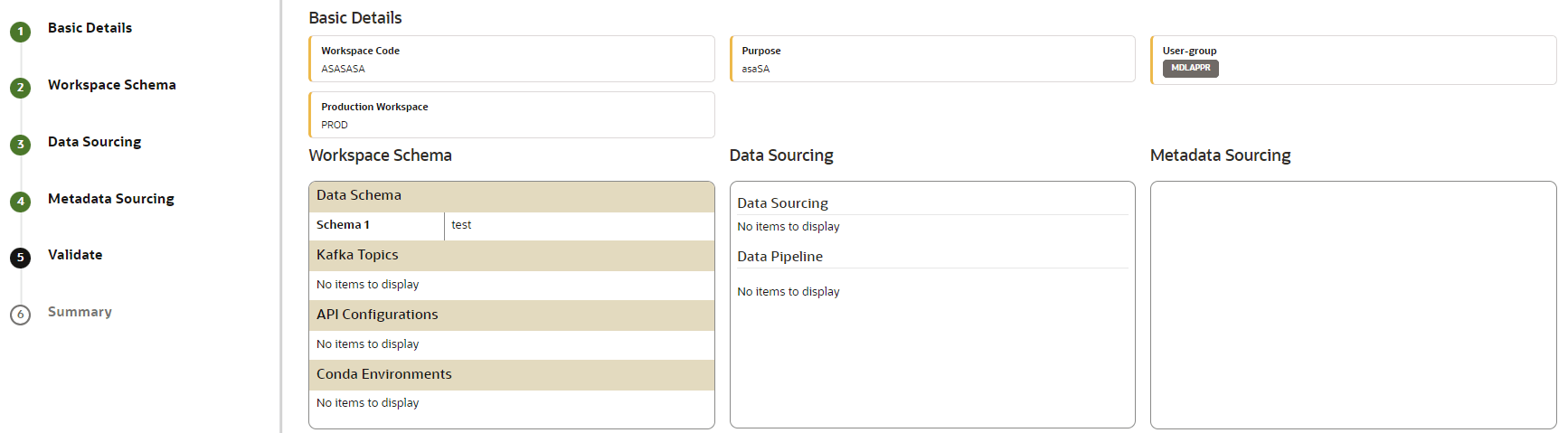

This image displays the Validate Workspace screen.

To validate the workspace and deploy it, perform the following steps:
  1. Review the details in the Validate pane. You can edit the workspace by clicking Edit.
  2. Click the Finish drop-down list. The available options are:
    • Physicalize Workspace: When you click this option, it creates the actual workspace.
    • Download Configurable Archive: When you clickthis option, it exports the metadata information of the workspace in a .zip format. This can be used later by using the Import option.