6.3.1.4 Allocations Support for Database Views
You can create database views from the UI through the Admin Tools > Database Views, and use those views in your Source and Driver tabs of an allocation rule.
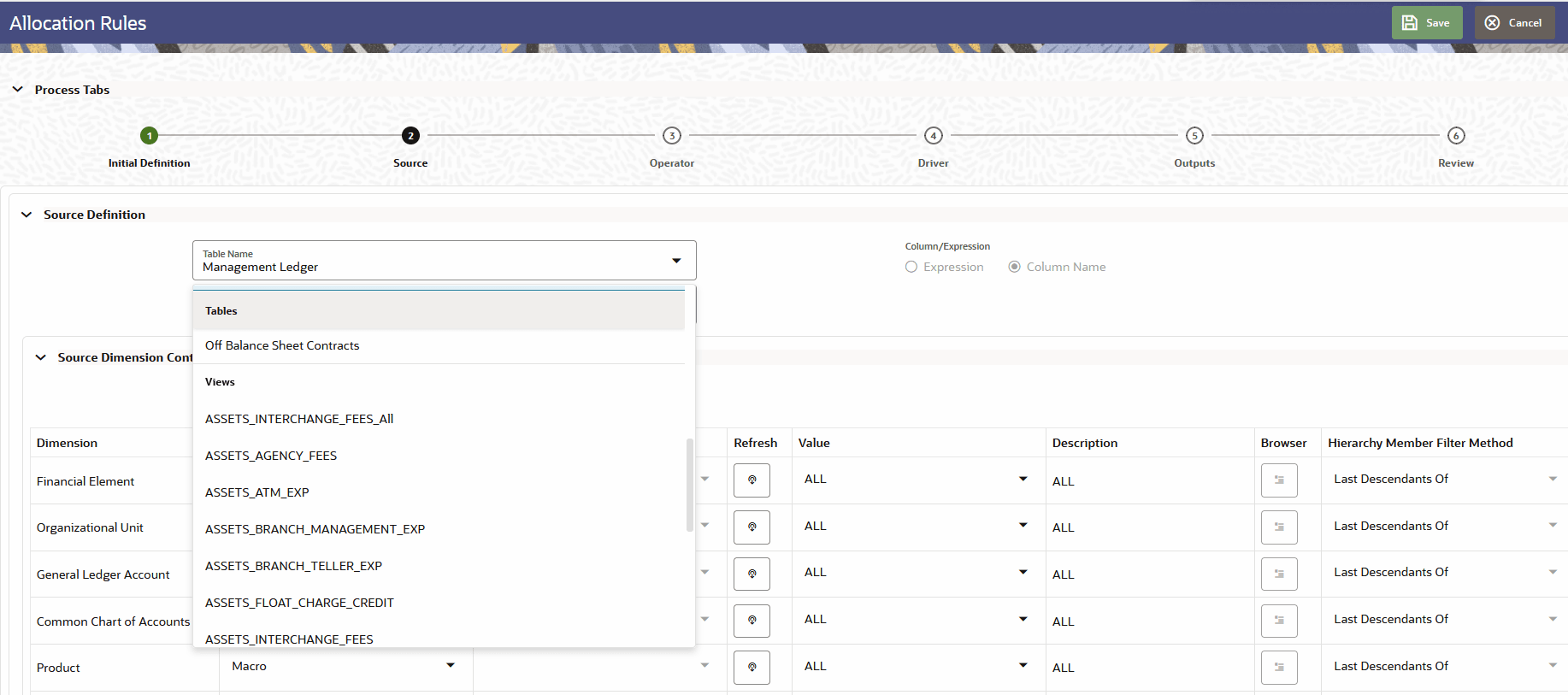
Allocations support to have your Source or Driver data defined on a database view that you can select from the Table/View drop down. The Source or Driver column can be selected respectively from the set of columns present in the Source or Driver view.
Figure 6-48 Allocation Rules Support for Database Views
PBSMCS views can contain derived columns defined by implicit expressions, such as:
CUR_PAR_BAL * PLC_01_RATE + PLC_01_BAL
When you select a view as the Source or Driver in an Allocation Rule, you can use a derived column as the Source or Driver column. The allocation engine supports creating and executing allocation rules that use these columns.
Support for AMHM Filters and Expressions
- Create the required AMHM Filter or Expression on the primary table of the view.
- In the allocation rule, select the view as the Source or Driver.
- Select the required Filter or Expression from the corresponding drop-down list. These lists display the Filters and Expressions defined on the primary table of the selected view.
The view must include all columns referenced by the selected Filters and Expressions.
View Names and Dimension Aliases
In the Allocation and Allocation Execution History screens, the Source and Driver table drop-down lists display each view name followed by its primary table name in parentheses. For example: ASSET_VIEW_01 (FSI_D_ASSET)
In the dimension container, aliases that use a Key Processing Dimension (KPD) or Simple Dimension ID are identified by a black superscript asterisk (*) next to the alias name.
Mandatory Columns in Views: When you save an Allocation Rule that uses a view, the application validates whether the view contains the mandatory columns. You cannot save the rule if any mandatory column is missing.
- Instrument based Views:
- As-of-date
- ID number
- Identity Code
- Identity Code Change
- Instrument Type Code
- Currency
- Legal Entity (to derive if rule is Variable or not)
- all the columns that are used in Filters and Expressions
- all balance/rate/volume/count columns that the Allocation should use
- Transaction Summary based Views:
- As-of-date
- ID number
- Identity Code
- Identity Code Change
- Currency
- Legal Entity (to derive if rule is Variable or not)
- all the columns that are used in Filters and Expressions
- all balance/rate/volume/count columns that the Allocation should use
- ML based Views
Note:
Allocation Rules do not support ML based views for 26D Release.