5.3.1 Updating OFSCRR Webservice password in OFSECM
To update the OFSCRR Webservice password in OFSECM, follow these steps:
- Log into the OFSECM application as the Administrator.
- Navigate to Financial Services Case Management. Select Case Management Configuration.
- ClickConfiguration of Web Service. The Configuration of the Web
Service page is displayed.
Figure 5-1 Configuration of Web Service
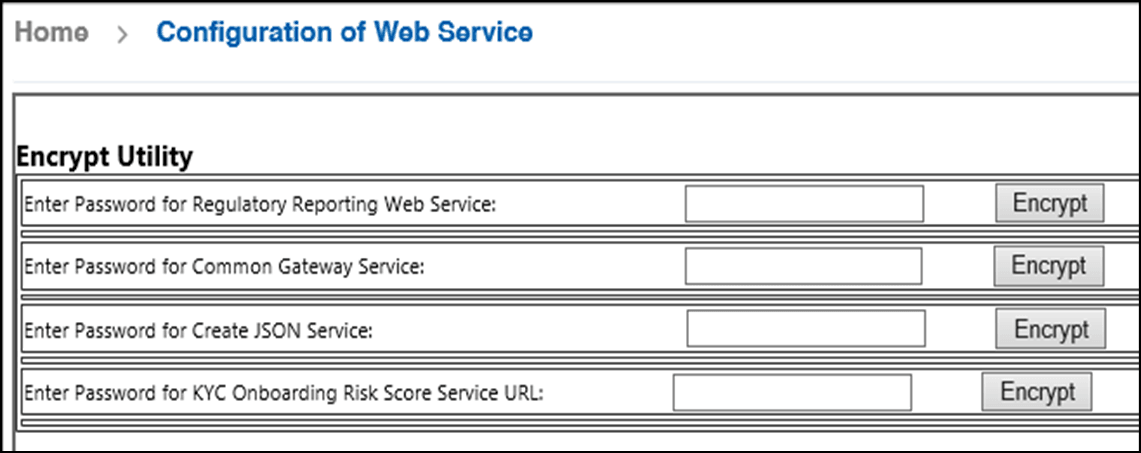
- Enter the password for RegulatoryReporting Web Service and click
Encrypt.
Note:
Enter the same password as set in OFSCRR.
- Logout from the application.