4.3.1 Sanctions Screening Report
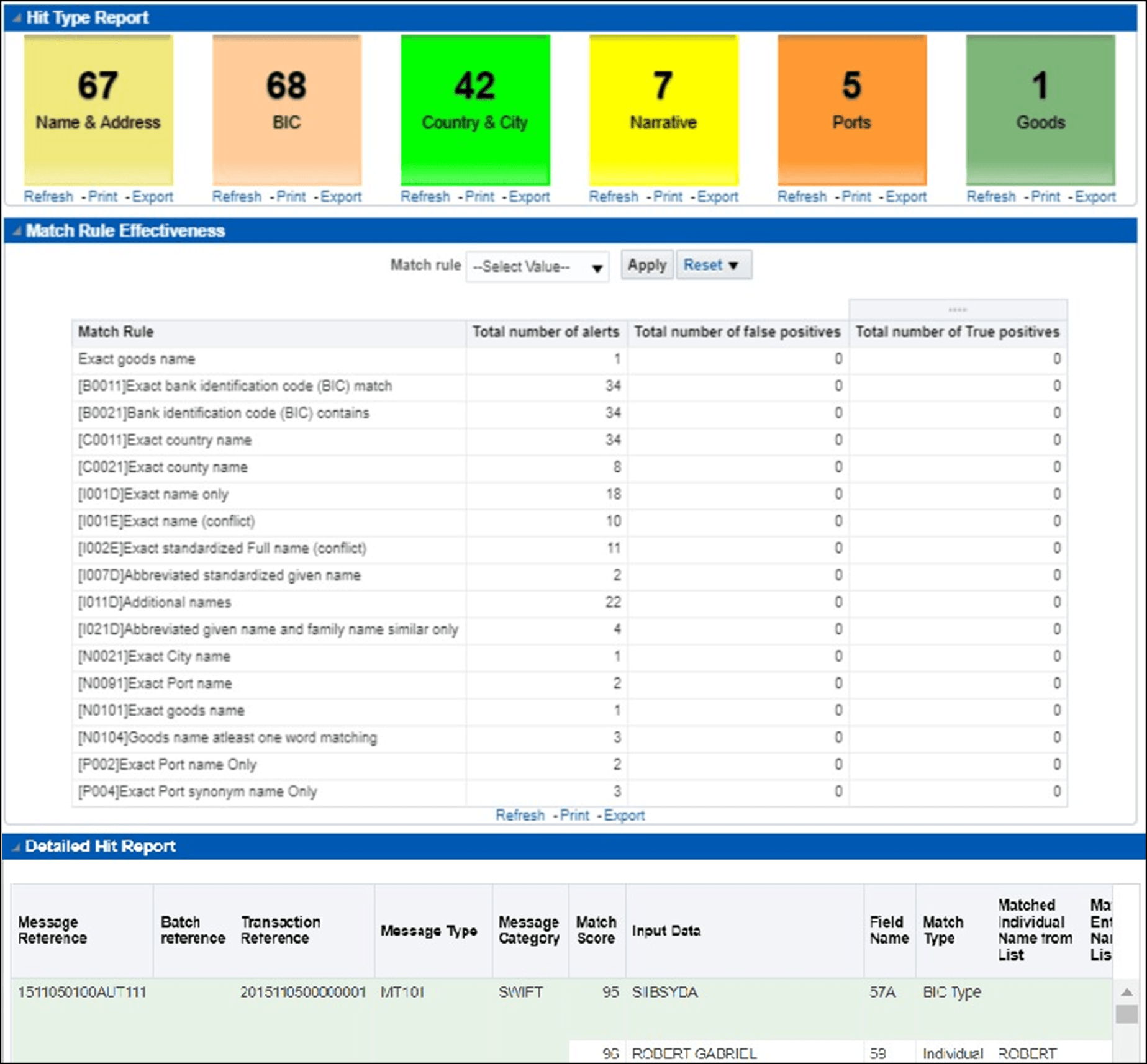
Use this report to view the number of hits matched with different web services, the number of false positives and true positives for different matches, and a detailed report of the messages received for different message types.
The windows in the Hit Type Report display the number of hits received by a specific matching web service. Click the web service name to view the drill-down report related to the web service.
The Match Rule Effectiveness report displays information related to the number of alerts and corresponding true positives and false positives for a selected match rule.
- In the Match Rule drop-down list, select the match rule.
- Click Apply.
When you apply the filters, the Detailed Hit Report is also refreshed with the values related to the selected match rule.
The Detailed Hit Report displays additional details such as the matched field name, matched individual/entity name, and the associated country/city.
Figure 4-14 Sanctions Screening Report