Reviewing Workstation Services Security
Starting with Simphony 19.6, some ServiceHost services listen on separate HTTP and HTTPS ports. To help you review your workstation’s service security and port configuration, updates have been made to the Support tab in the Property Management Console (PMC).
Workstation Security Report
To generate a security report from a workstation:
-
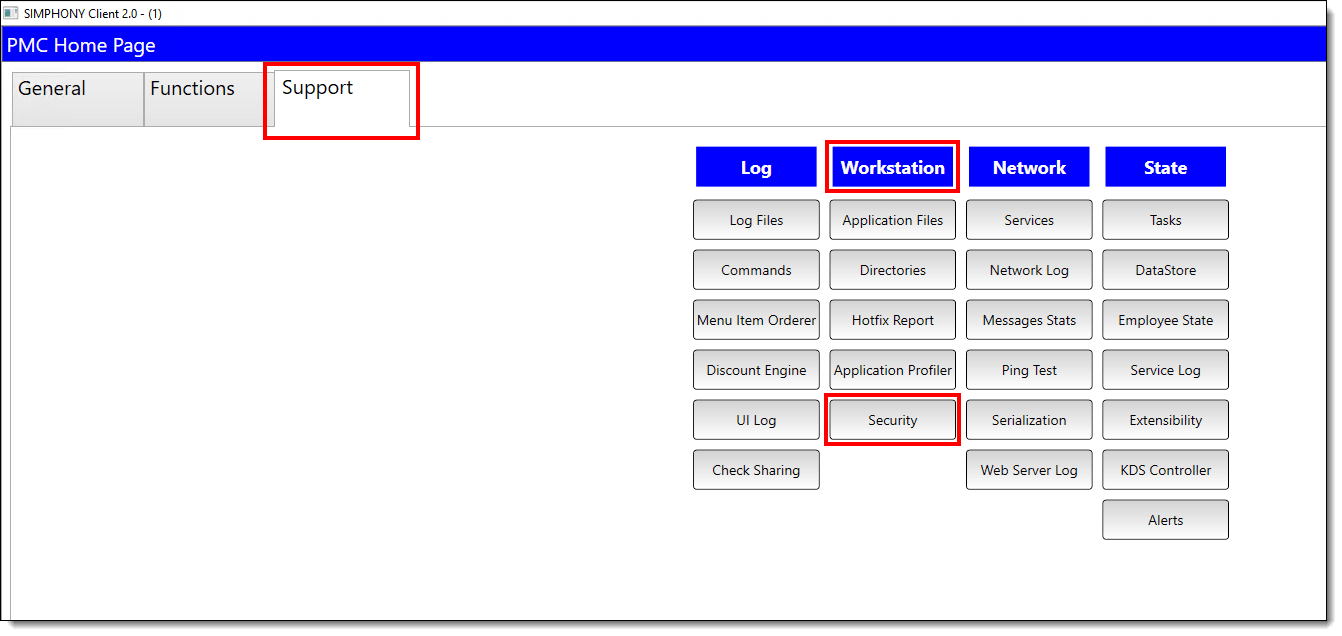
Select the Launch PMC function key.
-
Select the Support tab.
-
Under the Workstations heading, select the Security button to generate a report.
Figure 2-2 PMC Workstation Services Security Button
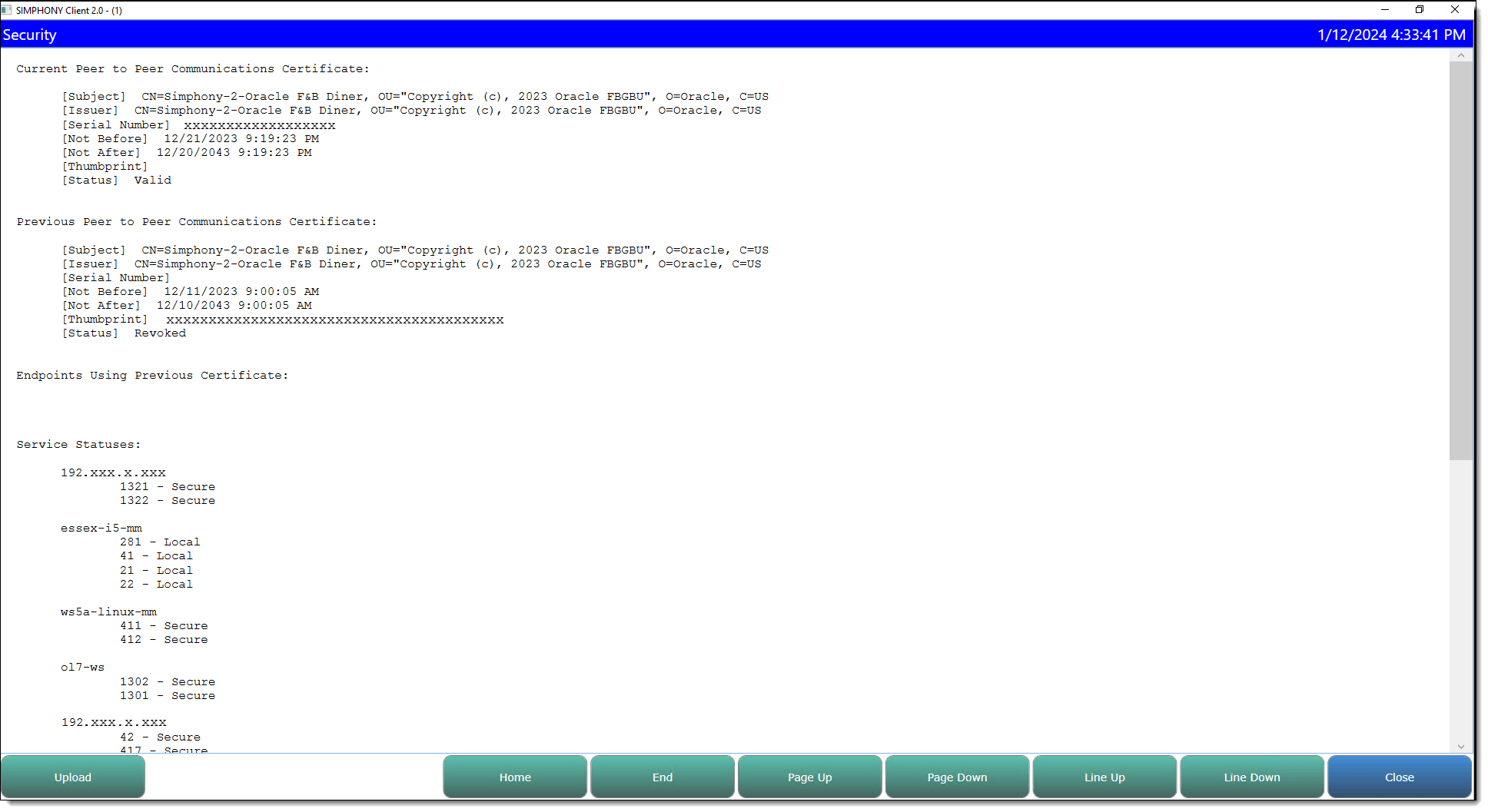
Here is an example of a workstation services security report:
Figure 2-3 Workstation Services Security/Status Report
-
When you are finished reviewing the report, press Close to exit.
PMC Network Services Output
To access the Network Services button:
-
Select the Launch PMC function key.
-
Select the Support tab.
-
Under the Network heading, select the Services button.
-
When you are finished reviewing the workstation services, press Close to exit.
Figure 2-4 PMC Network Services
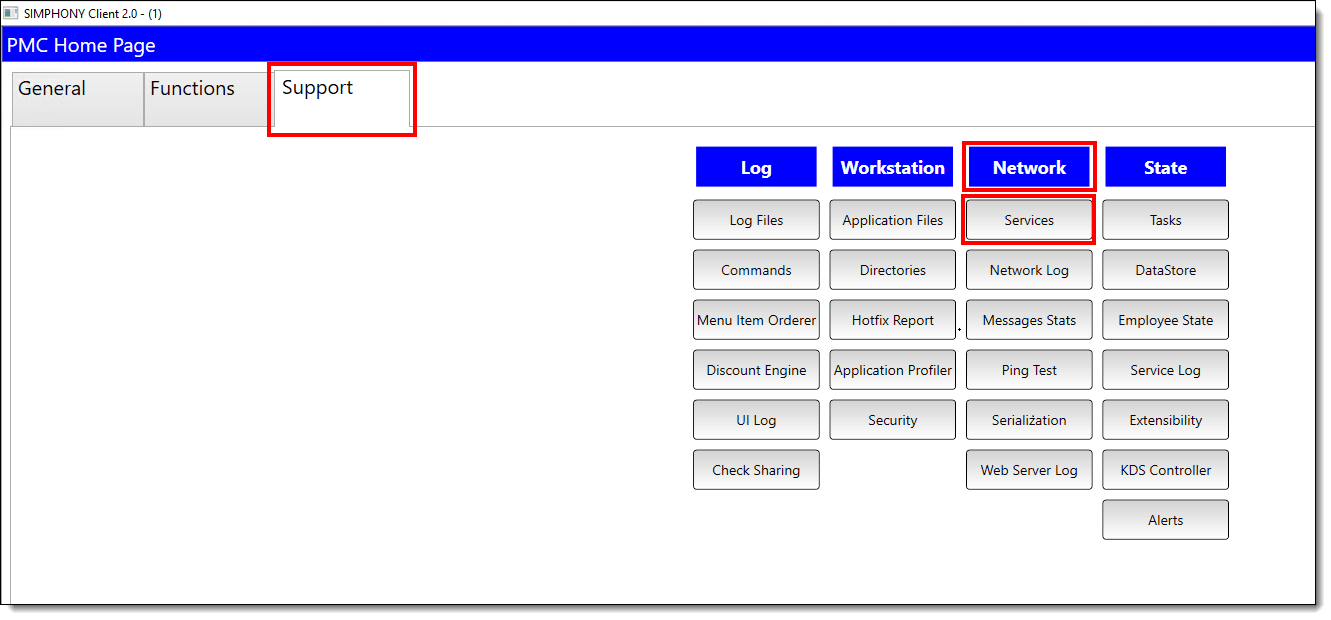
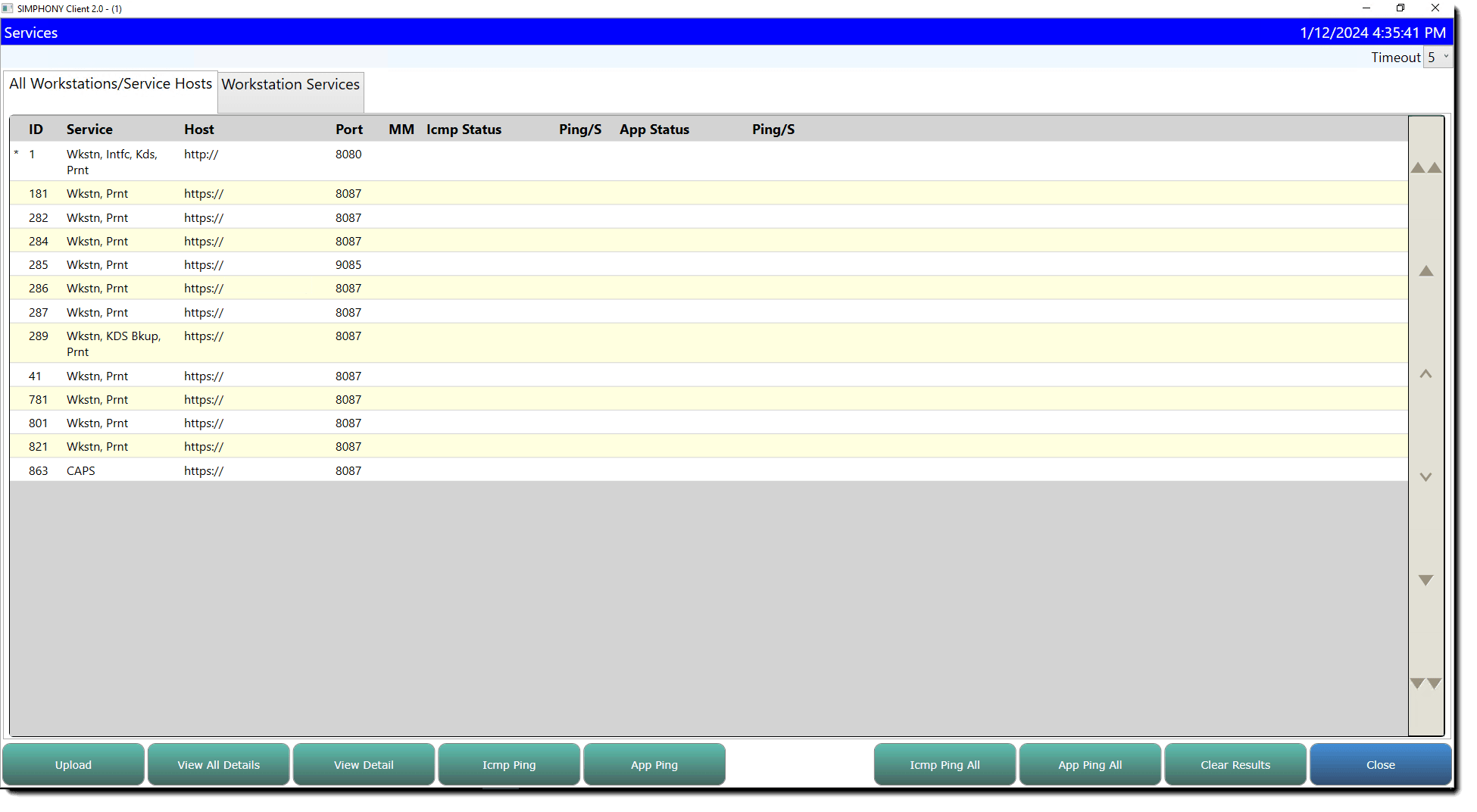
The PMC Services form has been updated to include Secure Port numbers and Secure URLs when the feature and your system is working as expected.
Note:
If any issues occur, the application automatically falls back to HTTP mode. In this mode, the form displays the legacy HTTP ports and URLs.Figure 2-5 PMC Network/Workstation Services
PMC Network Menu Showing the Web Server Log
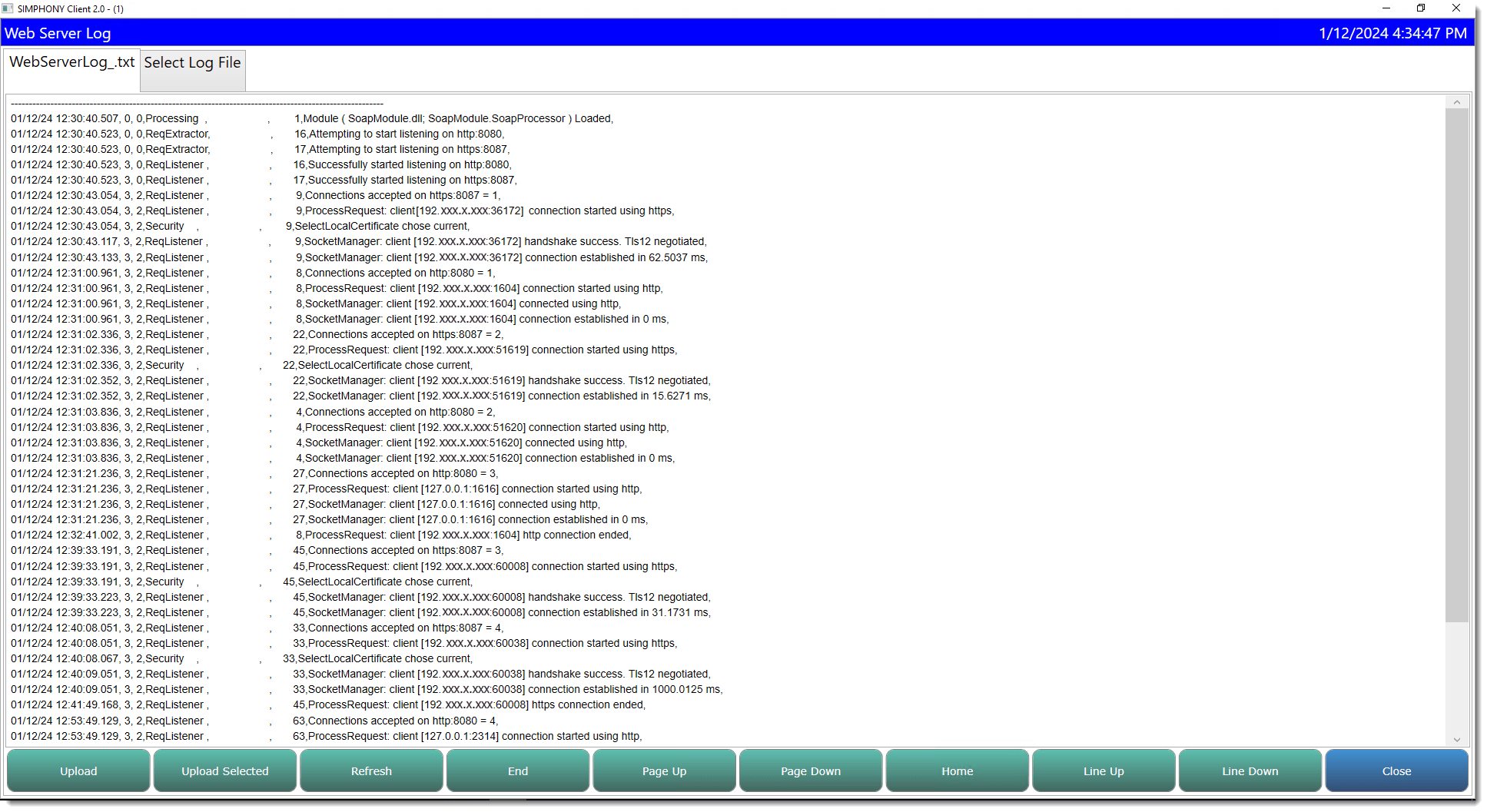
You can access the Web Server log information via the PMC. To access the Web Server log:
-
Select the Launch PMC function key.
-
Select the Support tab.
- Under the Network heading, select the Web Server Log button.
-
When you are finished reviewing the log file, press Close to exit.
Figure 2-6 PMC Network Web Server Log
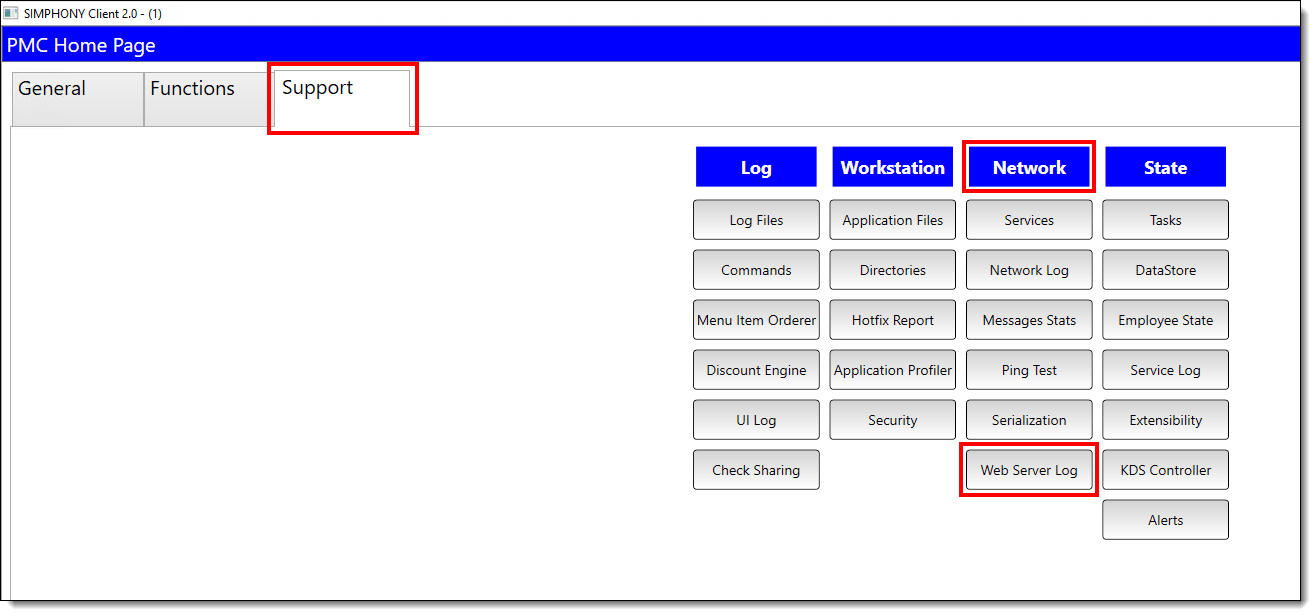
Figure 2-7 PMC Web Server Log
Parent topic: Manager Tasks for Workstation Reports and Procedures