View and Add Patient Notes
Add a note to a patient's record.
Quality managers and others with permissions can view and add notes to the patient's profile in Quality Management.
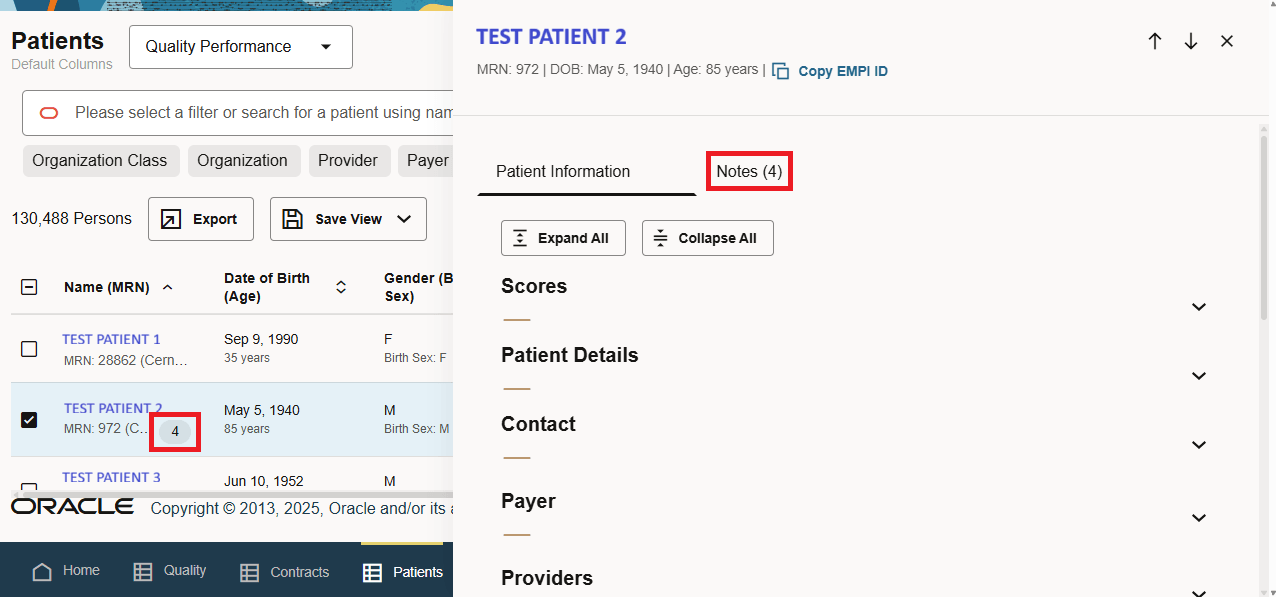
A numbered badge is displayed next to the patient name for patients whose profile contains a note. Select the patient's name to open the patient dialog box, and select Notes to view the patient notes.
Select Add Note to add a note to the patient's profile.
The table below identifies which personnel groups have permissions to add, view, and delete notes.
| Personnel Group | Notes Permissions |
|---|---|
| system_administrators
registries_administrators |
Can view, add, edit, and delete notes for all patients. |
| registries_reviewers
registries_allowlist |
Can view and add notes for all patients they have access to. Can only edit and delete notes they have created. |
| demographics_data_entry_clerks | Can view, add, edit, and delete notes for all patients they have access to. |
Parent topic: Patient List