PreviousNext
JavaScript must be enabled to correctly display this content
Paying an Invoice with Foreign Currency
Retrieve the guest account from the Search panel and then
click Pay invoice at the Guest Handling window.
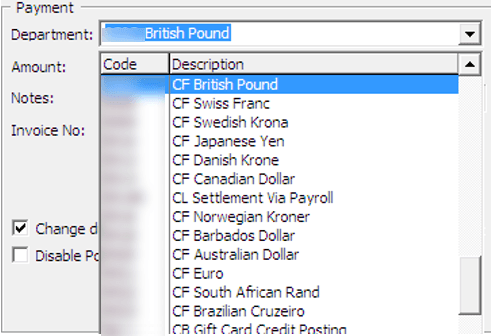
The system defaults the payment department according to
the payment method defined during check-in. Select Foreign
Currency Payment department from the drop-down list.
Figure 10-60 Foreign Currency Financial Department
The exchange rate of the selected payment method appears
next to the amount field.
Enter the foreign currency amount, and the system then
converts the value as shown in Received Amount.
Figure 10-61 Invoice Payment with Foreign Currency
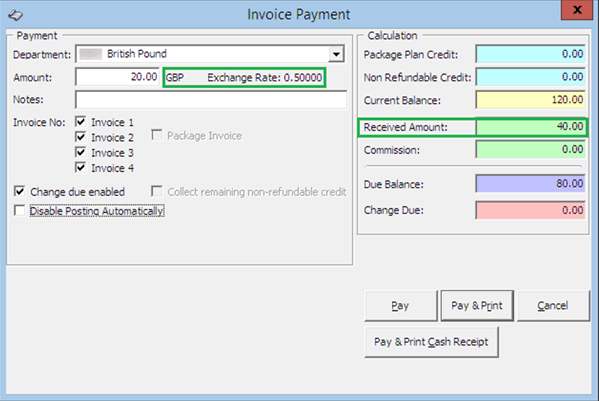
Select an invoice to apply this payment and the system
then calculates the total amount due by the guest.
If the exchanged amount in foreign currency is more than
the invoice amount, the system automatically calculates the change
due amount in Ship currency when the ‘Change Due Enable’
is set as the default.
Click either Pay, Pay & Print, or Pay &
Print Cash Receipt to complete the transaction.