PreviousNext
JavaScript must be enabled to correctly display this content
Denying Multiple Requests
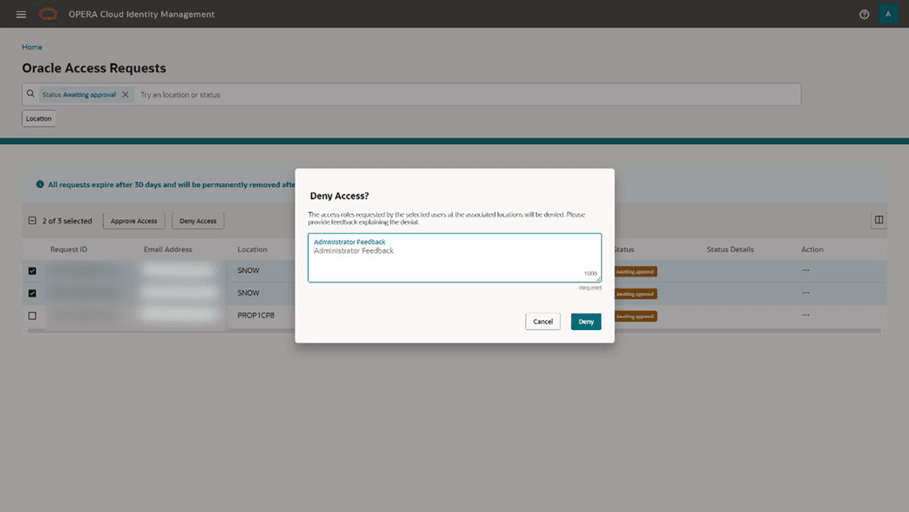
To deny one or multiple Oracle Access Requests with the
page level action, first select the checkbox for all requests that
you want to deny at the same time.
Note:
You can select up to a maximum of 20 requests at one
time.
Click the page level Deny Access button.
Provide a justification (required) to the requesting users
explaining why the requests were denied and confirm by clicking the Deny button on the “Deny Access?” dialogue.
For the selected requests, you have successfully denied the
requested support access to the selected Oracle user.