Workflow: Receiving Room Status Updates from OPERA Cloud
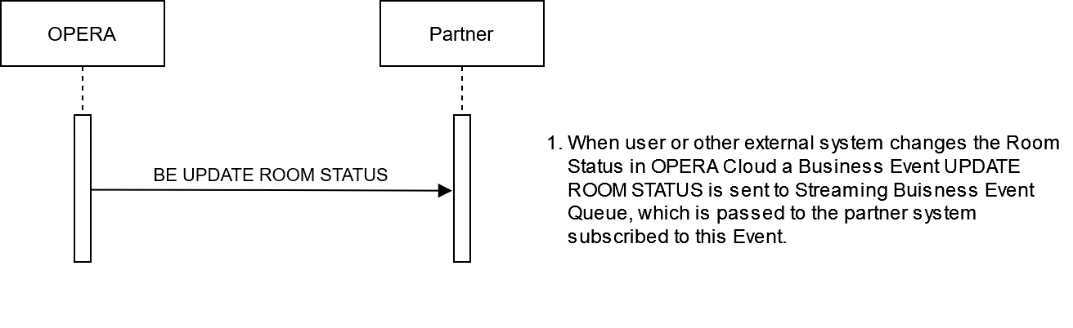
When updating the Room status in OPERA Cloud, a notification to the external system can be requested by subscribing to the UPDATE ROOM STATUS Business Events.
Use Business Event: UPDATE ROOM STATUS to receive the current RoomStatus of the room.
Sequence Diagram
Description of Steps
| Description | Operation |
|
Use Streaming Business Event: UPDATE ROOM STATUS to receive the current RoomStatus of the room. Changing the Room Status in OPERA Cloud UI triggers a Business Event to send out to the Business Event Queue if the partner system subscribed to this Event. The UPDATE ROOM STATUS Business Event contains details of the Room Status in the form of old and current values for the related elements defined. The only elements that get new values (that is, differ from the old values) will be ROOM STATUS,UPDATE DATE, and UPDATE TIME. The Element "ROOM STATUS" can have the following values: "INSPECTED" "CLEAN" "PICKUP" "DIRTY" "OUT OF ORDER" "OUT OF SERVICE" |
BE UPDATE ROOM STATUS Update Room Status BE for a room status changed from Dirty to Clean |
|
However, this Business Event does not contain details on a room that is set to "OUT OF ORDER" or "OUT OF SERVICE." To retrieve details on Rooms in OUT OF ORDER or OUT OF SERVICE status, use the Streaming Business Events NEW/UPDATE OUT OF ORDER and NEW/UPDATE OUT OF SERVICE. |
BE UPDATE ROOM STATUS Out Of Order |
Parent topic: Workflows