Activating Custom Token Provider Functionality
OPERA Cloud users with the CCCONF role can access OPERA Cloud and activate Custom Token Provider parameter. This feature is available only for non-vaulted properties and allows customers to use their own token service provider, following the Hotel Technology Next Generation (HTNG) Payment Systems & Data Security Specifications, Release 2010A: Data Proxy Specification Version 1.1 for request and response messages.
You can activate this parameter when integrating with a Custom Token Provider that provides a token for exchange of credit card numbers in non-vaulted properties.
-
Log in to OPERA Cloud using the URL provided.
-
Enter your User Name and Password in the fields provided.
-
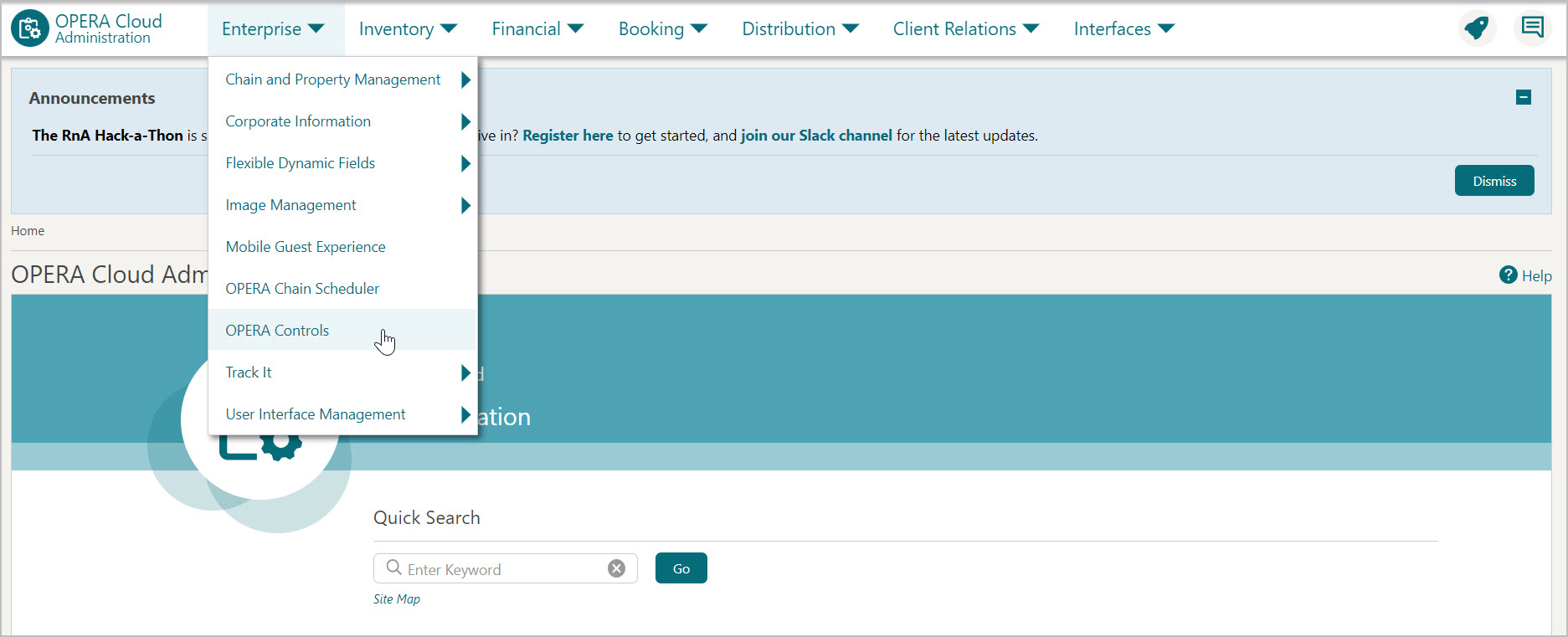
From the Administration menu, select Enterprise, then select OPERA Controls.
-
OPERA Control groups are listed down the left side panel, select the Credit Card group.
-
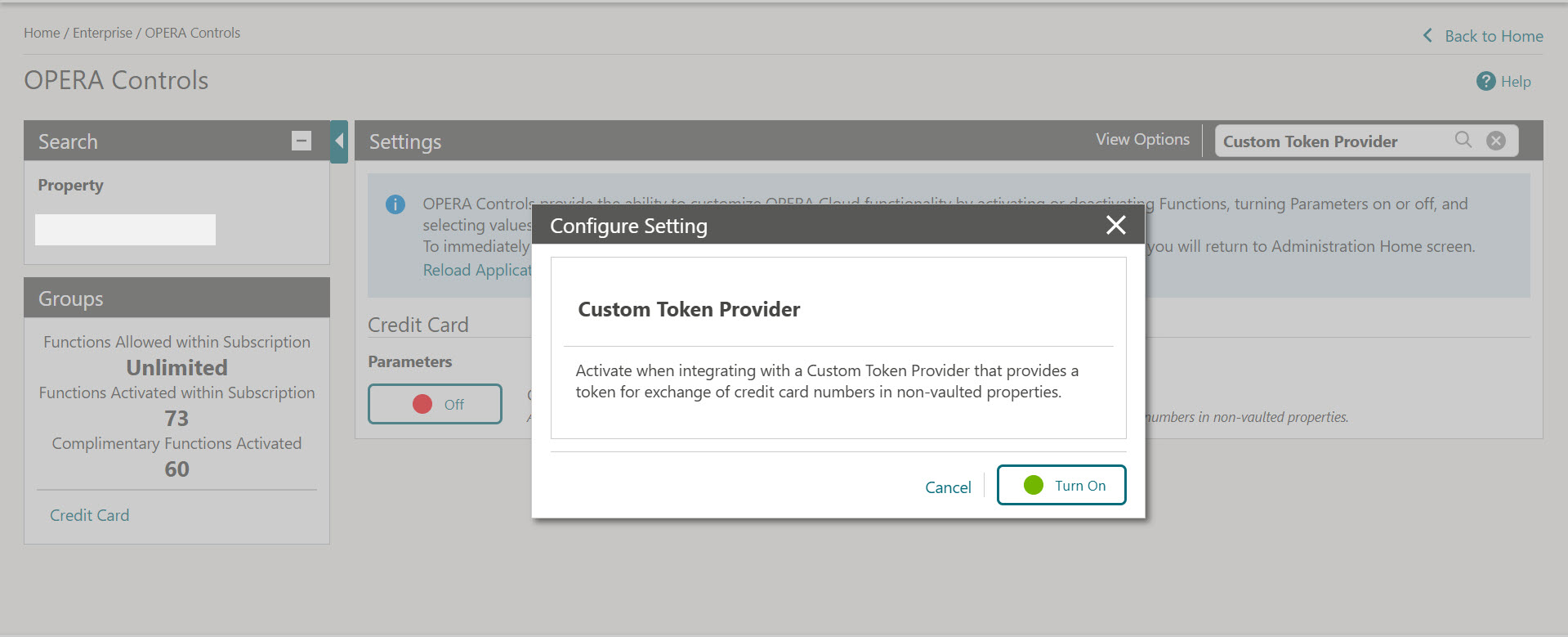
On the right-side panel, turn ON the Custom Token Provider parameter to activate the control when integrating with a Custom Token Provider that provides a token for exchange of credit card numbers in non-vaulted properties.
Note:
You cannot enable the Custom Token Provider parameter while the property has an active EFT interface.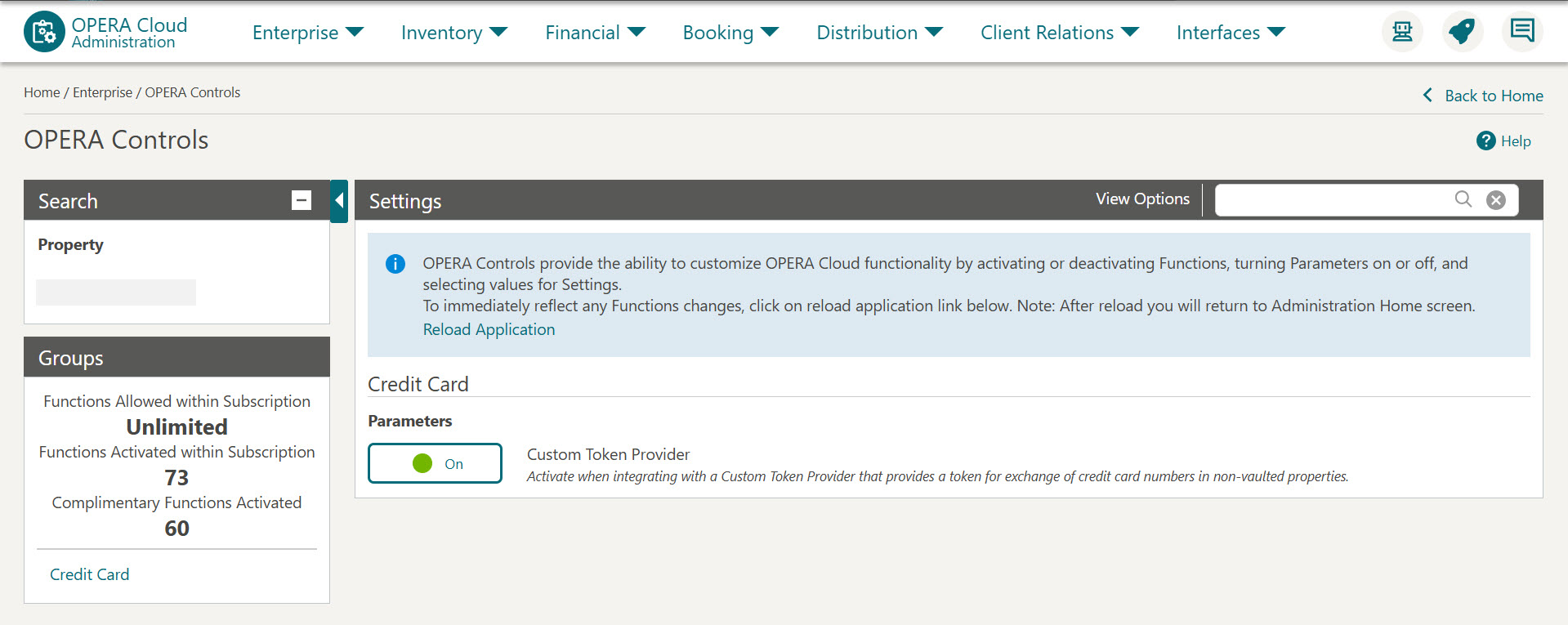
Once the parameter is active, you can navigate to the OPI Configuration menu, which will take you to the OPI Cloud Tenant Configuration Portal, where you can configure only the token exchange endpoint. See Configuring Token Exchange Endpoint for non-vaulted properties for details.