Linked Refund on Credit Card Payment Transactions
This feature enables refunds to be processed using the original credit card payment method that was used for the original transaction. To process the refund from the Billing screen, you must have the Credit Card Refund user task. This option will only be visible for credit card payment transactions.
Note:
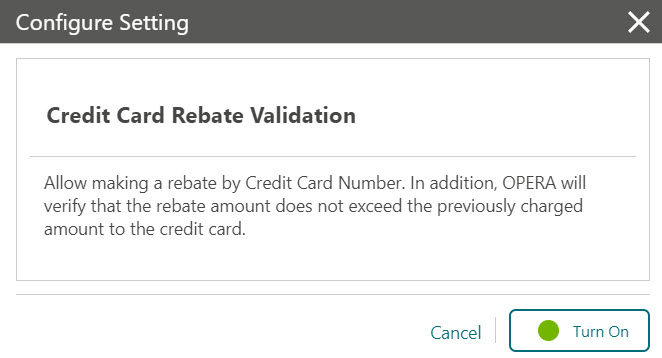
You can post a rebate (refund) to a credit card when the Credit Card Rebate Validation OPERA Control is active. In addition, OPERA Cloud will verify that the rebate amount does not exceed the previously charged amount to the credit card. This will validate the debit with the credit on the same credit card and pop up a message if the user tries to refund more than what has been charged.-
From the Administration menu, go to Enterprise | OPERA Controls | Groups | Cashiering | Parameters.
-
Turn On Credit Card Rebate Validation option.

-
From the OPERA Cloud menu, select Front Desk and then select In-House.
-
Enter search criteria and click Search. Select the reservation from the search results, click I Want To . . . and select Billing.
-
On the Manage Billing screen, click Post Payment, select the payment method, and provide the credit card details, enter the negative payment amount, and click Apply Payment.
-
Refund feature needs to be activated by the Payment Service Provider.
-
OPERA Cloud users need privileges to process the negative payments.
-
From the OPERA Cloud menu, select Front Desk and then select In House.
-
Search for and open the reservation.
-
Click I Want To… .
-
Select Billing.
-
Enter your credentials if requested.
-
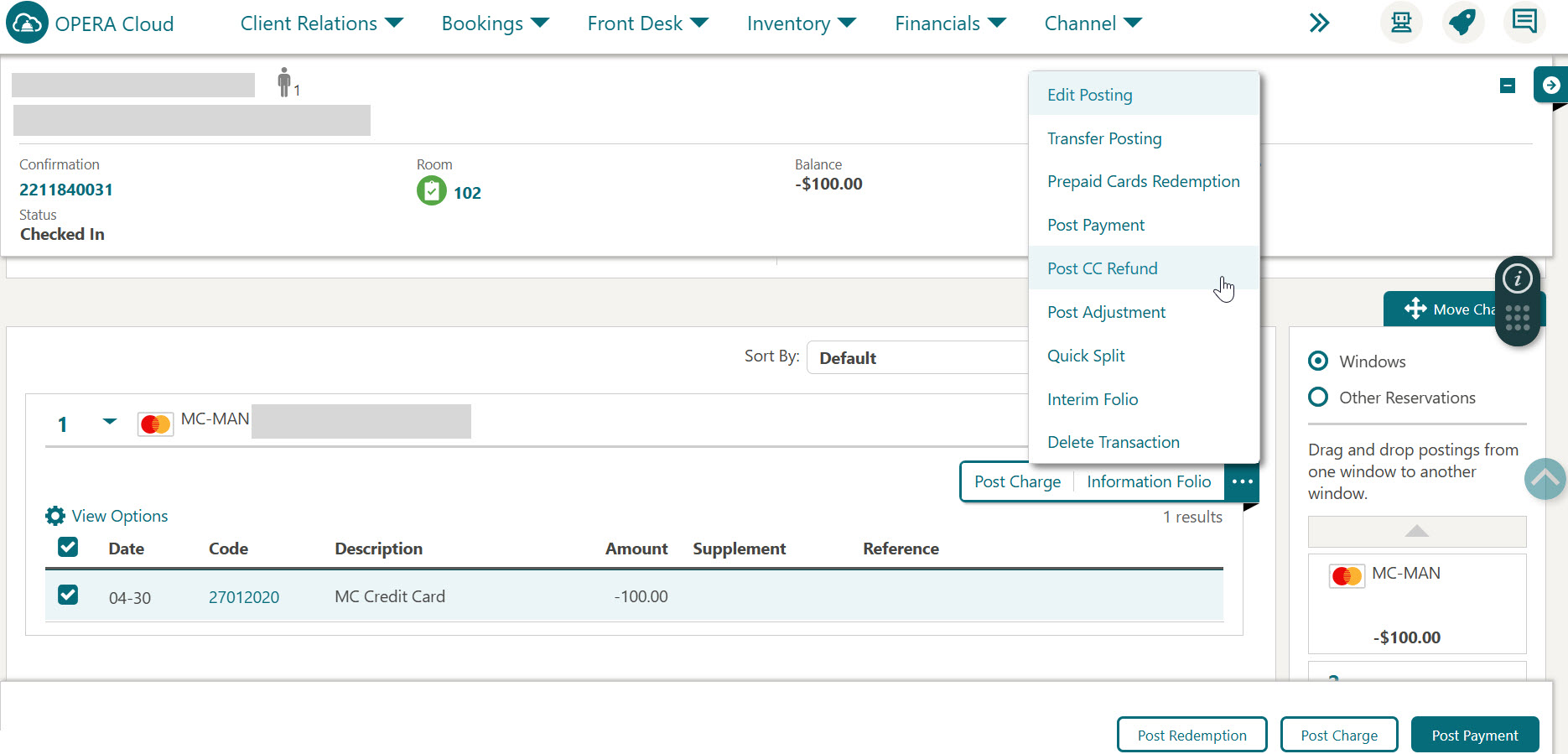
Selects a payment transaction and click the vertical ellipse Actions menu. Select Post CC Refund.
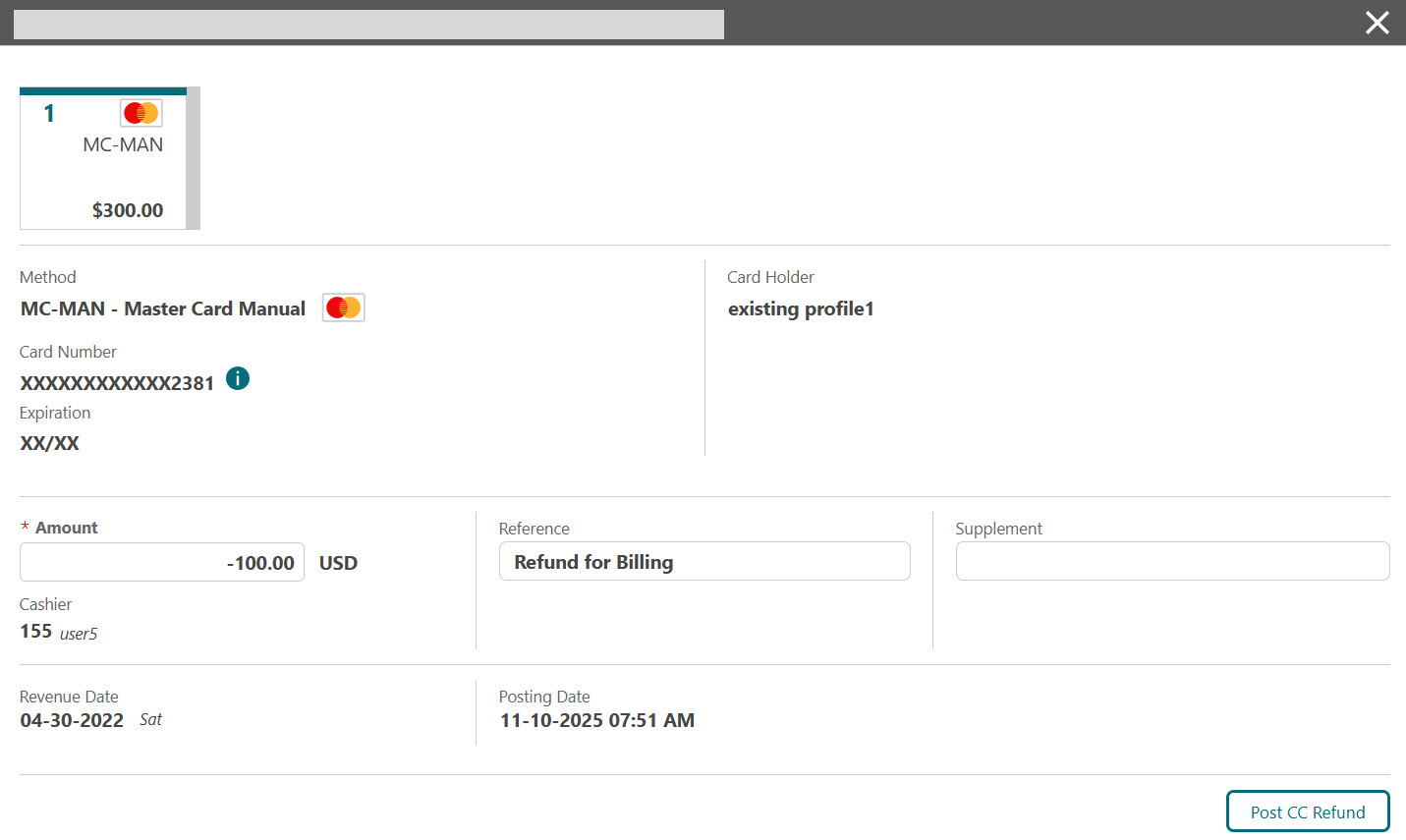
The Payment screen displays the original payment method used for the transaction, which cannot be modified. You can modify the Amount field to a lower or higher value. During the refund process, OPERA Cloud performs rebate validation (comparing the entered amount with the previous amount charged to the credit card token) if the Credit Card Rebate Validation OPERA Control is enabled. If this OPERA Control is disabled, OPERA Cloud skips the rebate validation.
-
Enter a lower or higher value in the Amount field.
-
Provide Reference details, if any. This field is mandatory for refunds in OPERA Cloud.
-
Click Post CC Refund.
-
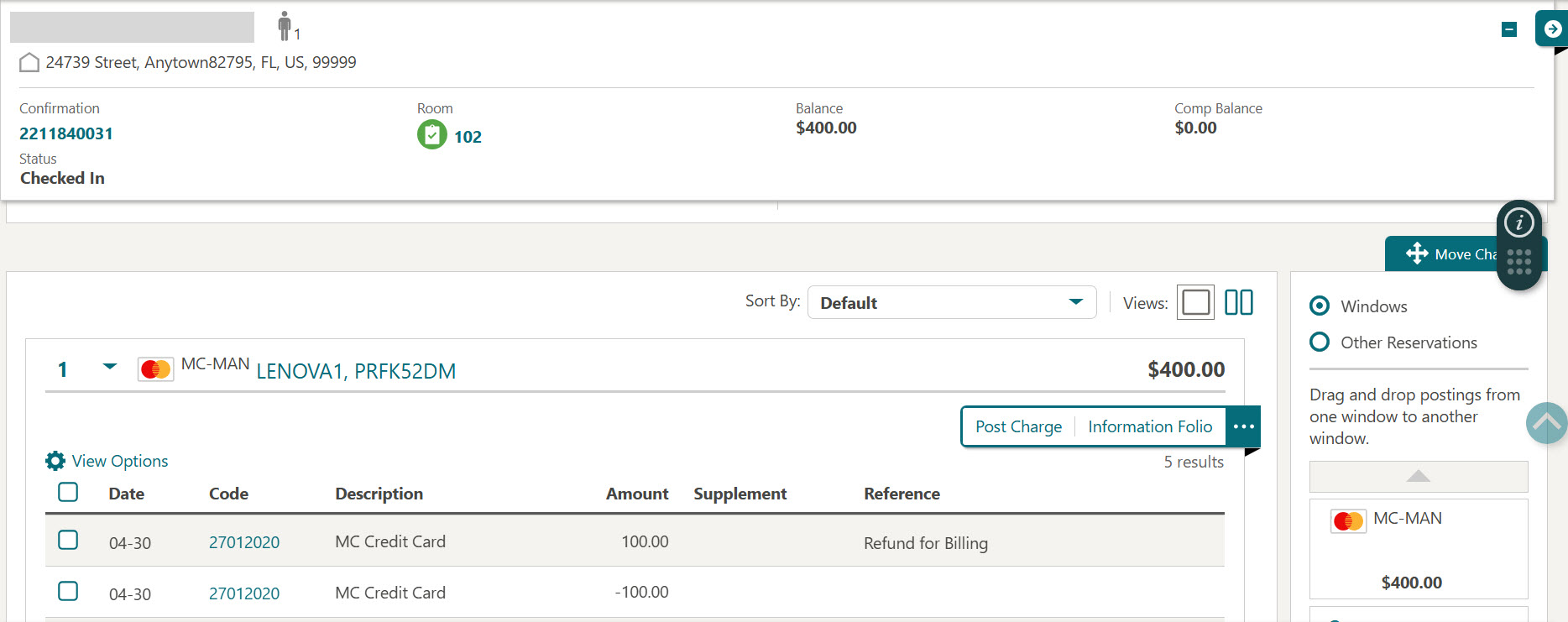
The refund transaction is posted on the Billing screen and cannot be reversed.
Parent topic: Refunds