Activating OPI Cloud Internal Token for Non Vaulted Properties
OPERA Cloud users with the CCCONF role can access OPERA Cloud and activate OPI Cloud Internal Token for Non Vaulted Properties parameter. The OPI Token Service solution is designed for properties using OPERA Cloud (CNE) that are not tokenized through a Payment Service Provider and do not have an integrated EFT solution.
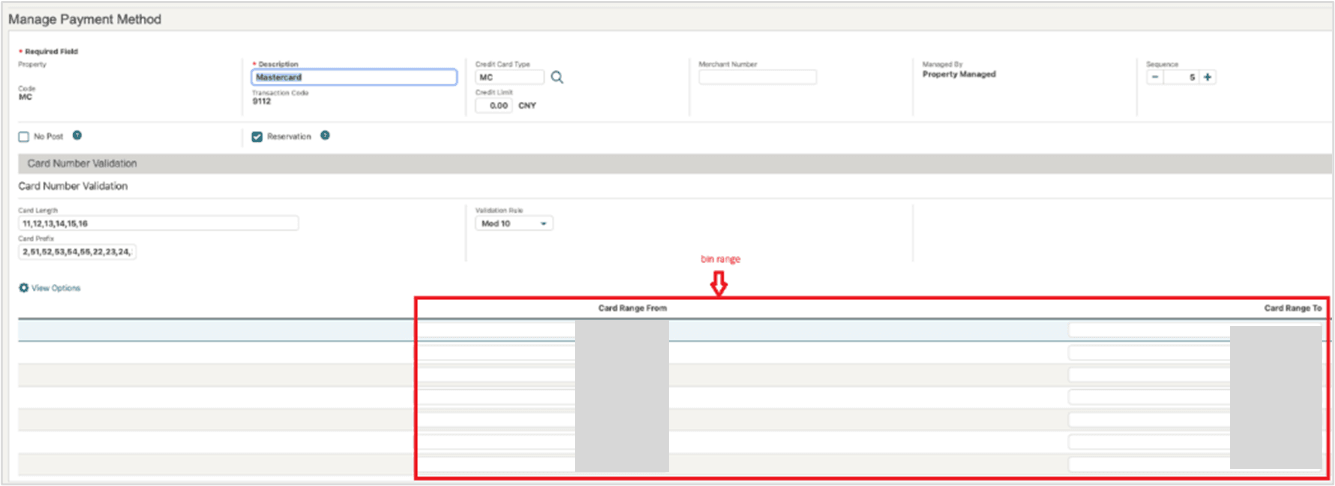
Before activating the OPI Cloud Internal Token for Non Vaulted Properties OPERA Control, ensure that all card type configurations, including any custom card types, are defined with the appropriate BIN ranges.
The example shows BIN ranges defined for the MasterCard payment method. Typically, this data is already seeded during the hotel provisioning process; however, it is important to verify that the information is configured correctly and remains up to date. The Card Length, Card Prefix, and Validation Rule fields are optional. If these fields are configured, OPI Cloud will use the defined values to validate the entered card number during the tokenization process. See Configuring Credit Card Types for details.
When the OPI Cloud Internal Token for Non Vaulted Properties OPERA Control is active, the property will be automatically on-boarded with the OPI configuration.
-
Log in to OPERA Cloud using the URL provided.
-
Enter your User Name and Password in the fields provided.
-
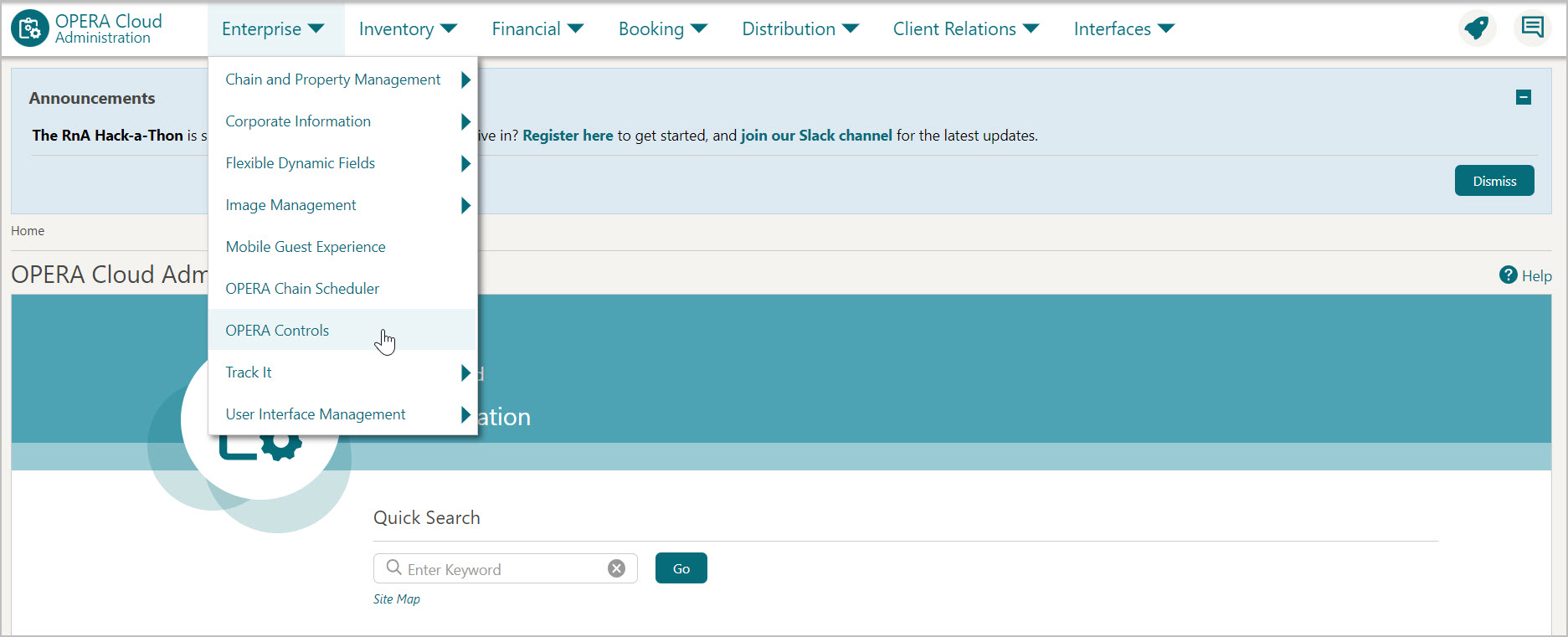
From the Administration menu, select Enterprise, then select OPERA Controls.
-
OPERA Control groups are listed down the left side panel, select the Credit Card group.
-
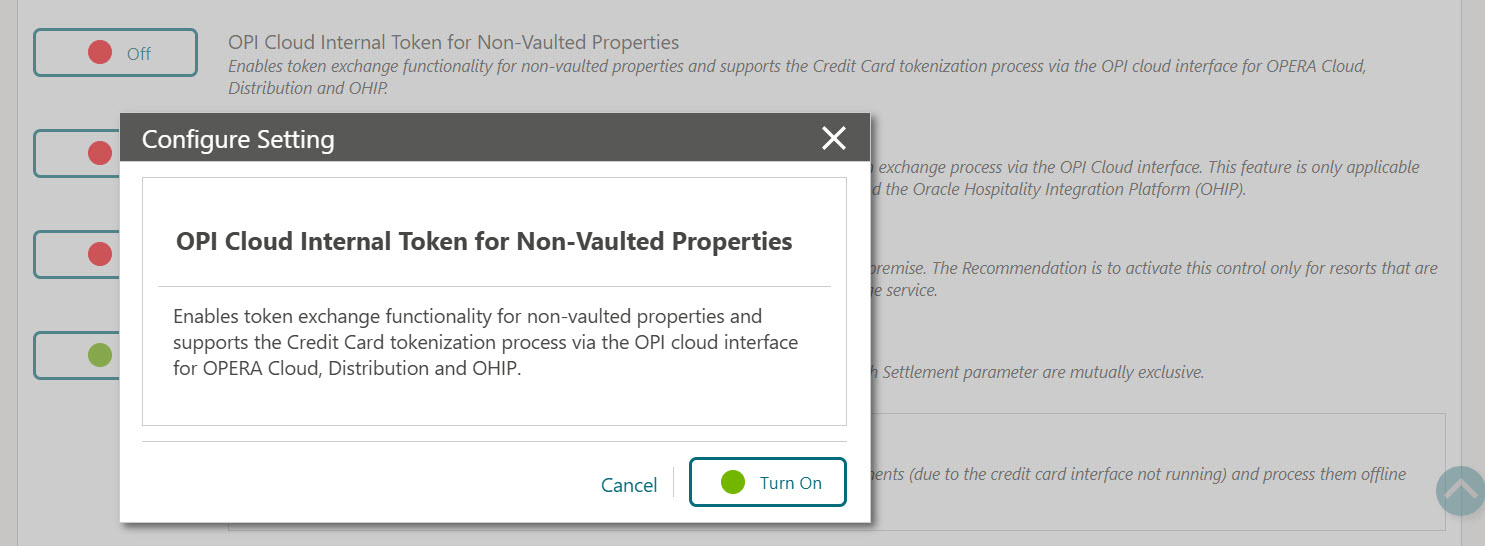
On the right-side panel, turn ON the OPI Cloud Internal Token for Non Vaulted Properties parameter.
Note:
-
When the Credit Card Vault check box is selected in EFT interface configuration, OPI Cloud Internal Token for Non Vaulted Properties OPERA Control is automatically deactivated.
-
The OPI Cloud Internal Token for Non Vaulted Properties OPERA Control cannot be deactivated once it has been activated.
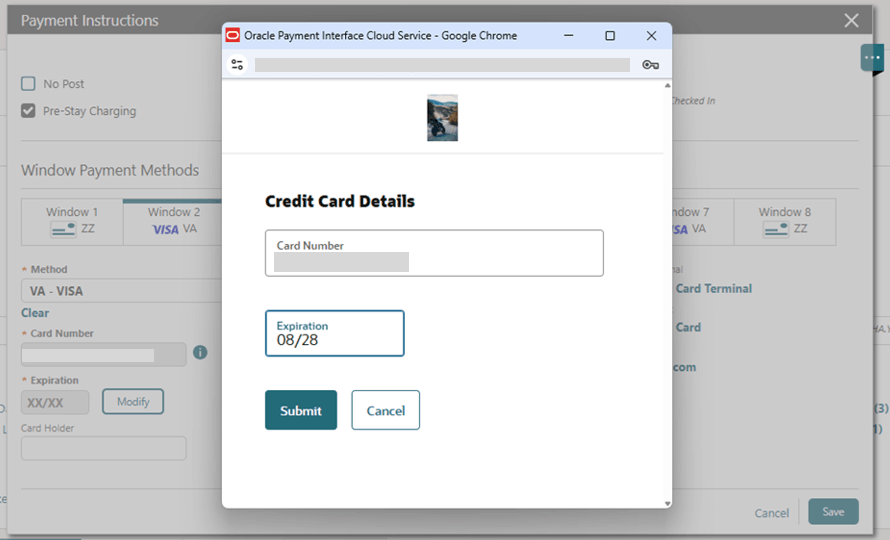
Once the parameter is active the property will be automatically on-boarded with the OPI configuration. Users with the CCTRANS role can access the OPI-hosted screen (OPERA Pay widget) and enter the clear text credit card number. The OPI interface then generates an OPI-prefixed credit card token and returns it to OPERA Cloud. See below sections for details.
-
Bulk tokenization to convert the existing Credit cards to OPI internal tokens
Prerequisite: OPERA Cloud end users can perform this action.
Users should run bulk tokenization immediately after enabling the OPI Cloud Internal Token for Non Vaulted Properties functionality, especially if credit card numbers already exist in the OPERA Cloud database prior to activation.
For properties that already store credit card details, the Credit Card Vault Conversion process must be run to convert existing credit card data to OPI internal tokens. Once the OPI Internal Token functionality is enabled, this task should be executed immediately to ensure that all existing credit card data stored in OPERA Cloud is tokenized as soon as possible.
Note:
It is important to perform Bulk tokenization immediately after activation to ensure that all existing credit card data in the OPERA database is tokenized promptly.-
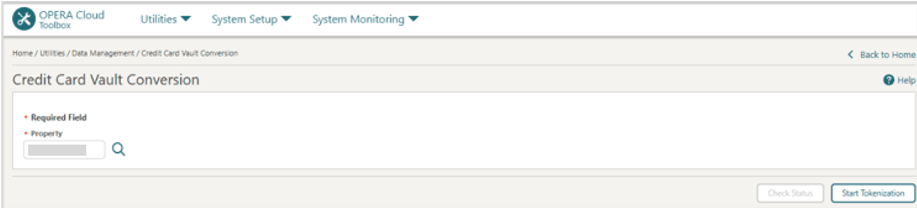
From the Toolbox menu, select Utilities, select Data Management, and then select Credit Card Vault Conversion.
-
Property: Enter or select the property.
-
Click Start Tokenization.
Adding Credit card from OPERA Cloud Application
Prerequisite: User exists with CCTRANS user role. See Assigning CCTRANS Role to a User for details.
-
Log in to OPERA Cloud using the URL provided.
-
From the OPERA Cloud menu, select Bookings, select Reservations, then select Manage Reservation.
-
Enter search criteria and click Search.
-
Select the reservation in search result, click I Want To..., click Payment Instructions or open the reservation presentation and click Payment Instructions details link.
-
Click New/Edit Payment Instructions to add or edit the payment details for a Billing window.
-
Click Add/Modify to manually enter the Credit Card Number and Expiration date. The OPI Cloud Service (OPERA Pay) screen appears for entering credit card details. Once saved, an OPI internal token is returned and displayed in OPERA Cloud.