Activating OPI Cloud Token Service for Token Exchange
The OPERA Cloud users with the CCCONF role can access OPERA Cloud and activate the OPI Cloud Token Proxy Service for PMS parameter once the EFT interface is created for a new property. This OPERA Control enables the configuration of the Token Proxy Service on the OPI Cloud Tenant portal and supports the token exchange process for PMS through the OPI Cloud interface. This control is mutually exclusive with "OPI Cloud Credit Card Processing". When active, OPERA Cloud uses OPI Cloud (instead of legacy TPS) for token exchange while it is still using OPI on-premise for CC processing.
This feature is applicable for OPERA Cloud, OPERA Xchange Interface (OXI), OPERA Enterprise Distribution Services (OEDS), Cloud Hub, OPERA Cloud Distribution, Reservation Sales Screen (OPERA Cloud Central Management Services), and the Oracle Hospitality Integration Platform.
Note:
Properties currently configured with the legacy TPS should not enable the OPI Cloud Token Proxy Service for PMS OPERA Control, as they will be migrated from the legacy TPS to OPI Cloud later, and the control will be enabled as part of that migration.
Note:
When to enable OPI Cloud Token Proxy
Use this runbook whenever you enable OPI Cloud Token Proxy for a customer that meets all of the following criteria:
-
Uses OWS integrations through OEDS
-
Runs OPERA Cloud version 25.4 or later
-
Runs OPERA Cloud using OCIM
OPI Cloud Token Proxy may be enabled for a customer when any of the following controls are set to On:
-
OPI Cloud Credit Card Processing
-
OPI Cloud Token Proxy Service
-
OPI Cloud Token Proxy Service for PMS
-
Customer Token Provider
-
OPI Cloud Internal Token for Non-Vaulted Properties
OPI Cloud Internal Token for Non-Vaulted Properties is visible in the OPERA Cloud UI starting in OPERA Cloud version 26.1 or later.
Necessary Steps
When using OEDS, please configure the necessary steps as prerequisites; otherwise, it may lead to severe issues.
Disable Legacy Routing for OWS operations in OEDS Routing (OPERA Cloud UI)
Where: OPERA Cloud UI (Toolbox)
Path: Toolbox → System Monitoring → Manage Interface →
OEDS Routing
-
For all operations listed below, set:
-
Legacy Routing toggle OFF
-
-
Save the configuration
Operations requiring Legacy Routing = OFF:
-
CombineShare -
CreateBooking -
FetchBooking -
FutureBookingSummary -
ModifyBooking -
CheckIn -
CheckOut -
DCCCheck -
MakePayment -
PostCharge -
UpdateMethodOfPayment
-
-
Log in to OPERA Cloud using the URL provided.
-
Enter your User Name and Password in the fields provided.
-
From the Administration menu, select Enterprise, then select OPERA Controls.
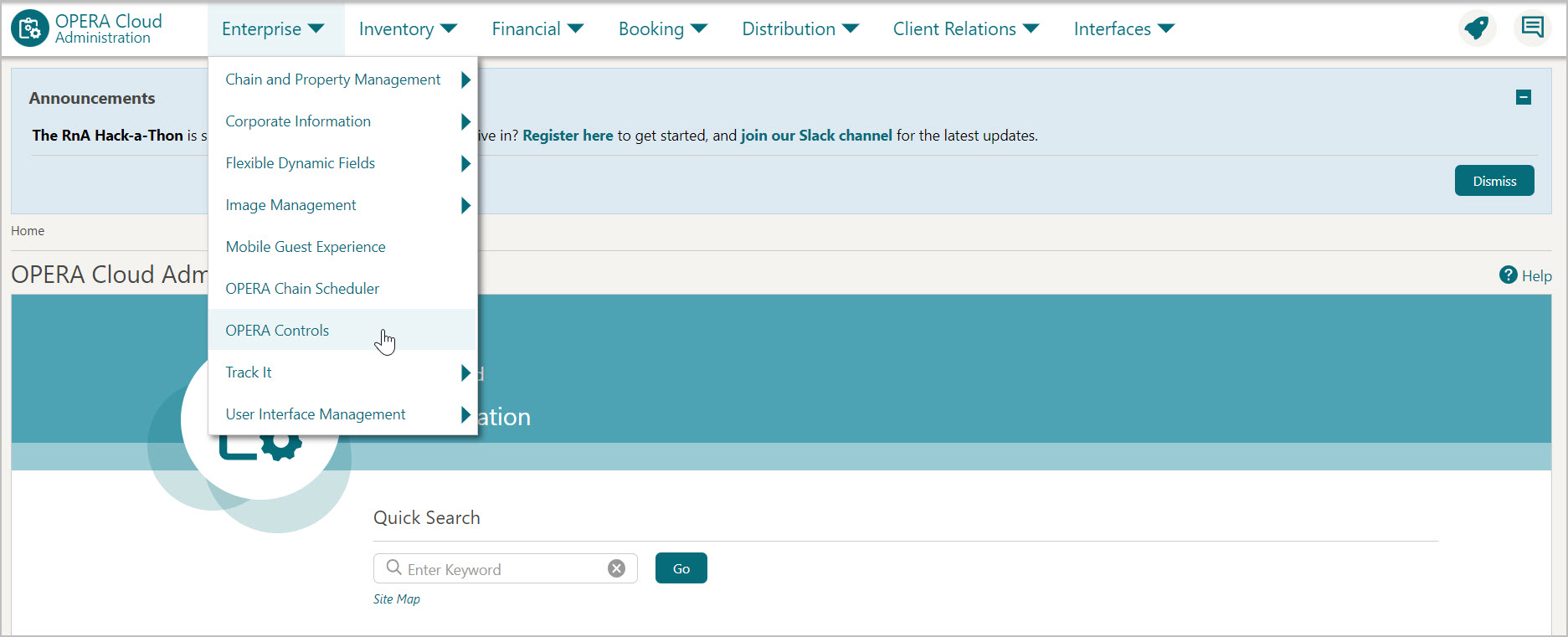
-
OPERA Control groups are listed down the left side panel, select the Credit Card group.
-
On the right-side panel, turn ON the OPI Cloud Token Proxy Service for PMS parameter to support the token exchange process for PMS through OPI Cloud.
Note:
You cannot turn ON OPI Cloud Token Proxy Service parameter when OPI Cloud Credit Card Processing parameter is ON as OPI Token Proxy Service for PMS and OPI Cloud Credit Card Processing OPERA Controls are mutually exclusive. If you turn ON, an error message appears as given below.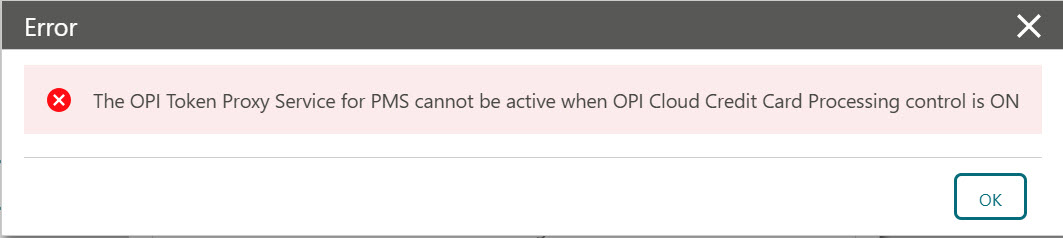
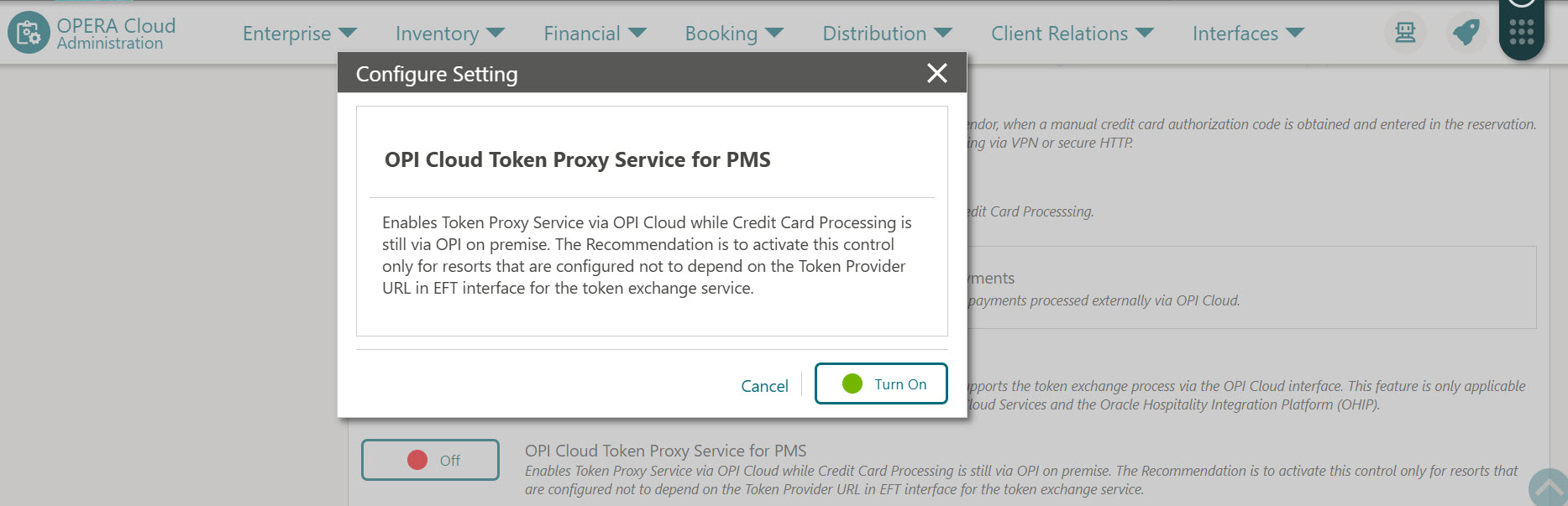
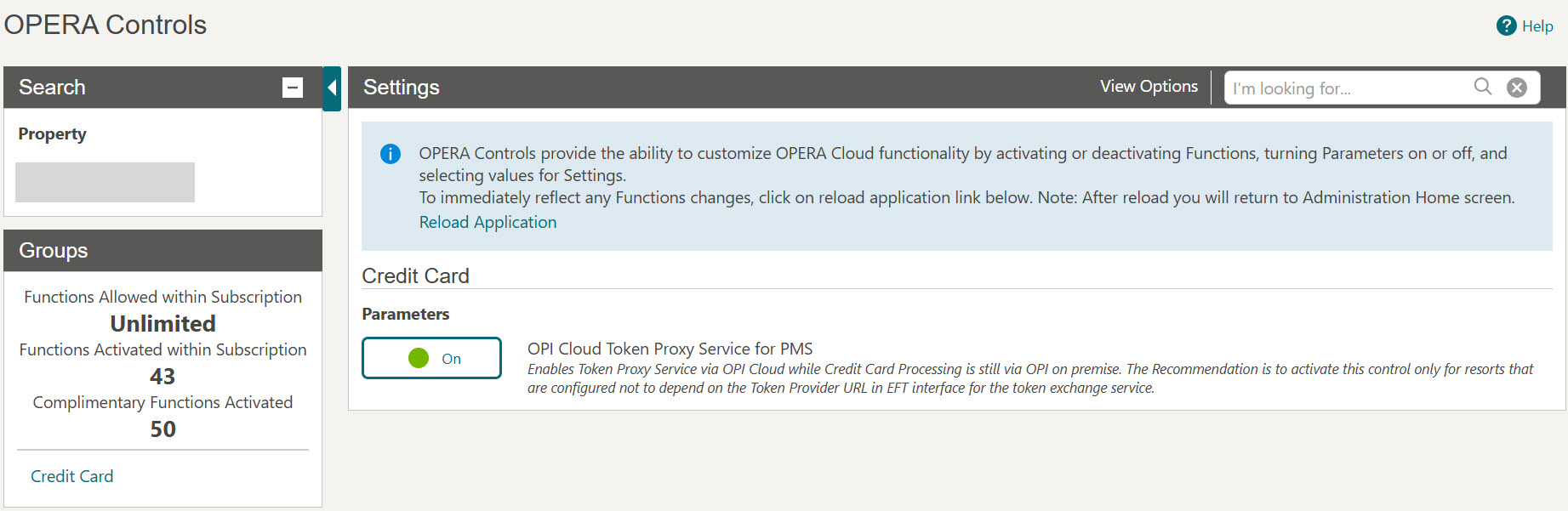
If the Token Proxy Service for PMS parameter is active, it enables OXI, OEDS, Distribution, OHIP, Cloud Hub, and OCC RSS to connect with OPI Cloud for tokenization.
The OPERA Cloud users with the CCCONF role can access OPERA Cloud and activate the OPI Cloud Token Proxy Service parameter once the EFT interface is created for a new property. Once the parameter is active and OPI Cloud is configured for token exchange for the property, RSS can use the OPERA Pay widget for token exchange even when OPERA PMS is still using OPI on premise and TPS.
This OPERA Control enables the configuration of the Token Proxy Service on the OPI Cloud Tenant portal and supports the token exchange process through the OPI Cloud interface. This feature is only applicable for the Reservation Sales Screen (OPERA Cloud Central Management Services), OPERA Distribution Channel Cloud Services and the Oracle Hospitality Integration Platform.
-
Log in to OPERA Cloud using the URL provided.
-
Enter your User Name and Password in the fields provided.
-
From the Administration menu, select Enterprise, then select OPERA Controls.
-
OPERA Control groups are listed down the left side panel, select the Credit Card group.
-
On the right-side panel, turn ON the OPI Cloud Token Proxy Service parameter to support the token exchange process through OPI Cloud.
Note:
You cannot turn ON OPI Cloud Token Proxy Service parameter when OPI Cloud Credit Card Processing parameter is ON as OPI Token Proxy Service and OPI Cloud Credit Card Processing OPERA Controls are mutually exclusive. If you turn ON, an error message appears as given below.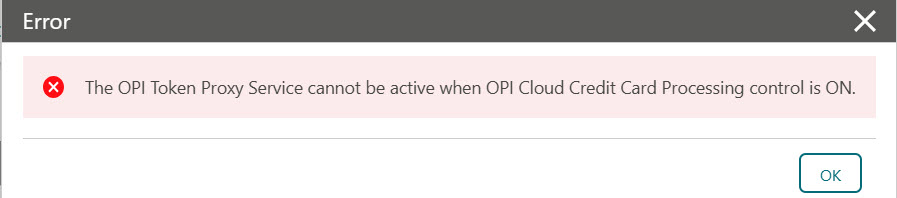
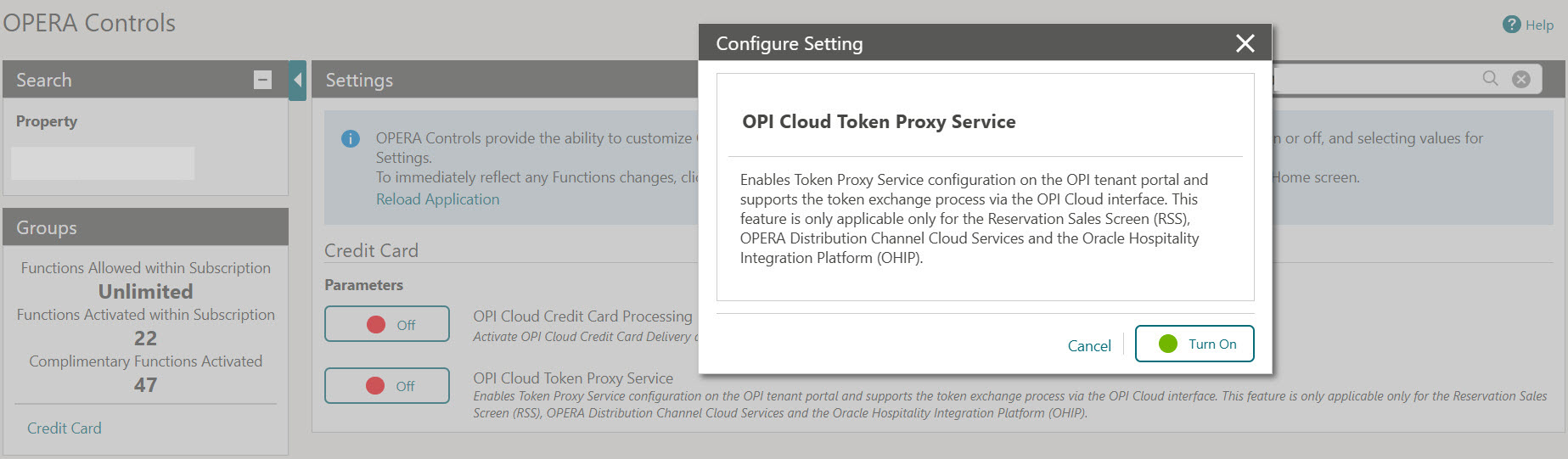
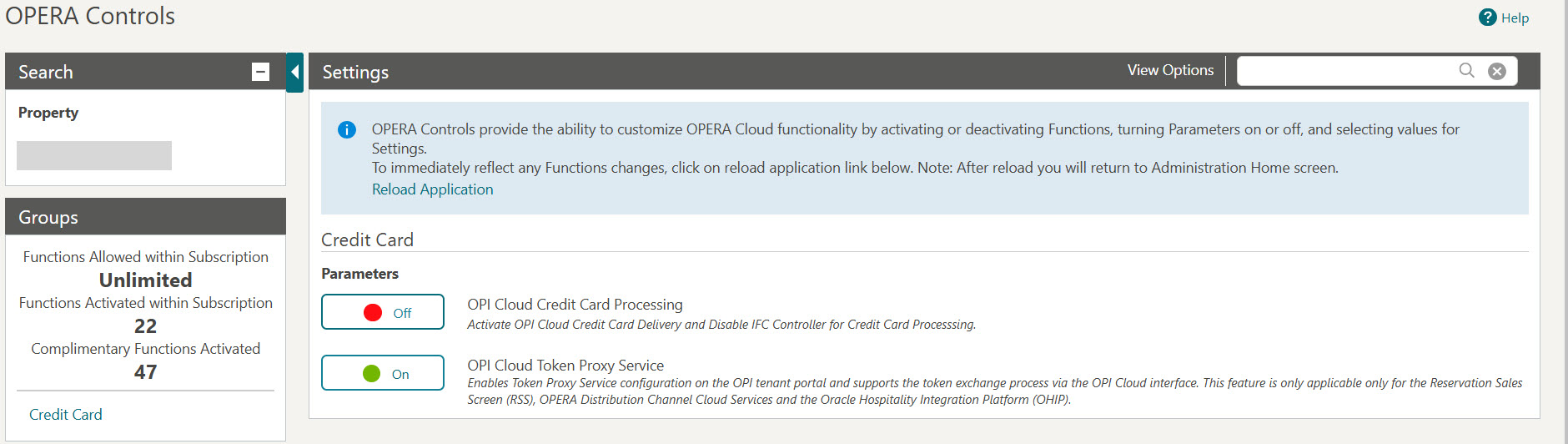
Once the parameter is active, OPI Cloud is configured for token exchange for the property.