Authorizations Reversals
OPERA Cloud and OPI Cloud support Pre-Authorization Reversals. This is an automated electronic reversal message sent to the Payment Service Provider to release the pre-authorization.
-
A pre-authorization exists
-
The main card type is replaced with a new card.
For example, if the authorization on Check-In was processed to a Visa and the payment on Check Out was through Master Card, then change the payment method to MC and OPERA Cloud will automatically send out the authorization reversal request for the Visa card.
-
From the OPERA Cloud menu, select Bookings, select Reservations, and then click Manage Reservation.
-
Search for and open the reservation.
-
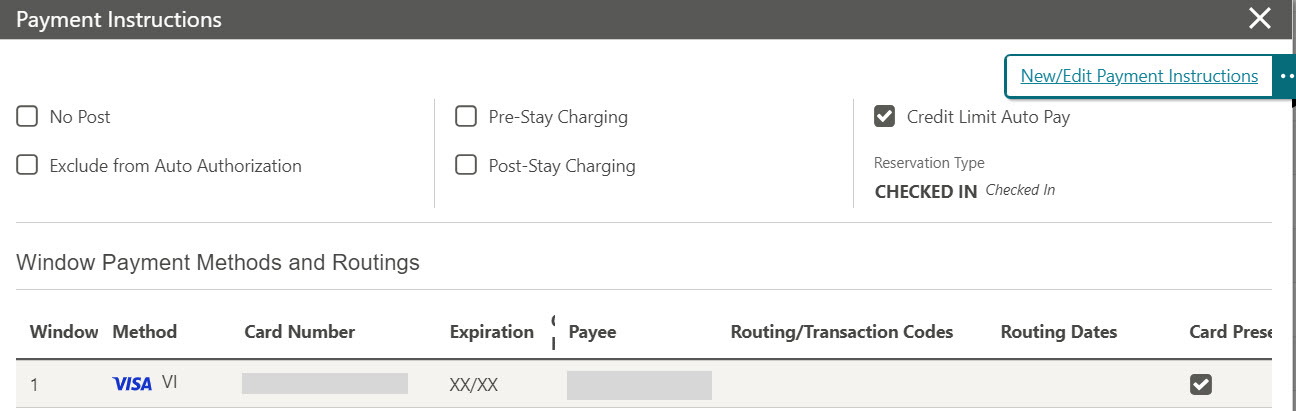
Click I Want To… and select Payment Instructions. See Payment Instructions for details.
-
Click New/Edit Payment Instructions.
-
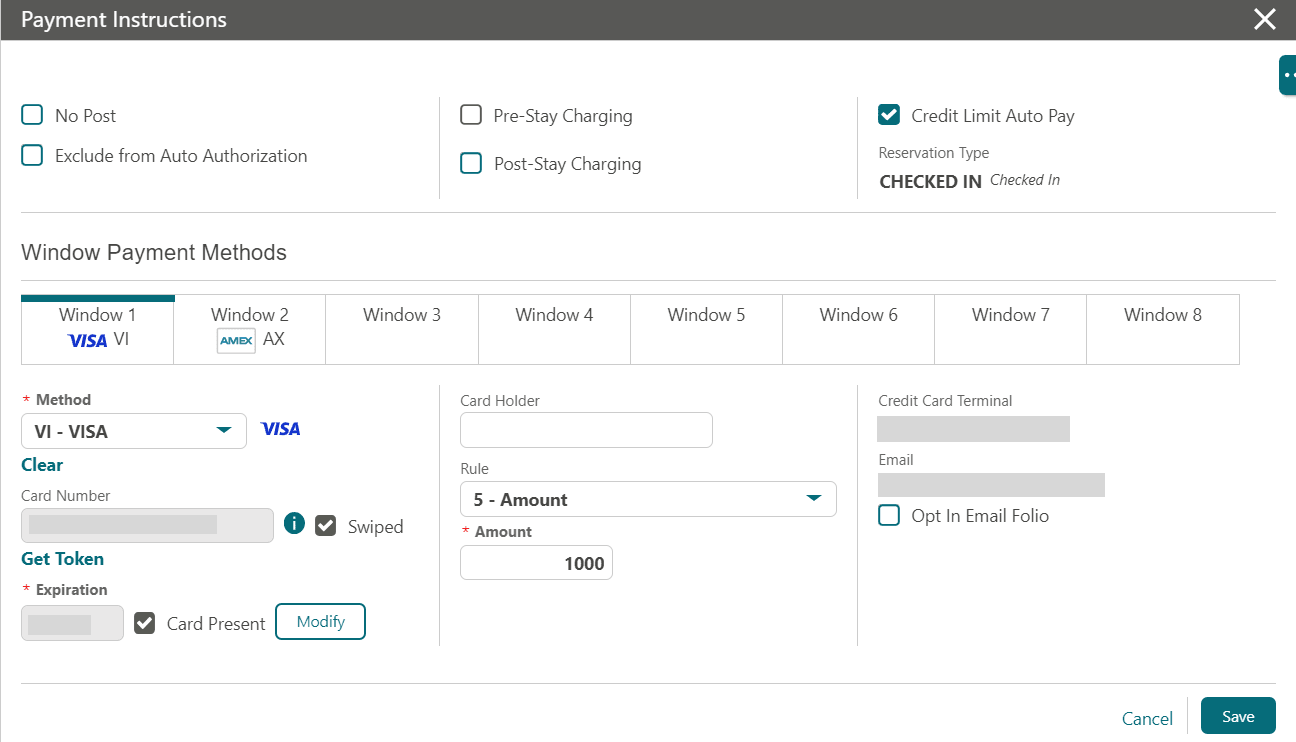
Click the payment Method drop-down and select the payment type of your choice.
-
Enter the Credit Card Number.
-
Enter the Expiration date in MMYY format.
-
The new Token is received and the authorization on the previous card is released.
-
Click Save.
-
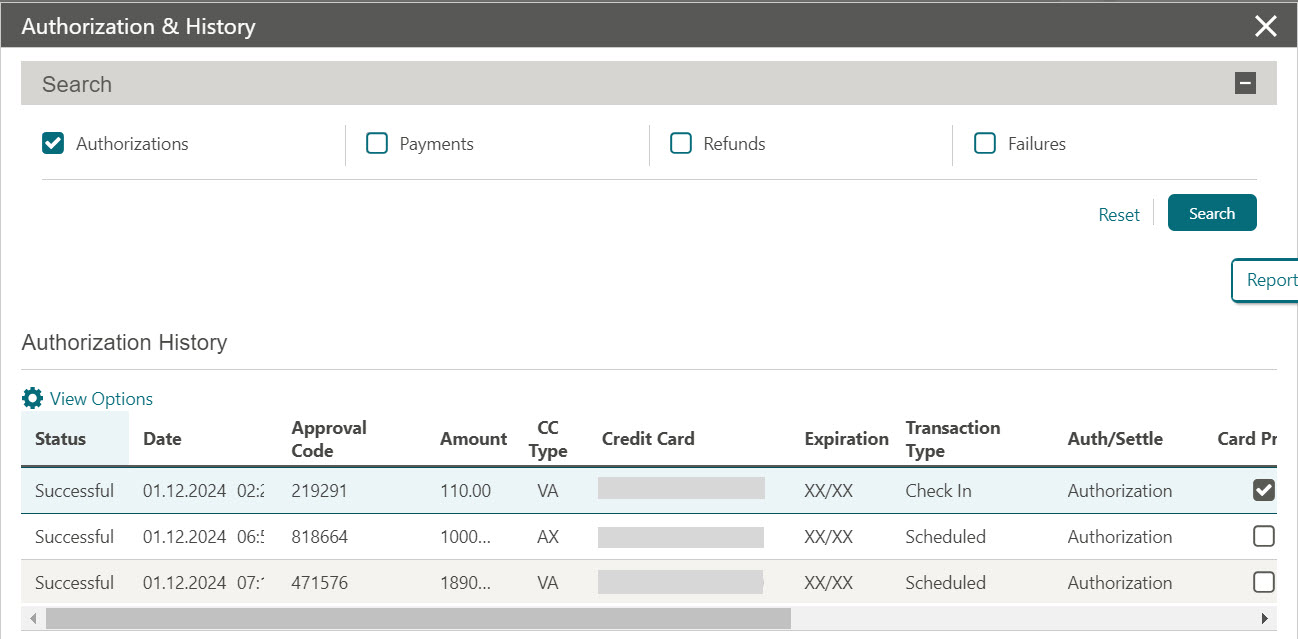
To view the successful Authorization reversal, go to Credit Card History from the Payment Instructions screen.
Note:
In addition to the above manual process for releasing an authorization, there is also an automatic process that runs in the background of OPERA Cloud to release authorizations automatically. The release schedule is based on the following criteria:
-
When Post Stay Charging is OFF for a reservation, any open authorization is released immediately from OPERA Cloud upon check out.
-
When Post Stay Charging is ON for a reservation, any open authorization remains active on the booking after check out for that day. The authorization will be automatically released on the following day, provided that End of Day has been run.
-
When Post Stay Charging is ON for a reservation and the booking is checked out to an Open Folio, any open authorization remains active on the booking. The authorization will only be released when the folio is closed.