Enter information on the IMDRF code
The IMDRF code free text field is enabled when you select the If you think the incident is unique and a suitable IMDRF term is missing, briefly explaincheckbox at the bottom of the respective IMDRF Coding window (Annex A-G).
By default, this field remains disabled to ensure dictionary-based selection is prioritized.
Once enabled, you can enter free text, and the system automatically assigns the <Not available> value.
This field allows you to document missing IMDRF terms directly in case form and reports.
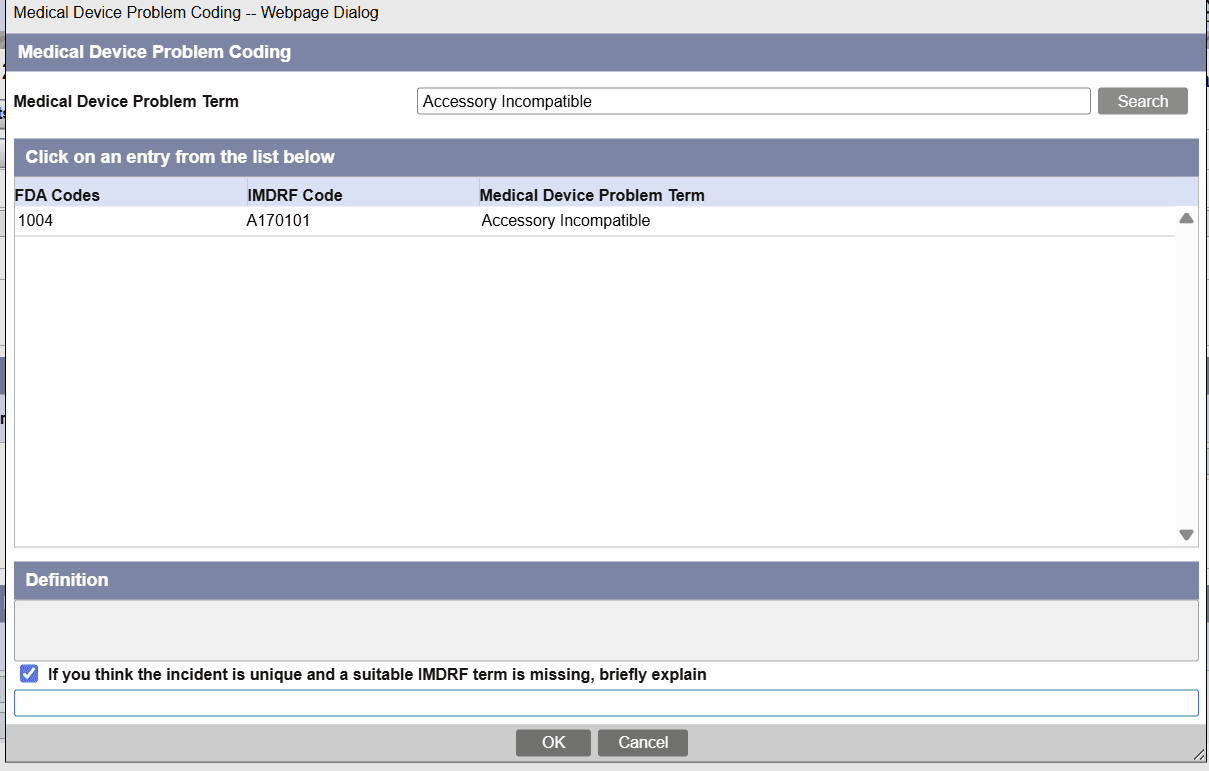
In case form, in the
Products > Device and Events tabs > IMDRF coding dialog window, when you select any of the IMDRF code values and then enter free text data in the respective record, the system gives preference to the free text you entered over the standard term from the IMDRF dictionary. In addition, the below fields display the selected IMDRF code, FDA Code and free text data in the following format:
| Annex | Field Name | Displayed data |
|---|---|---|
| Annex A , B, C, D, F and G | IMDRF Code | Selected IMDRF Code is displayed. |
| Annex A , B, C, D | FDA Code | Selected FDA Code is displayed. |
| Annex A / Device Problem Information | Device Problem | The free text you entered for Device Problem is displayed. |
| Annex B / Evaluation /Investigation Code Information | Method/Type | The free text you entered for Method/Type is displayed. |
| Annex C/ Evaluation /Investigation Code Information | Result/Findings | The free text you entered for Result/Findings is displayed. |
| Annex D/ Evaluation /Investigation Code Information | Conclusion | The free text you entered for Conclusion is displayed. |
| Annex E | Clinical Signs IMDRF Code | The free text you entered for Clinical Signs IMDRF Code is displayed in the following format: Data in Free text field (Selected IMDRF Code). |
| Annex F / Health Impact Information | Health Impact | The free text you entered for Health Impact is displayed. |
| Annex G / Device Component Information | Component Name | The free text you entered for Component Name is displayed. |
Parent topic: Enter device information