7 MFDS codes for Products and Ingredients in Post-marketed Domestic Cases through Link Korea dictionary
MFDS has published a Regional Drug Dictionary with Product code and Ingredient code assigned for each Product and the set of Ingredients in that Product.
MFDS Product Code – 9-digit unique code per Product
MFDS Ingredient Code – 7-digit unique code per Ingredient
MFDS uploads the Drug Product License details spreadsheet in nedrug.mfds.go.kr, and this is refreshed in real time (on a daily basis). The location for file download is:
For post-marketed domestic cases, it is mandatory to transmit the MFDS Product code or MFDS Ingredient code for every Company and Non-company Product in the KR specific regional data elements (outlined in the table below) in E2B(R3) report as per the Business rules.
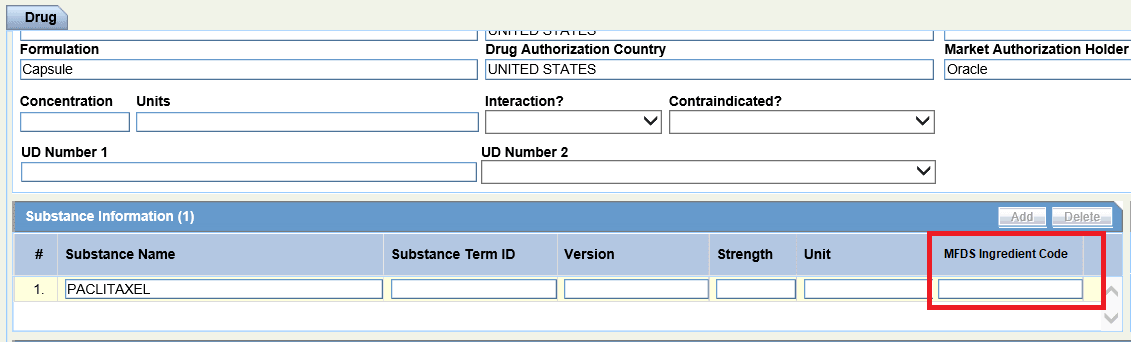
To achieve this, four new Case Form fields are available.
Load the Link Korea dictionary B3 or C3 format by using the self-service dictionary loader from Console > Tools > Dictionary Loader. Select the Link Korea dictionary version in Console > Common Profile Switches > Drugs(Korea). The dictionary format (B3 or C3) and the dictionary version should match between Link Korea and WHODrug Global.
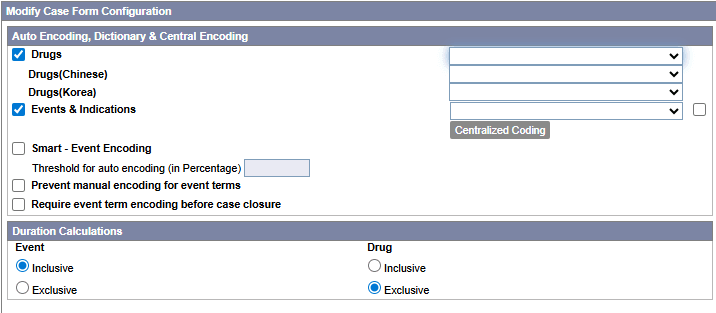
During the Link Korea dictionary loading, the MFDS Ingredient codes are automatically updated in Codelist > Ingredients as per the matching CAS number between WHODrug global and Link Korea dictionary.
The MFDS Product code, Formulation, Strength, and MAH are the data displayed from Link Korea dictionary in the Drug Coding window mapped to the selected WHODrug record.
When there are multiple matching MFDS Product codes for the selected WHODrug code or WHO Record ID, you can choose the required Korea record.
For company products, the MFDS Product code is configured in Console > License > MFDS Product Code. The MFDS Ingredient code is automatically managed from the Ingredients code list.
For WHO drugs, the MFDS Product code and MFDS Ingredient codes are displayed in the case form when selected from the Drug Coding window.
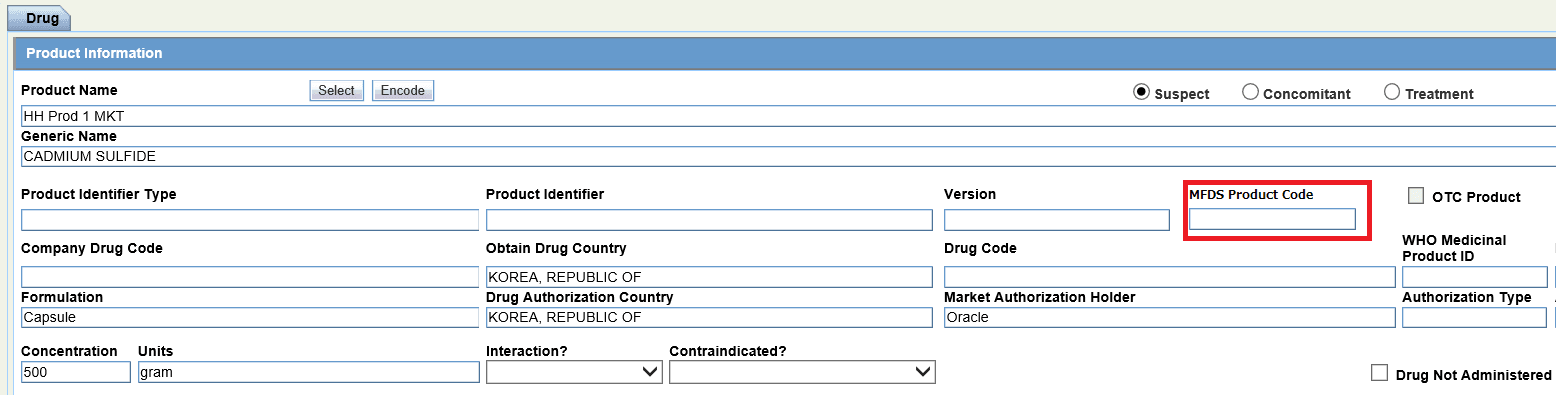
Data displayed in the MFDS codes are transmitted to MFDS E2B(R3) in the elements listed below:
| Element ID | Element description | Case Form field |
|---|---|---|
| D.8.r.1.KR.1b | Medicinal Product ID
(Patient Past drug Therapy) |
Patient tab > Other Relevant History > MFDS Product Code |
| D.10.8.r.1.KR.1b | Medicinal Product ID
(Parent Past drug Therapy) |
Parent tab > Other Relevant History > MFDS Product Code |
| G.k.2.1.KR.1b | Medicinal Product ID
(Suspect/Concomitant/Interacting Products) |
Product tab > Product Information > MFDS Product Code |
| G.k.2.3.r.1.KR.1b | Substance ID
(Ingredients of Suspect/Concomitant/Interacting Products) |
Product tab > Substance Information > MFDS Ingredient Code |
- Patient/Parent tab > Other Relevant History > MFDS Product Code:

- Product tab > Product Information > MFDS Product Code
- Product tab > Substance Information > MFDS Ingredient Code