Study management
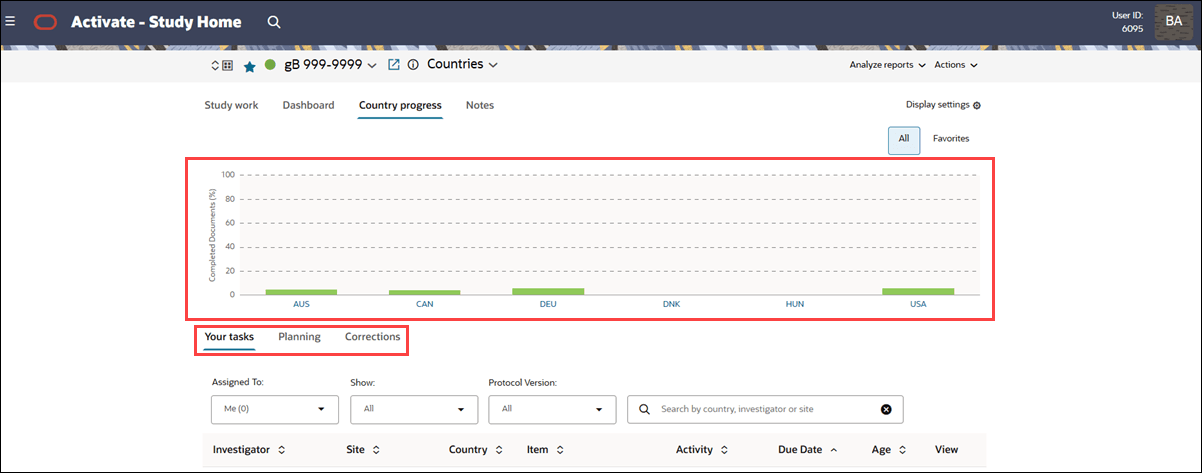
The Your tasks | Planning | Corrections sub-tabs now display only on the Dashboard and Country Progress pages and the Country Progress chart has usability improvements.
Study home page
Previously, the Your tasks | Planning | Corrections sub-tabs appeared on every Study home page main tab (i.e., on the Study work, Dashboard, Country Progress, and Notes pages). To make navigation clearer and reduce unnecessary controls, we removed the Your tasks | Planning | Corrections tabs from Study Work and Notes pages and they display only on the Dashboard and Country Progress pages.
On the Country Progress tab, you'll also see the following usability improvements to the bar chart:
- The chart now displays completion in 20% increments
- The y-axis (vertical) has a new “Completed Documents (%)” label
- Country codes shown below each bar are now styled as clickable links
Artifact ID search in Corrections
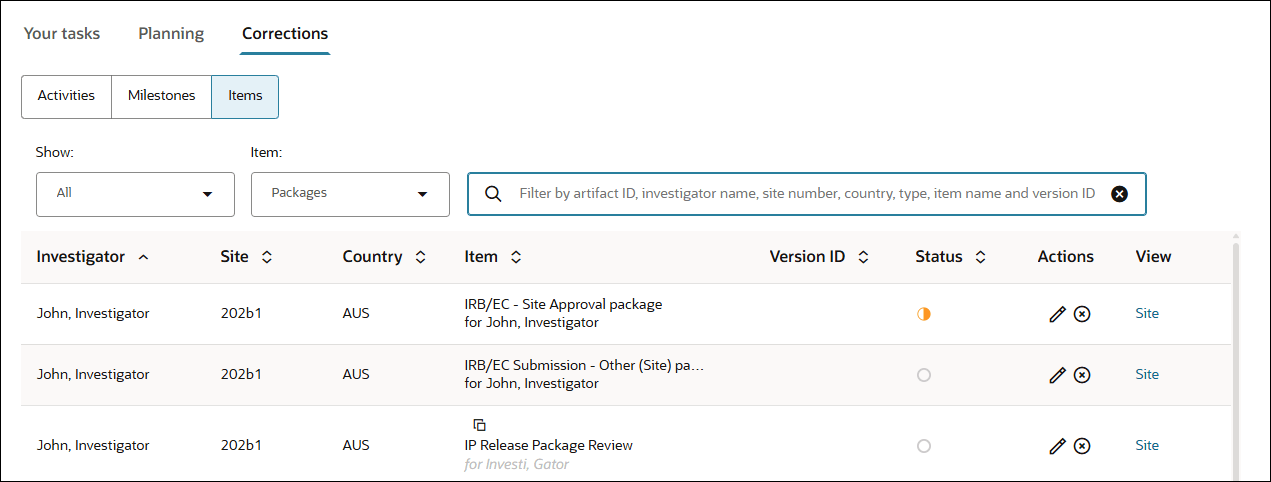
Now you can search by Artifact ID on the study home page Corrections > Activities and Items subtabs. This enhancement makes it easier to locate and resolve issues related to specific Artifact IDs shared by other teams or systems. We’ve also updated the helper text in the Items tab search field to indicate that you can search by Artifact ID.