Payment Status: Check Payment Status
Use this to confirm whether the guest has paid for the deposit/link.
- In OPERA Cloud, go to Front Desk > Arrivals
- Search for and open the reservation
- Select I Want To…
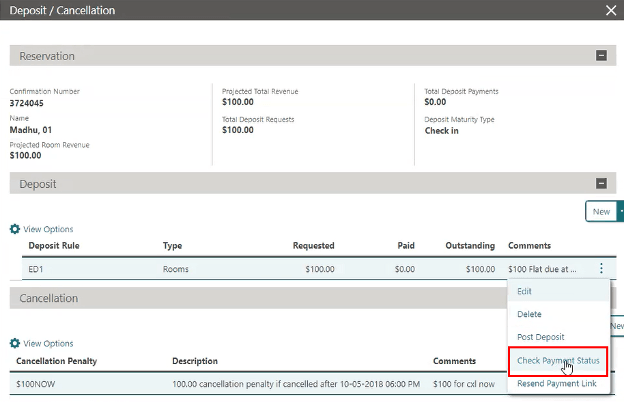
- Select Deposit/Cancellation
- Select the deposit, open the ellipsis (…) menu, then select Check Payment Status
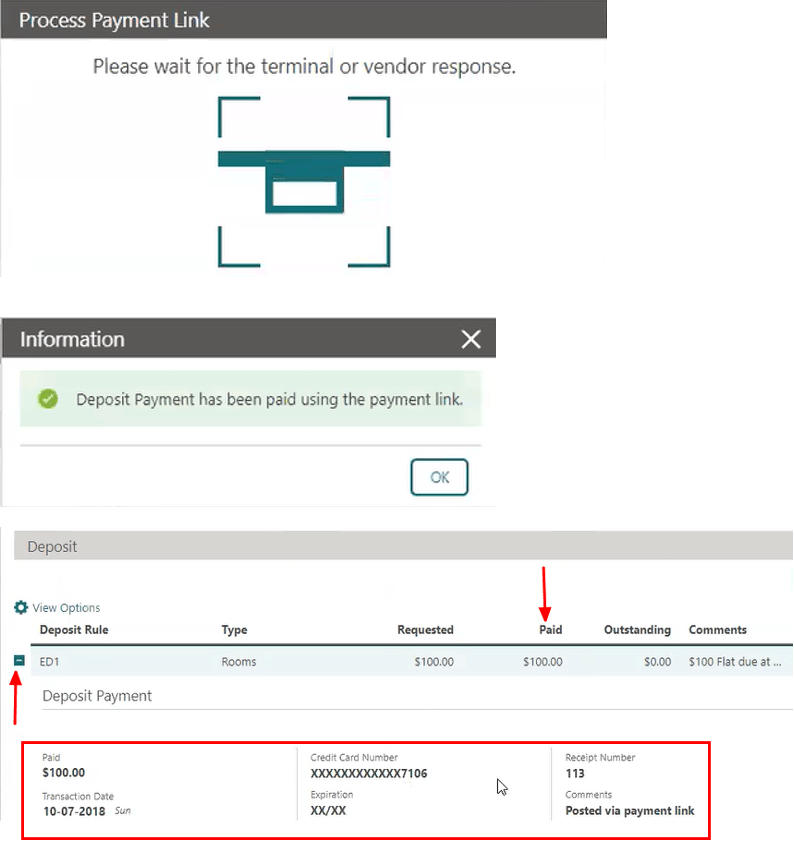
Expected outcome
- OPERA reflects whether the payment has completed for that Pay by Link deposit request.
Parent topic: Pay by Link